


Why You Should Update Your Old Embed Code to the New Format
Last Updated: Jun 24, 2026
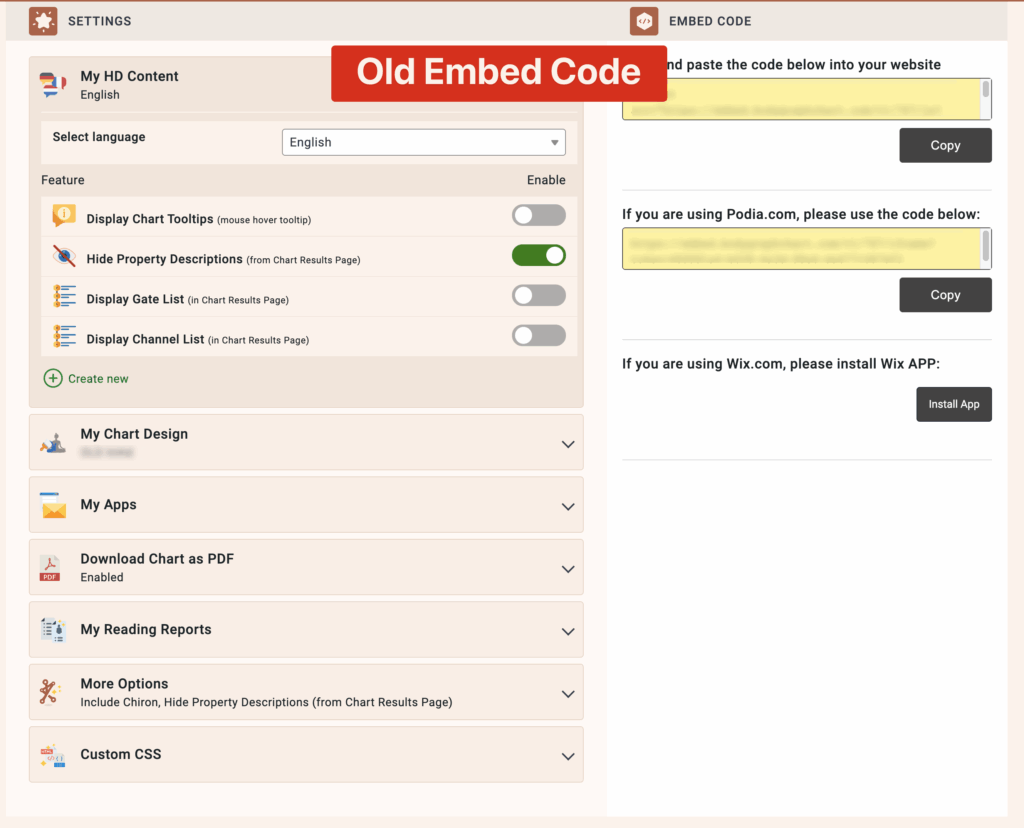
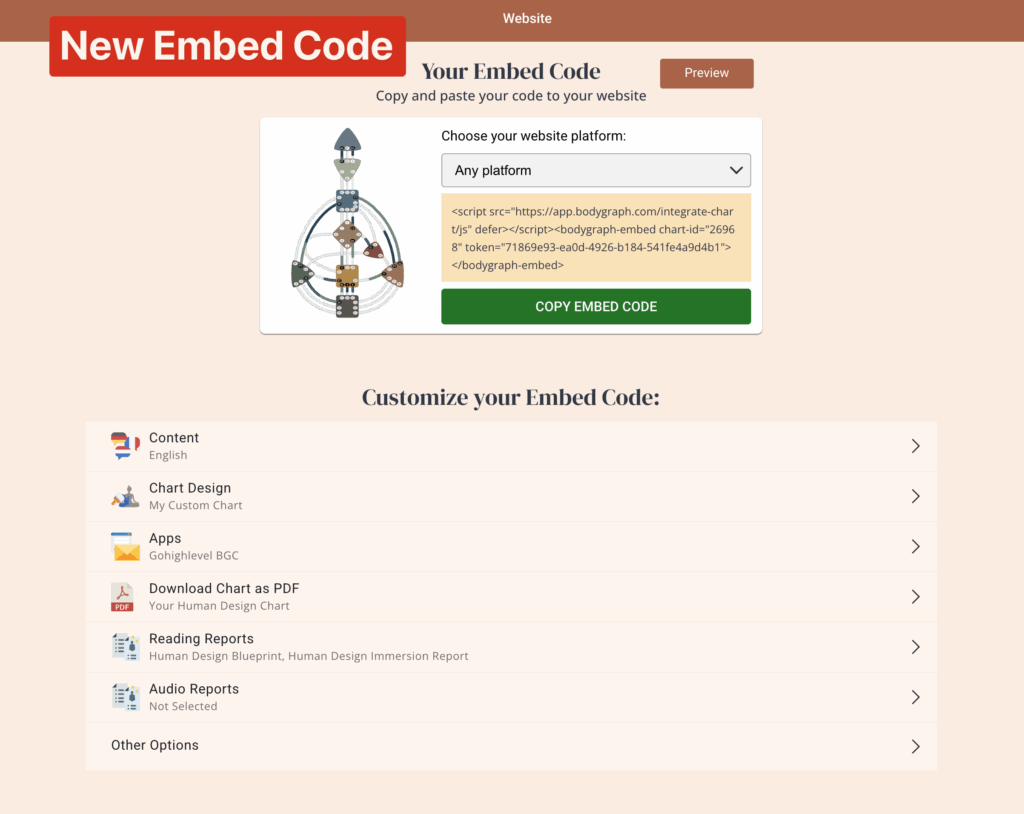
If you have been using Bodygraph for a while, there is a good chance the embed code on your website is the old format. Your chart generator may still be working, so it is easy to assume everything is fine. But the old embed code is not compatible with newer platform features, which means some things your subscribers expect to see, or that you want to offer, simply will not show up.
Updating takes about two minutes. Here is what changes when you do.
What is different about the new embed code
The old embed code had all settings built directly into the embed snippet itself. The new format separates your settings into four organized sections — Content, Chart Design, Apps, and Reports — before you generate and copy the code. This structure is what allows the embed to connect to newer features.
What the old embed code does not support:
Audio reports. If you have created audio reports and want to offer them through your website, the old embed code will not display them. Switching to the new format and enabling the audio reports option in your embed settings is required for them to appear.
PDF chart download. The old embed code automatically included a button for visitors to download a PDF of their chart. The new embed code does not add this by default, and it does not automatically create the PDF either. You will need to create a free reading report in the Reading Report Tool first, then attach it to your embed code and enable the PDF download option in your embed settings. If you skip either of those steps, the download button will not appear for your visitors.
Property descriptions below the chart. In the old embed, Human Design property descriptions appeared directly below the chart results. In the new format, those descriptions are accessed by clicking the three dots (…) next to each property, which opens a popup window. If subscribers are not seeing their descriptions the way they expected, this is why. The content is still there — it just lives in a different place.
How to update
- Log in to your Bodygraph account and go to the Integrate Chart section.
- Open the embed code you want to update, or create a new one.
- Configure your settings across the Content, Chart Design, Apps, and Reports tabs. This is where you will enable PDF download, connect your newsletter app, attach any reading reports, and turn on audio reports if you have them.
- Copy the new embed code.
- Go to your website and replace the old embed snippet with the new one.
If you are not sure where on your website the old code lives, check with your website platform’s help center or your web developer. The swap itself is straightforward once you find it.
A good time to set up a free chart report
If you are already updating your embed, this is a great moment to add a free mini report for your visitors. Rather than just generating a chart and leaving people to explore on their own, you can offer a downloadable PDF that includes a copy of their chart along with a high-level overview of their Type — plus an about me page and a way to work with you.
Bodygraph has a pre-built version of this already available in the report library. It includes a branded cover page, a “What is Human Design?” introduction page, an about me page, a chart page with property labels, a brief summary of the visitor’s unique Type, an inspirational quote page, and a call to action page where you can feature your services and booking links. You can find it under the free templates and lead magnets section, customize it to match your brand, and attach it to your embed code so it is ready to go when your visitor generates their chart.
This turns a free chart experience into a lead magnet, and gives new visitors something tangible to take away.
Still have questions about updating your embed code? Reach out to support@bodygraph.com or book a free onboarding call at onboarding.bodygraph.com and the team can walk you through it.
Featured Related Article
Additional Related articles:
- Creating Individual Human Design Embed
- Submission Form Design and Settings
- Chart result page design and settings
- How to create a chart PDF download
- How to enable free chart PDF download on the embed code
- Enabling app at embed code
- Enable audio reports on embed code
- Free templates and lead magnets with content

All the Tools You Need to Build, Grow, and Scale Your Human Design and Astrology Business

