


How to edit descriptions at Chart Content?
Last Updated: Apr 30, 2026
To create your own language at Chart Content tool please follow the steps listed below:
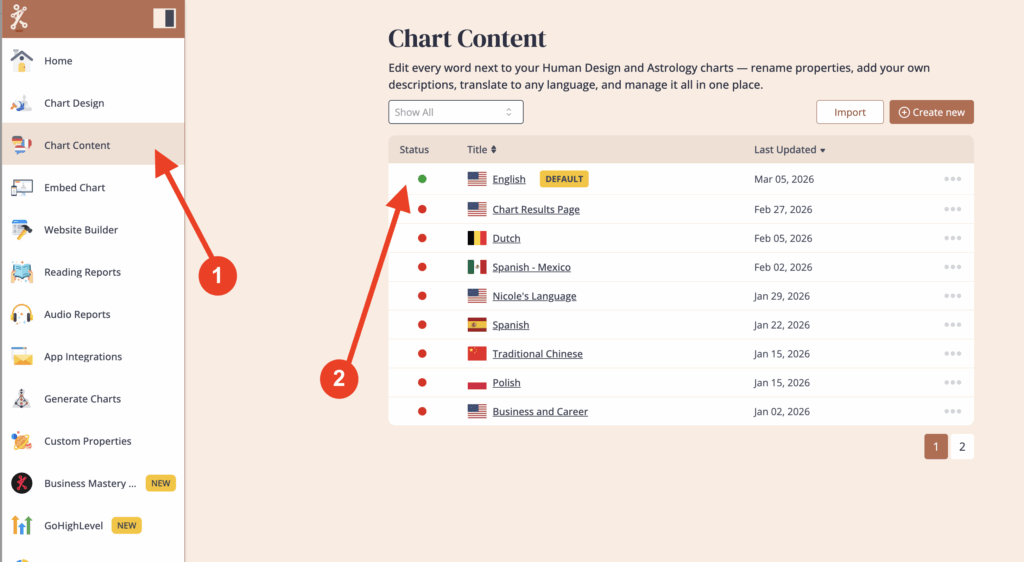
Click on ‘Chart Content‘ and then select the language that you want to edit.
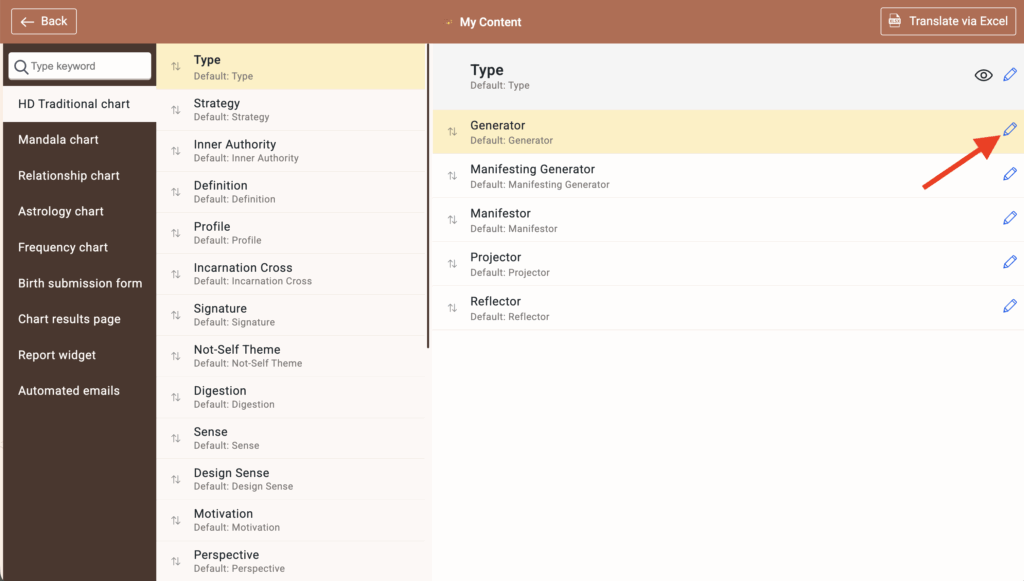
Open the language and select the section you want to edit (such as Type) then click on the pencil icon next to the description you want to edit.
You can edit the Title, add a custom line and/or edit the description or detailed explanation.
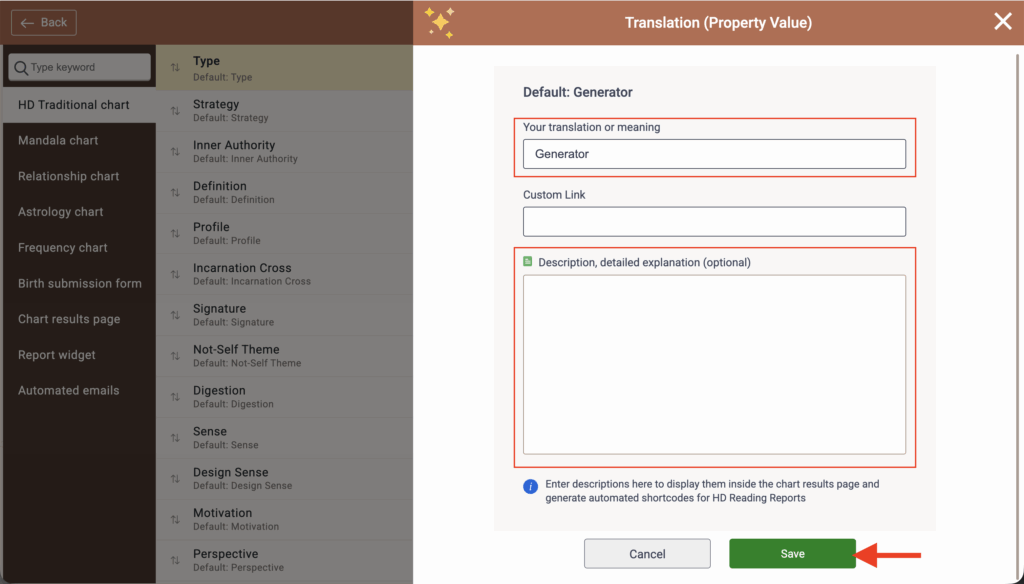
Click ‘Save’ once you are finished, and then repeat for any other descriptions you would like to edit.
Related articles:
How to Export/Import Language?
Still have questions, is above guide outdated? Please message us on Live Chat or send an email to support@bodygraph.com.

All the Tools You Need to Build, Grow, and Scale Your Human Design and Astrology Business

