


How to change Human Design properties order?
Last Updated: Mar 18, 2026
To change Human Design properties order at the chart result page please follow the steps listed below:
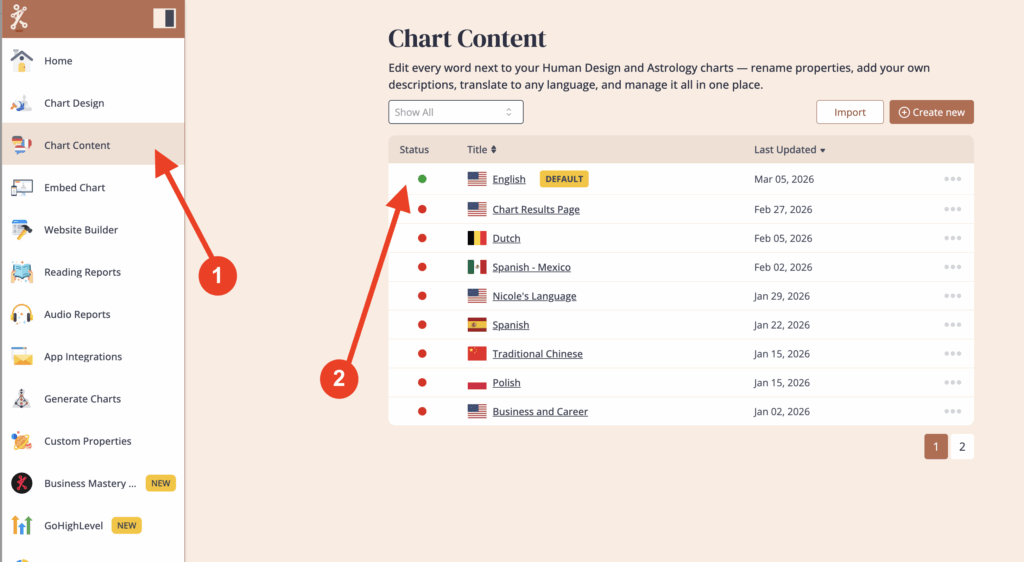
Click on ‘Chart Content’ and then select the language that is assigned to the embed code that you’re using for your website.
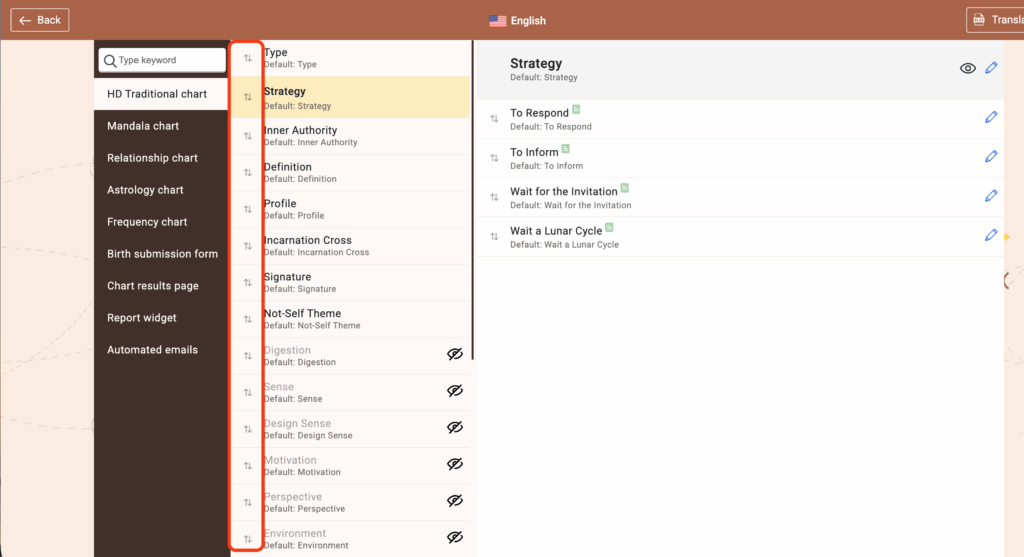
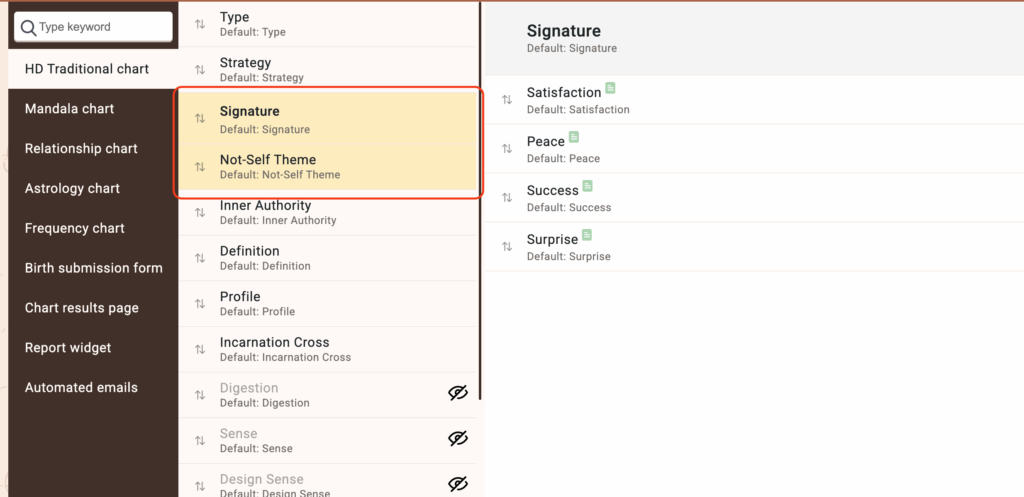
Click and hold on the two arrows ⇅ next to the property labels to change the order.
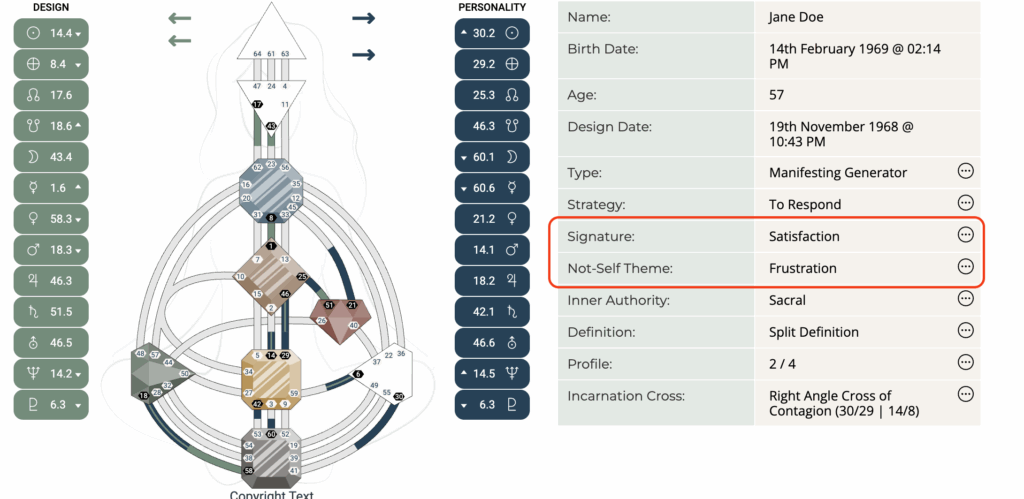
In the example below, we are moving the ‘Signature’ and ‘Not-Self Theme’ closer to Strategy.
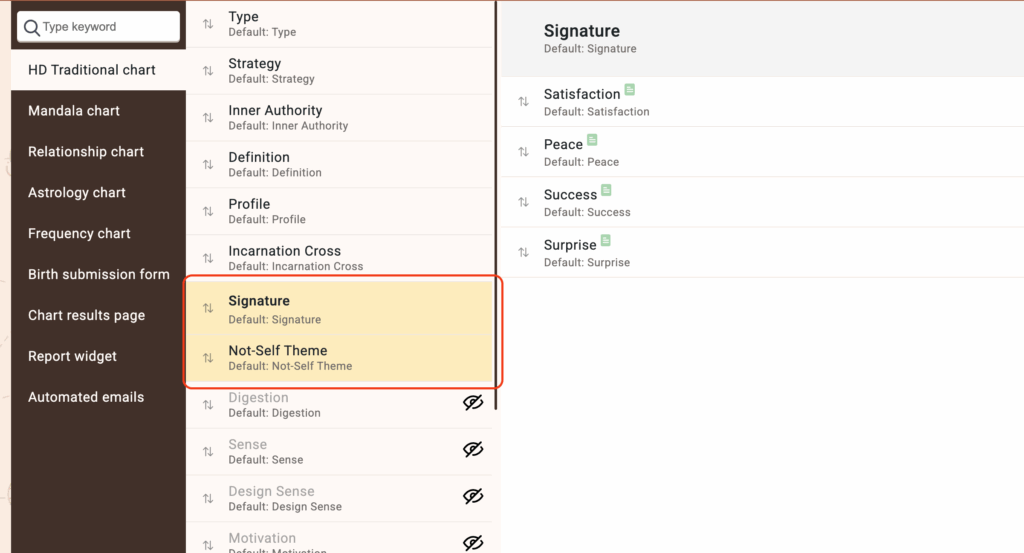
BEFORE
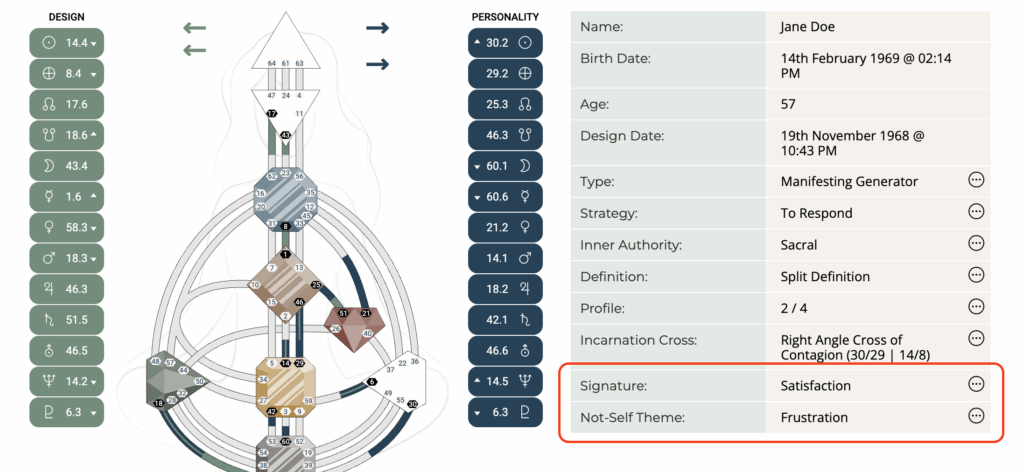
Change complete
The result
NOTE: If the changes you made were not reflected on the result page, please first verify that the correct language was edited. If the language adjustments were accurate, please navigate to your embed code and press the ‘Save Changes’ button to clear the cache. This action should help ensure that the updates are properly applied to the result page.
Still have questions, is above guide outdated? Please message us on Live Chat or send an email to support@bodygraph.com

All the Tools You Need to Build, Grow, and Scale Your Human Design and Astrology Business

