


How to add links to Chart Content?
Last Updated: Mar 16, 2026
You can convert property labels into clickable links on the chart result page, enhancing user engagement and promoting related services or products. For instance, you could link to home scents tailored to specific Human Design properties (e.g., calming scents for not self anger, frustration, etc.). Or you can redirect customers to your scheduling calendar for 1:1 sessions. This innovative feature allows you to offer targeted products, thereby adding value to your chart results and potentially increasing sales.
If you want convert property labels to clickable links, follow these steps:
Click on ‘Chart Content’ and then ‘Create New’
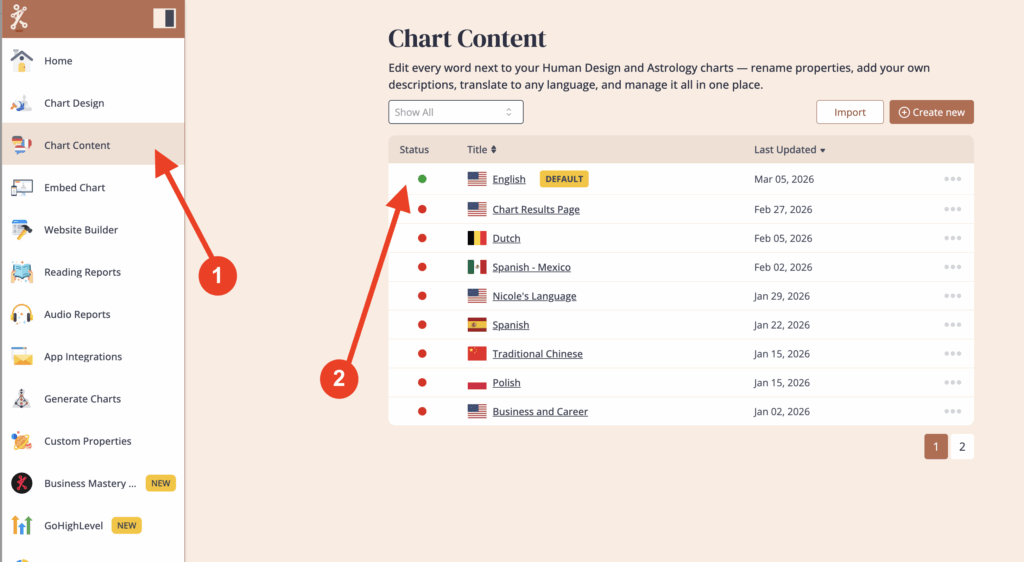
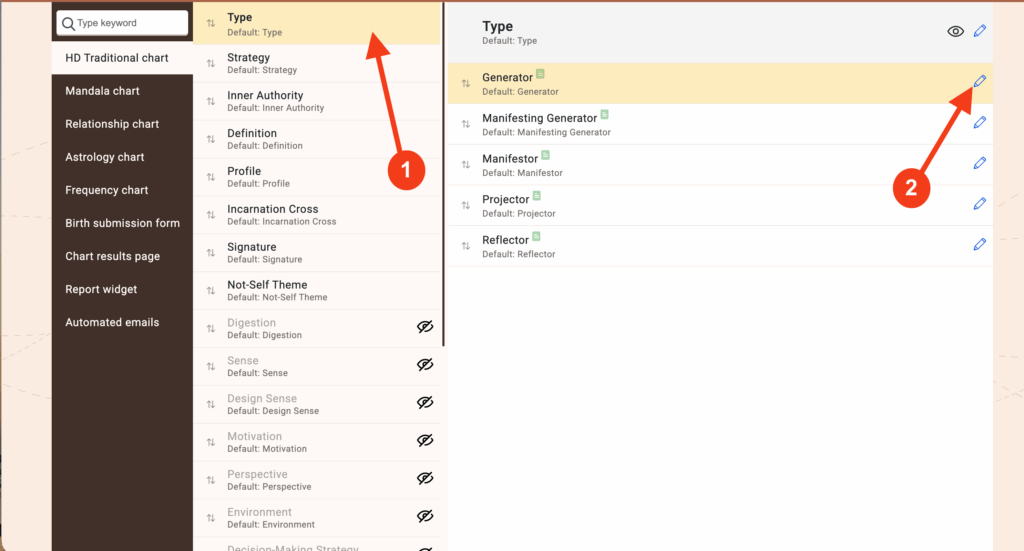
Click on the property label where you want to place the link, and then click on the pencil icon to edit that property.
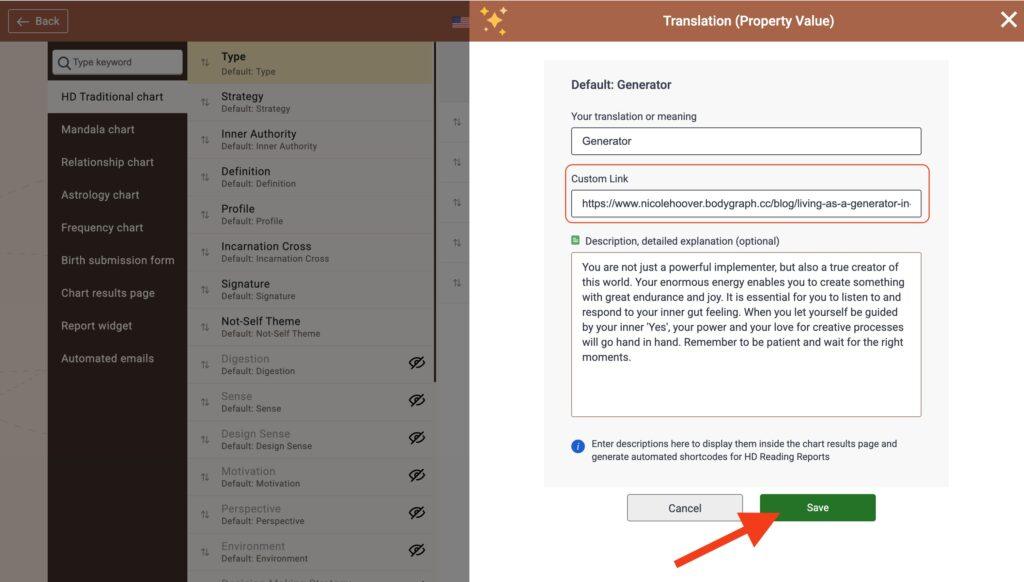
Add the URL into the ‘Custom Link’ field. (Be sure to use the full URL and that it starts with https://) Then click ‘Save’
Visit your website to test the changes
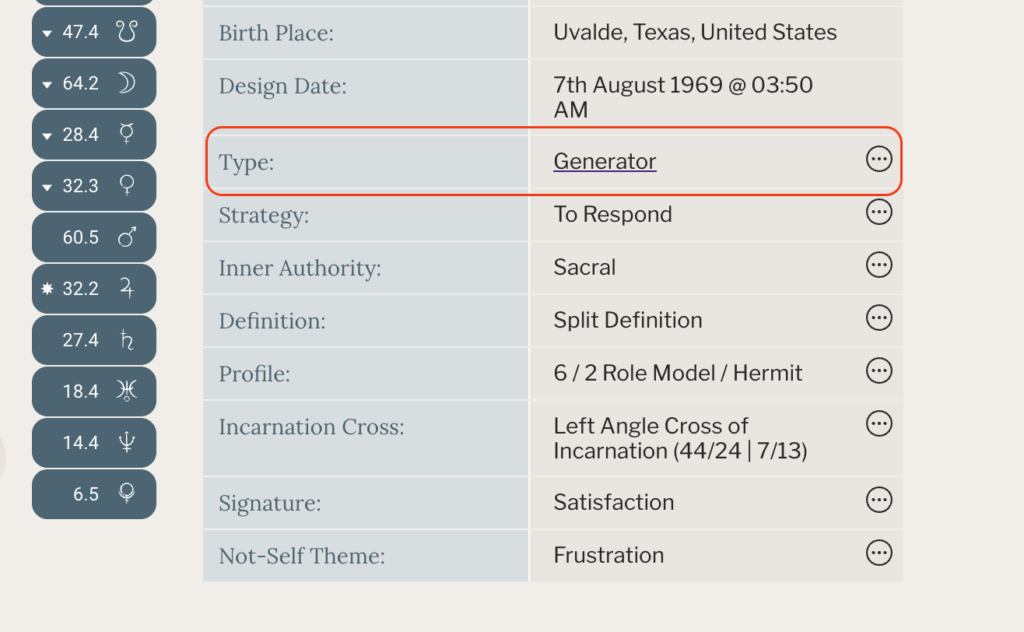
Note: On the Website Builder, a line will not appear under the text, but the hyper link will be active.
Frequently asked questions:
– What type of links can be included?
Any link that has a custom URL (https://) can be used. You can link to things like:
- YouTube Video
- Blog Article
- Landing page about a report you have created
- Shop to purchase a crystal that supports this specific human design property
- and so much more!
Use your imagination! ♥️
Still have questions, is above guide outdated? Please message us on Live Chat or send an email to support@bodygraph.com.

All the Tools You Need to Build, Grow, and Scale Your Human Design and Astrology Business

