


Uploading social media icons
Last Updated: Mar 17, 2026
The Bodygraph website builder footer includes an option to upload social media icons. However, these icons will only appear on the website if the corresponding social media links are added in the website settings.
This means that uploading the icons alone is not enough – the system checks whether a valid link for each platform has been provided. If a link is missing, the icon will not be displayed in the footer.
To upload and display social media icons, follow the steps below.
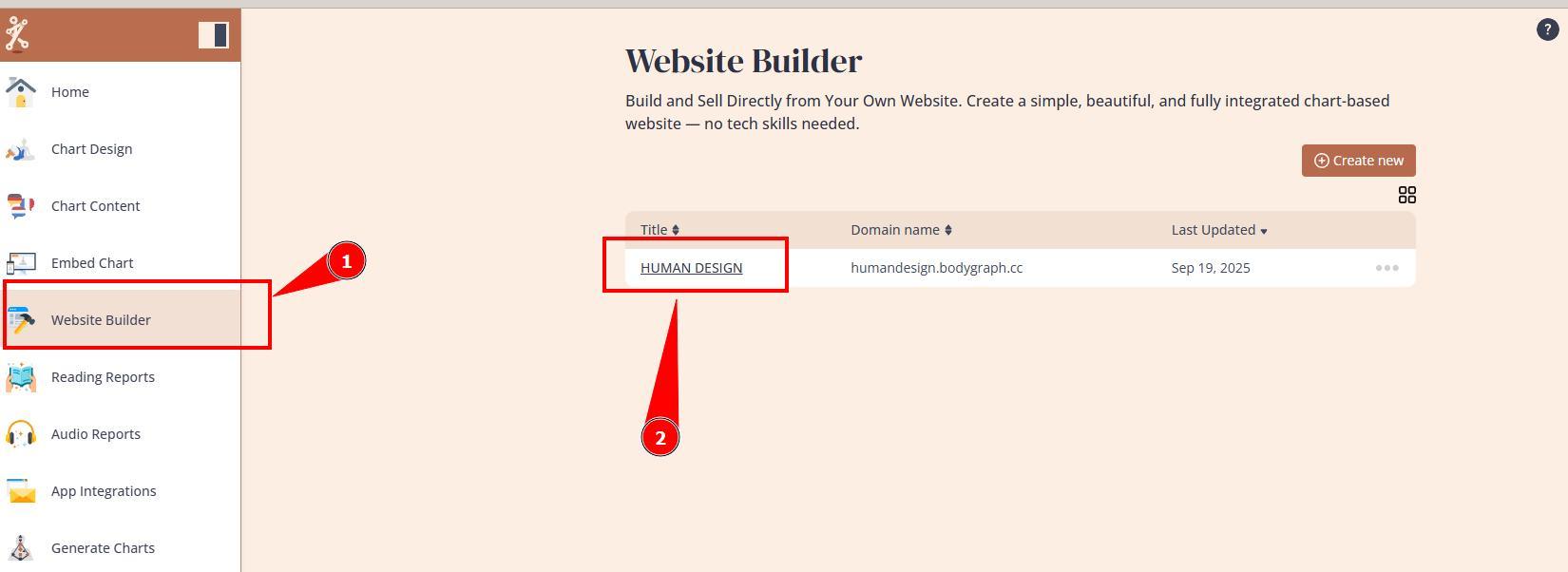
1. Navigate to Website Builder dashboard.
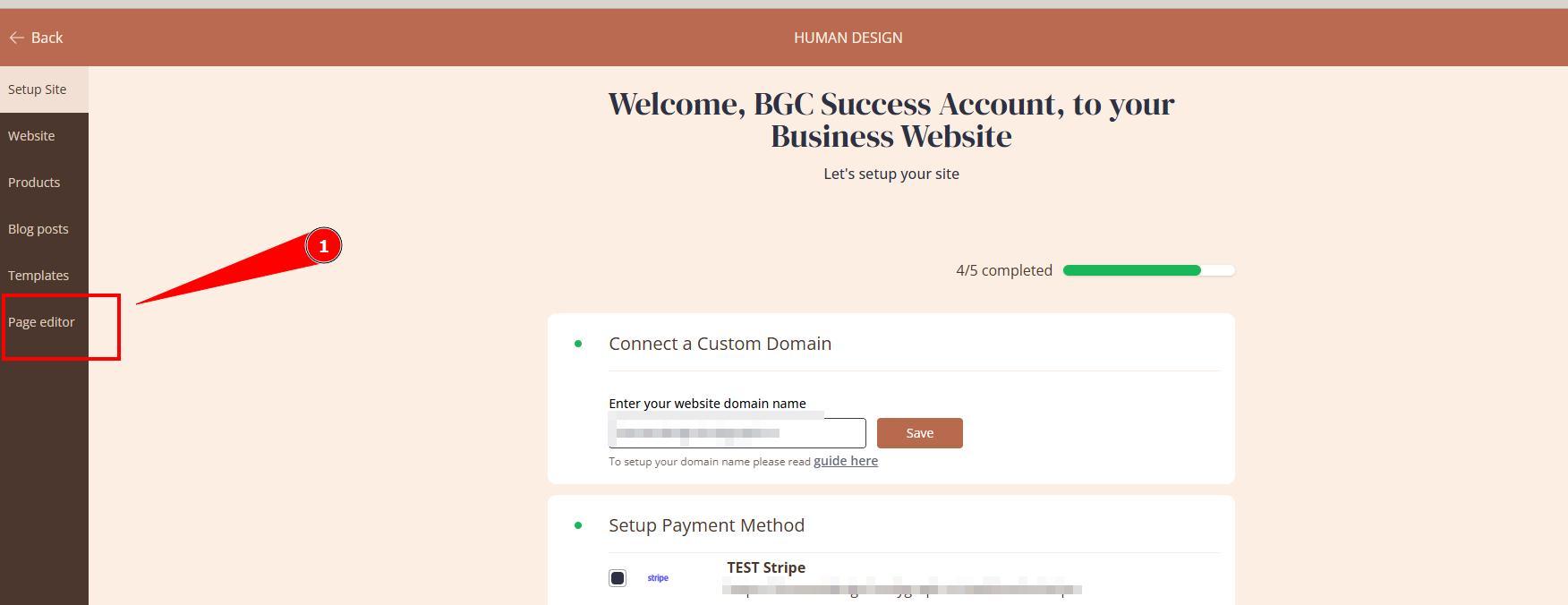
2. Open Page editor.
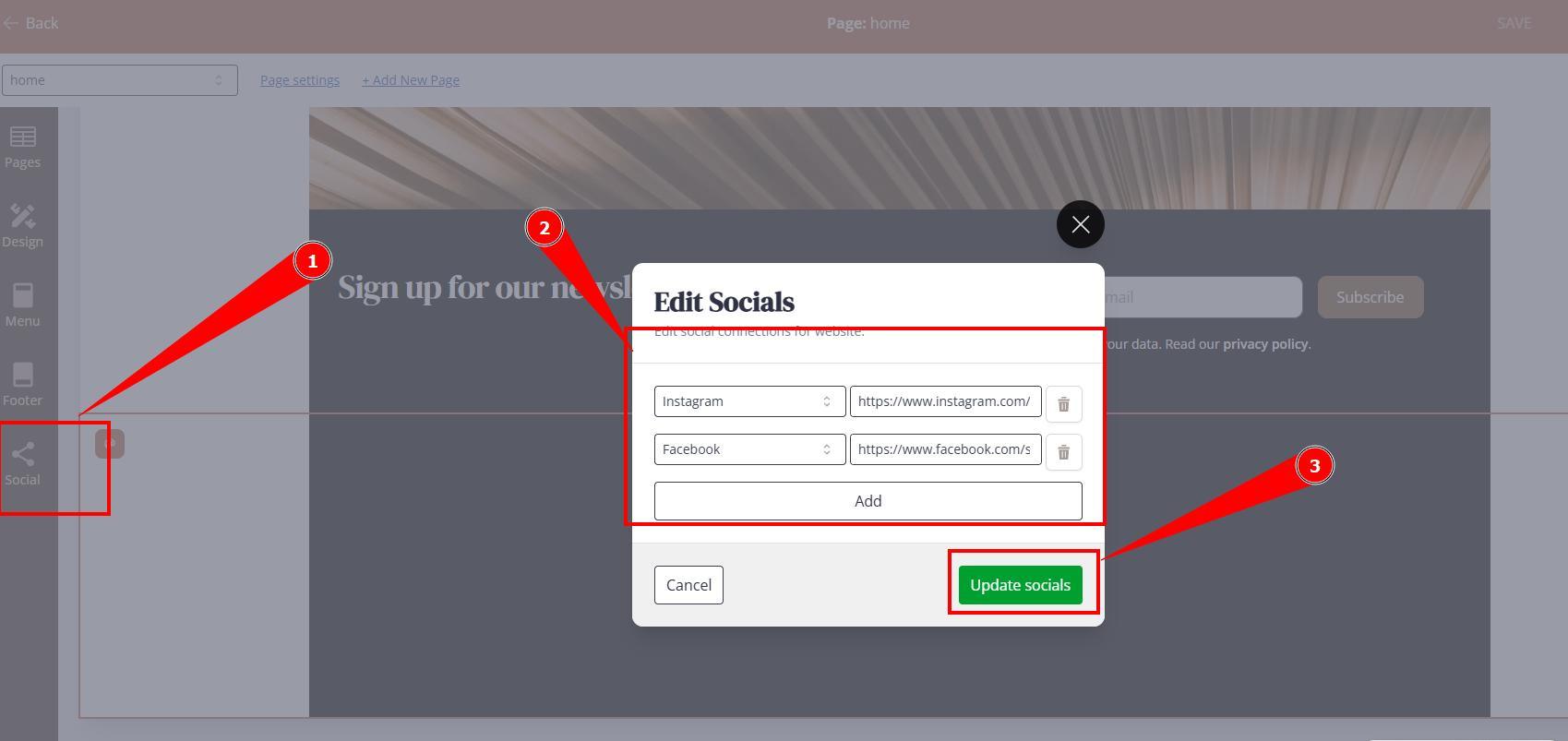
3. Open Social settings on the left menu bar and provide relevant links, then click Update socials. Do not forget to Publish website for changes to go live. Supported social media links: Facebook, X, Instagram, TikTok, Youtube.
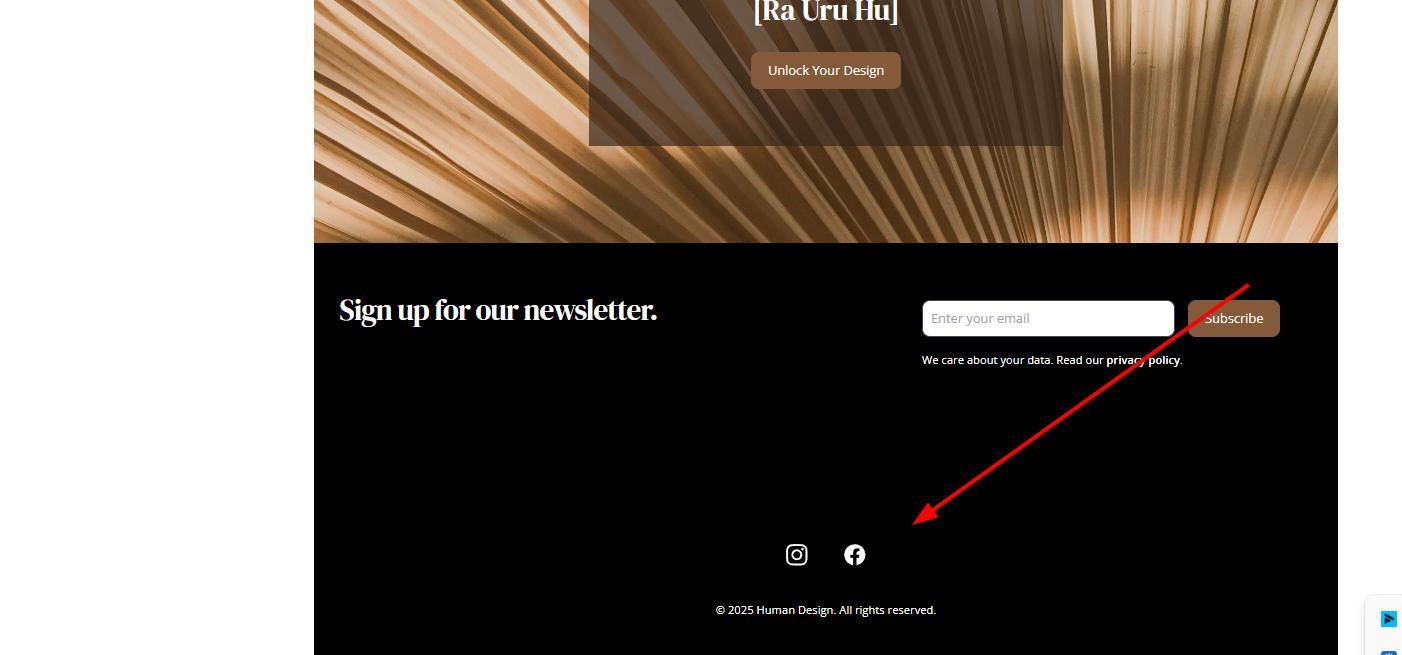
4. Navigate to your live website and test the icons.
Frequently asked questions:
– Can I add custom social media icon?
No. Only supported social media icons can be used.
– Can I add social media on any other sections such as top menu?
No. Social media icons are supported by Footer sections only.
Still have questions, is above guide outdated? Please message us on Live Chat or send an email to support@bodygraph.com.

All the Tools You Need to Build, Grow, and Scale Your Human Design and Astrology Business

