


Selecting date range at Statistics
Last Updated: May 14, 2026
To select and check specific date range at the Statistics, follow the steps below:
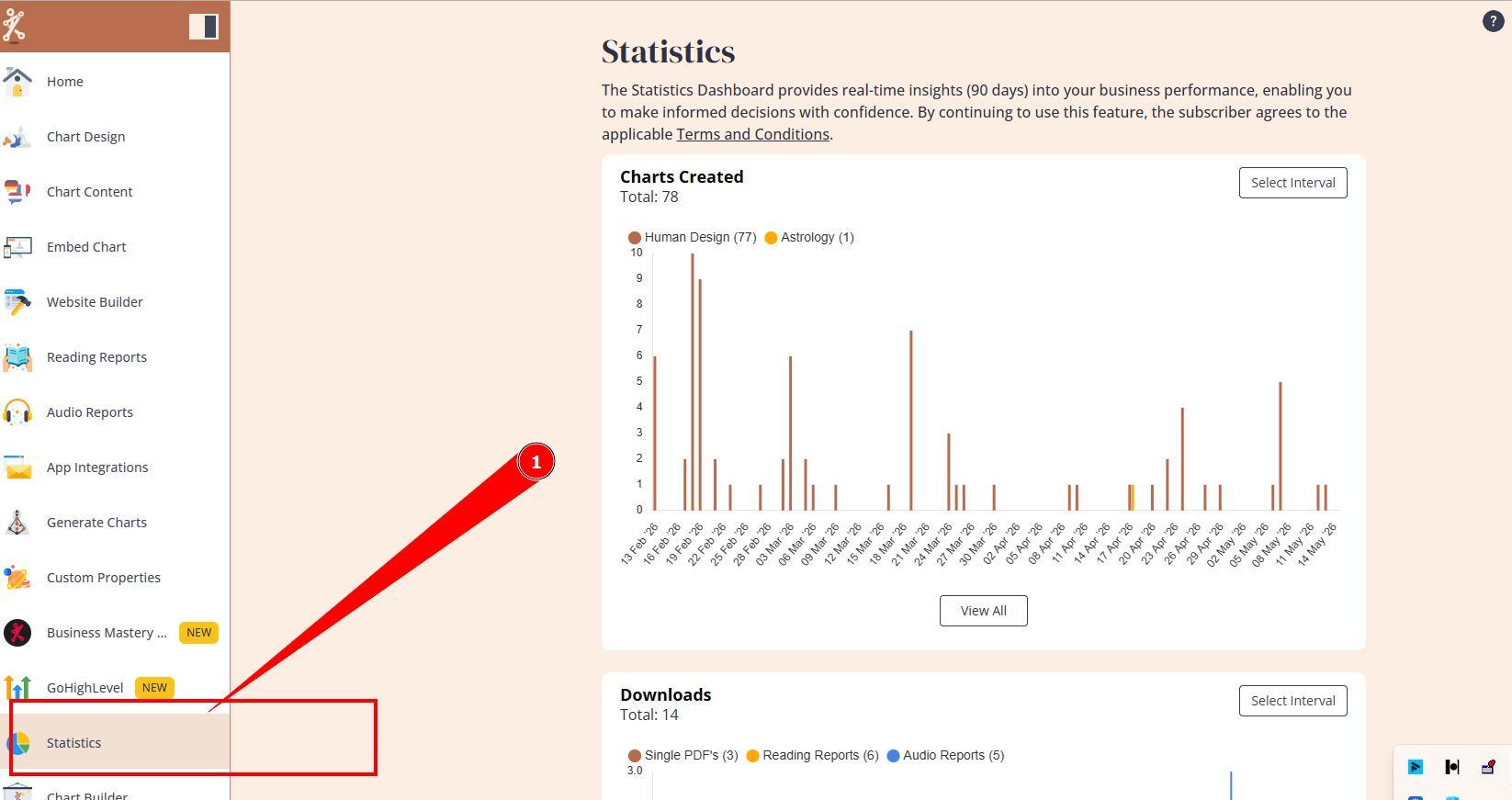
1. Navigate to Statistics section.
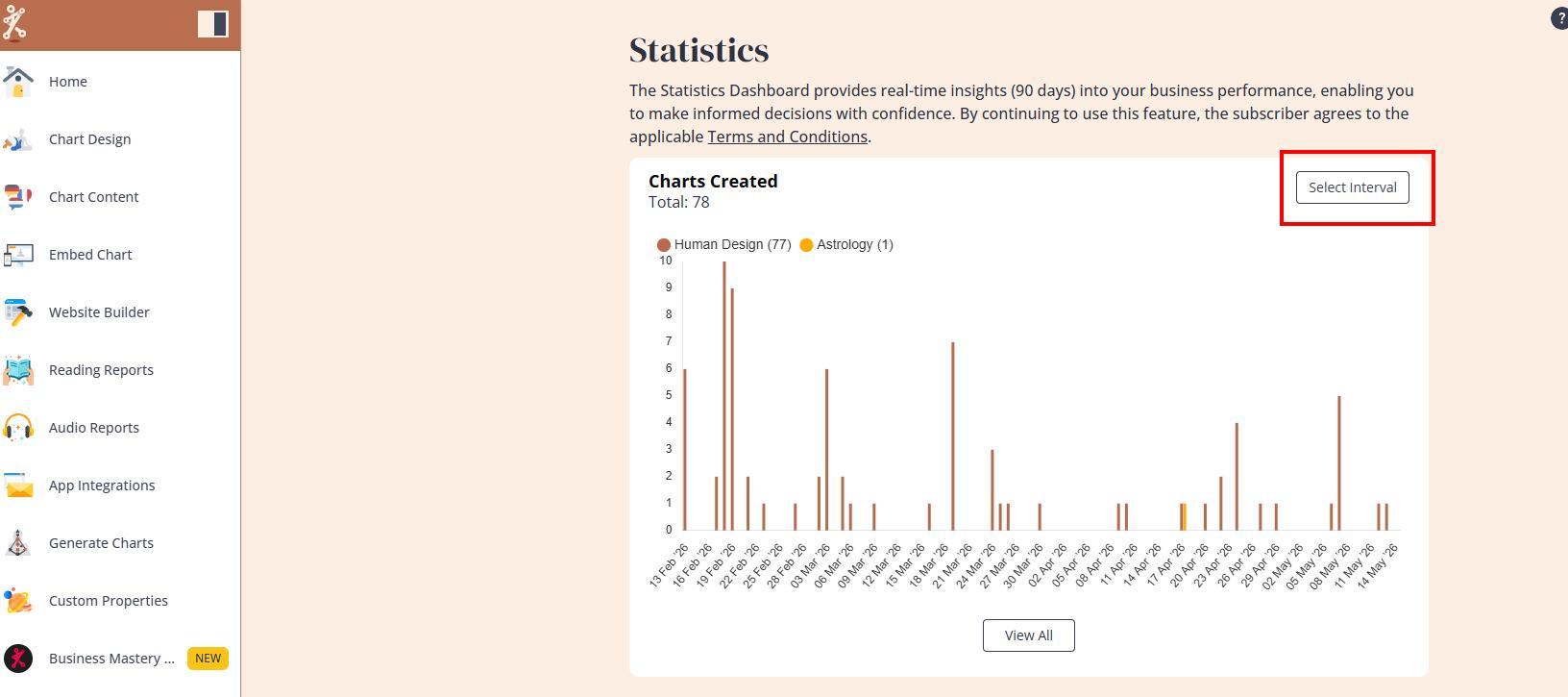
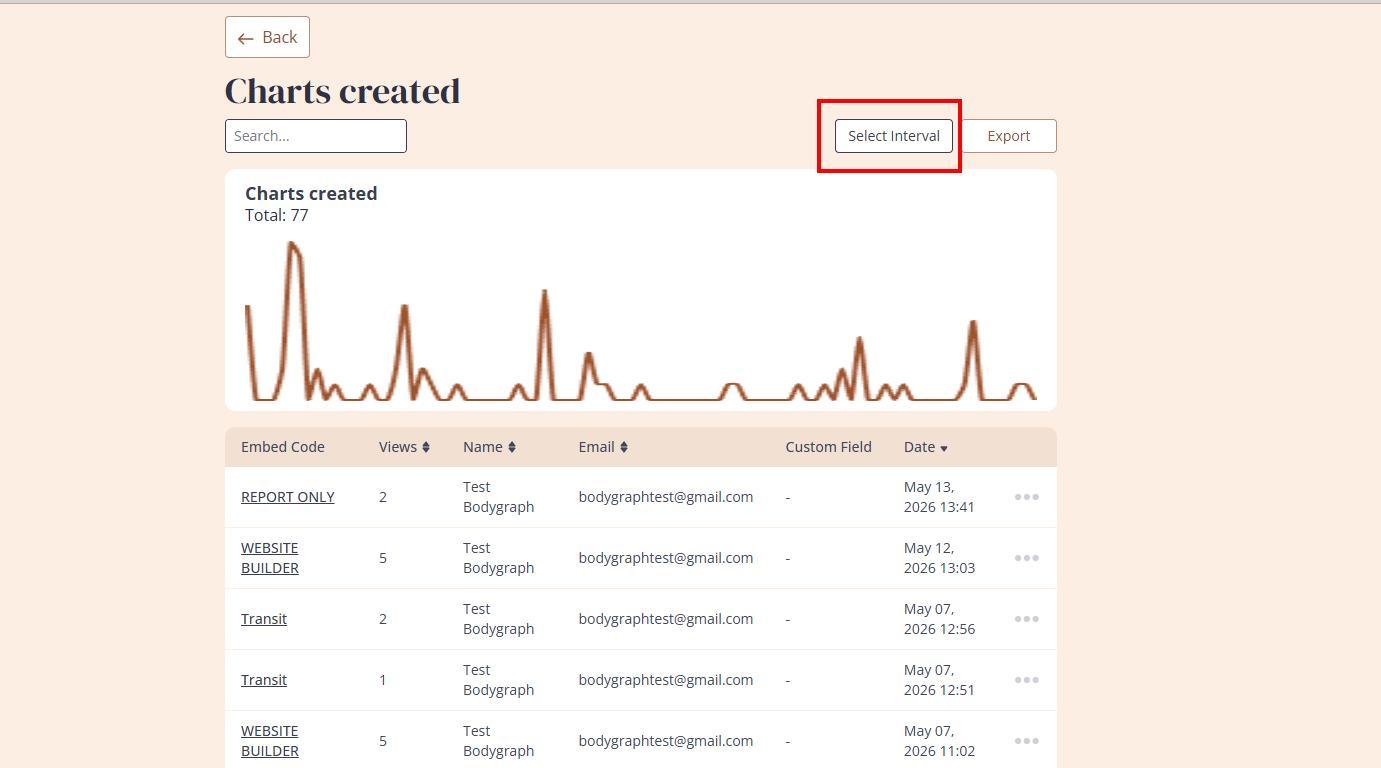
2. You can select the date range/interval on the chart itself to see graph or at View all list to filter data.
3. Select the date range at calendar or one of the pre-arranged time intervals. If you want to select single day data, it will require to press twice (start and end) on the same day.
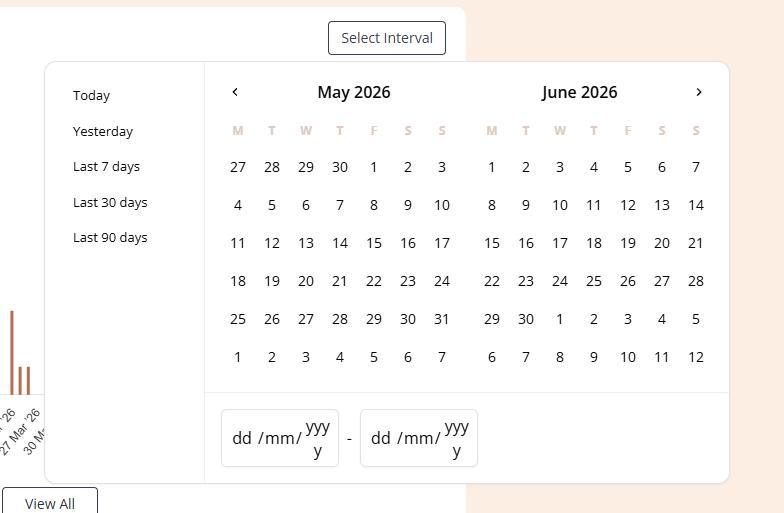
Important: Please note that the data retention period is limited to 90 days. Bodygraph does not provide access to data outside of this retention window.
Terms and conditions apply.
Still have questions, is above guide outdated? Please message us on Live Chat or send an email to support@bodygraph.com.

All the Tools You Need to Build, Grow, and Scale Your Human Design and Astrology Business

