


Notion connection
Last Updated: Jan 30, 2026
Create a Notion account.
Setup Connection Settings
1.Open Bodygraph chart account and go to App Integrations-> Data storage -> Create new -> Select Notion.
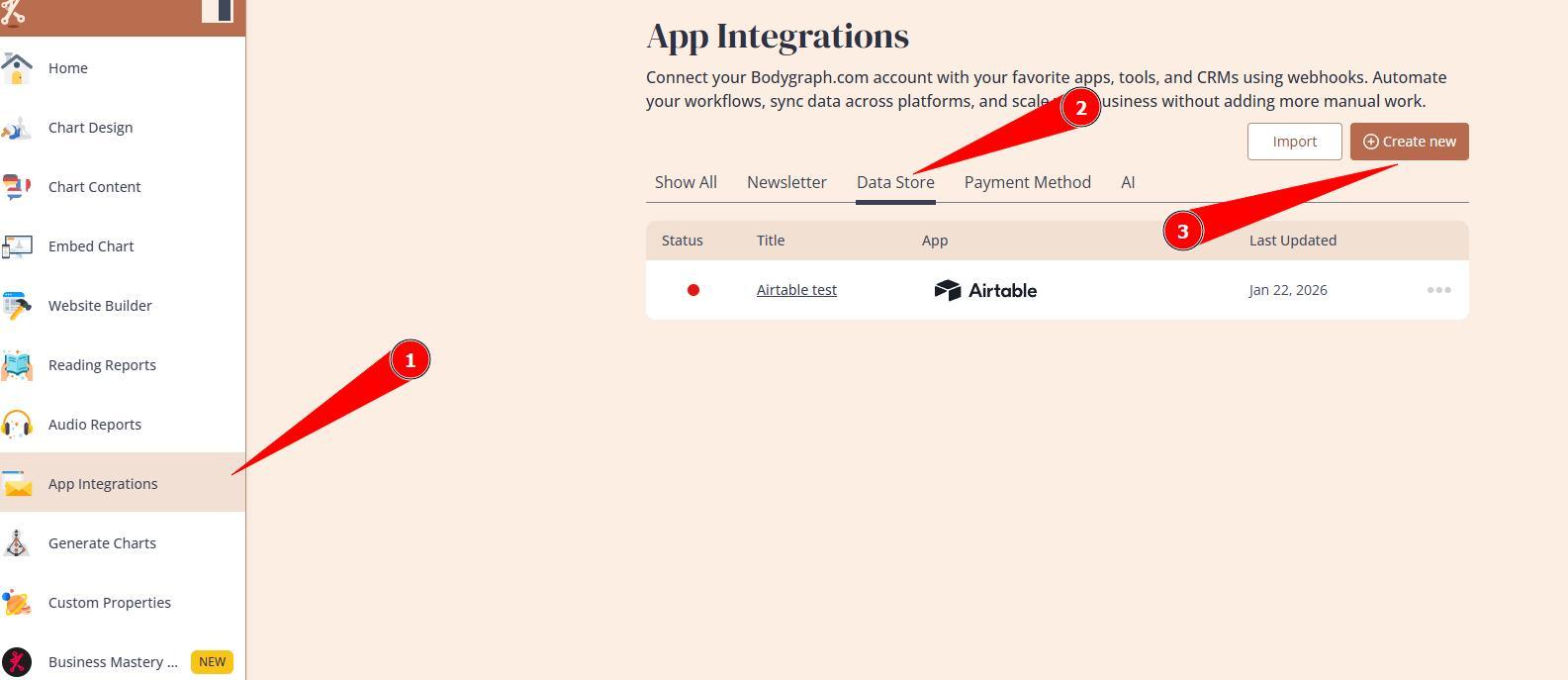
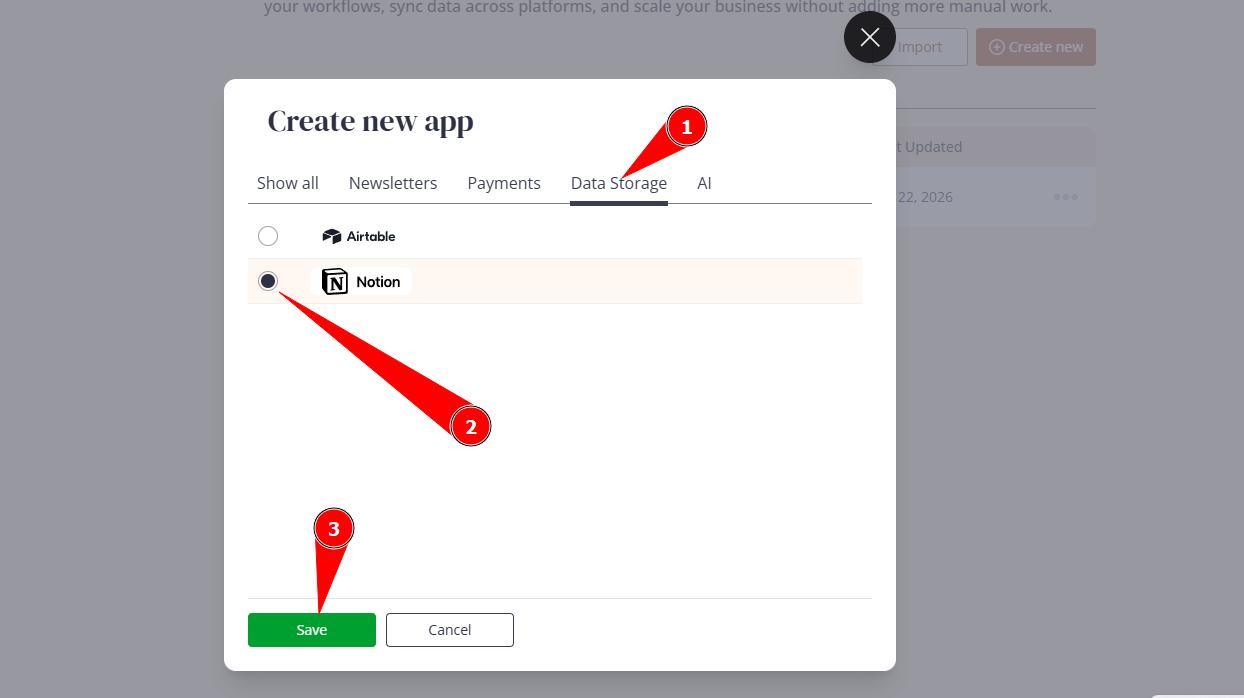
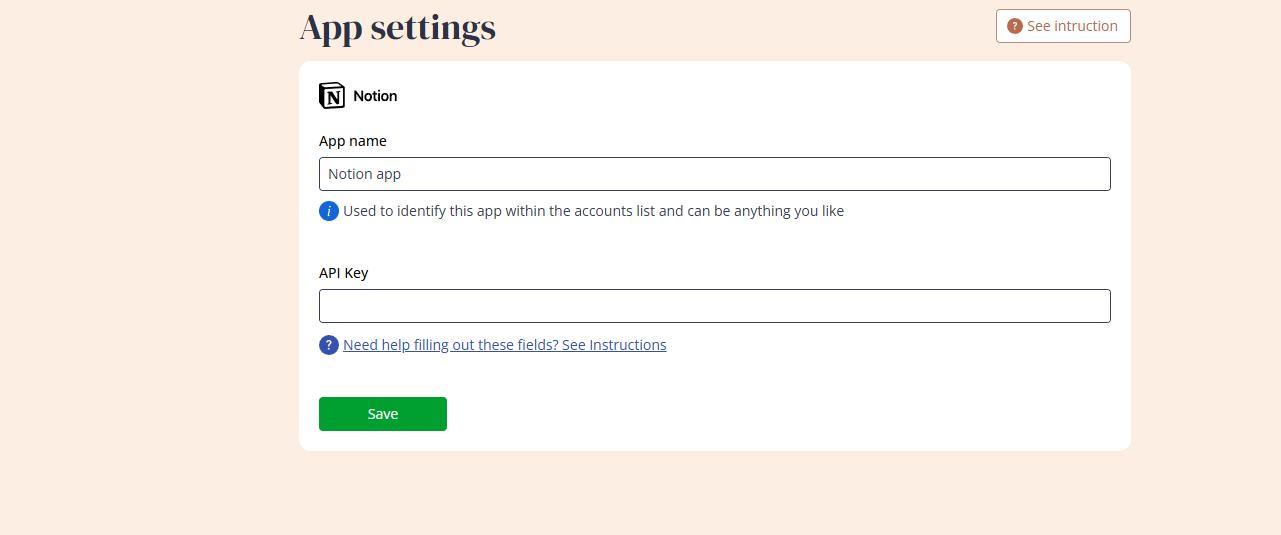
2.Enter the app name (for your reference only) and keep this window open. On the different browser tab access your Notion dashboard.
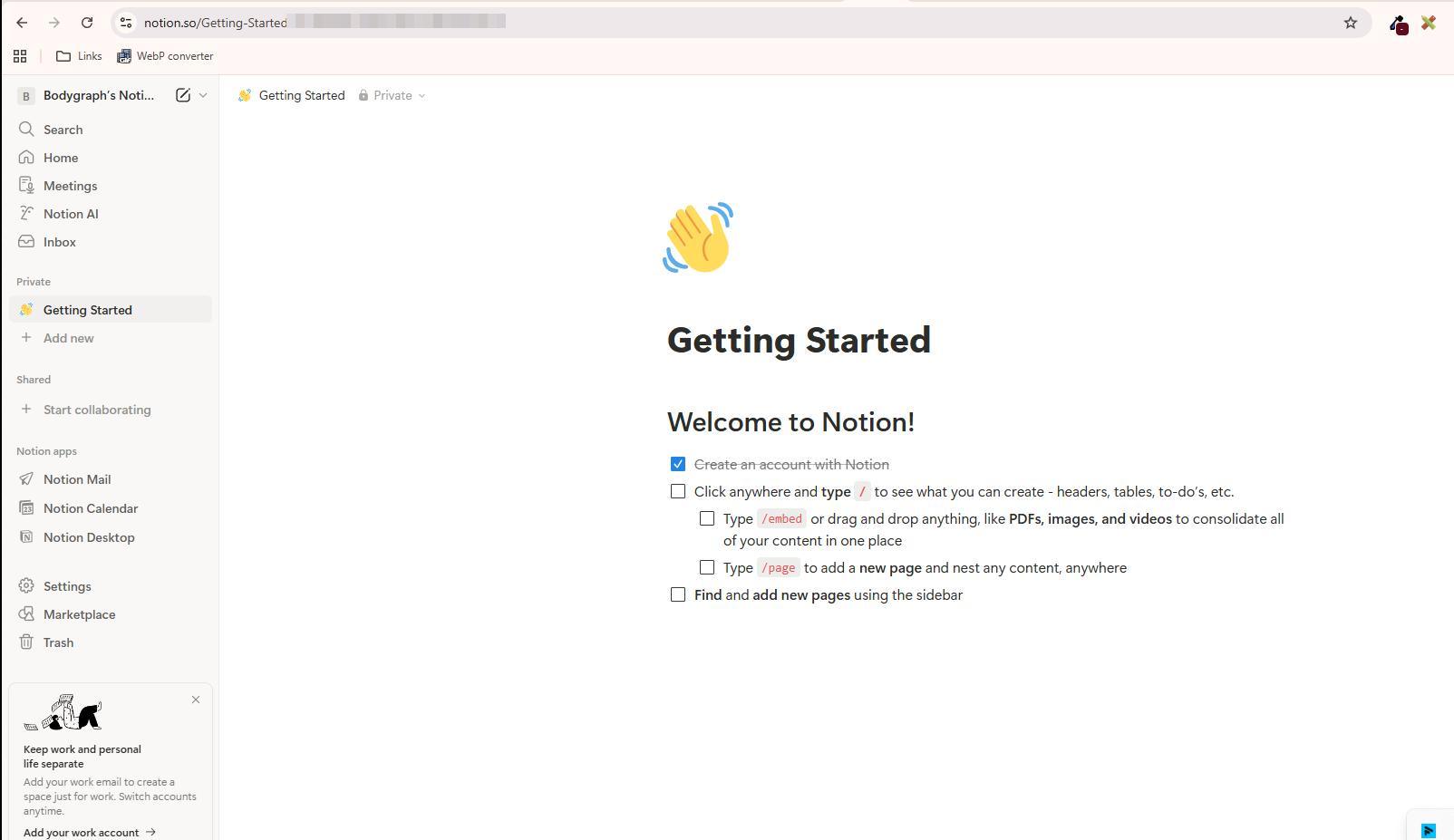
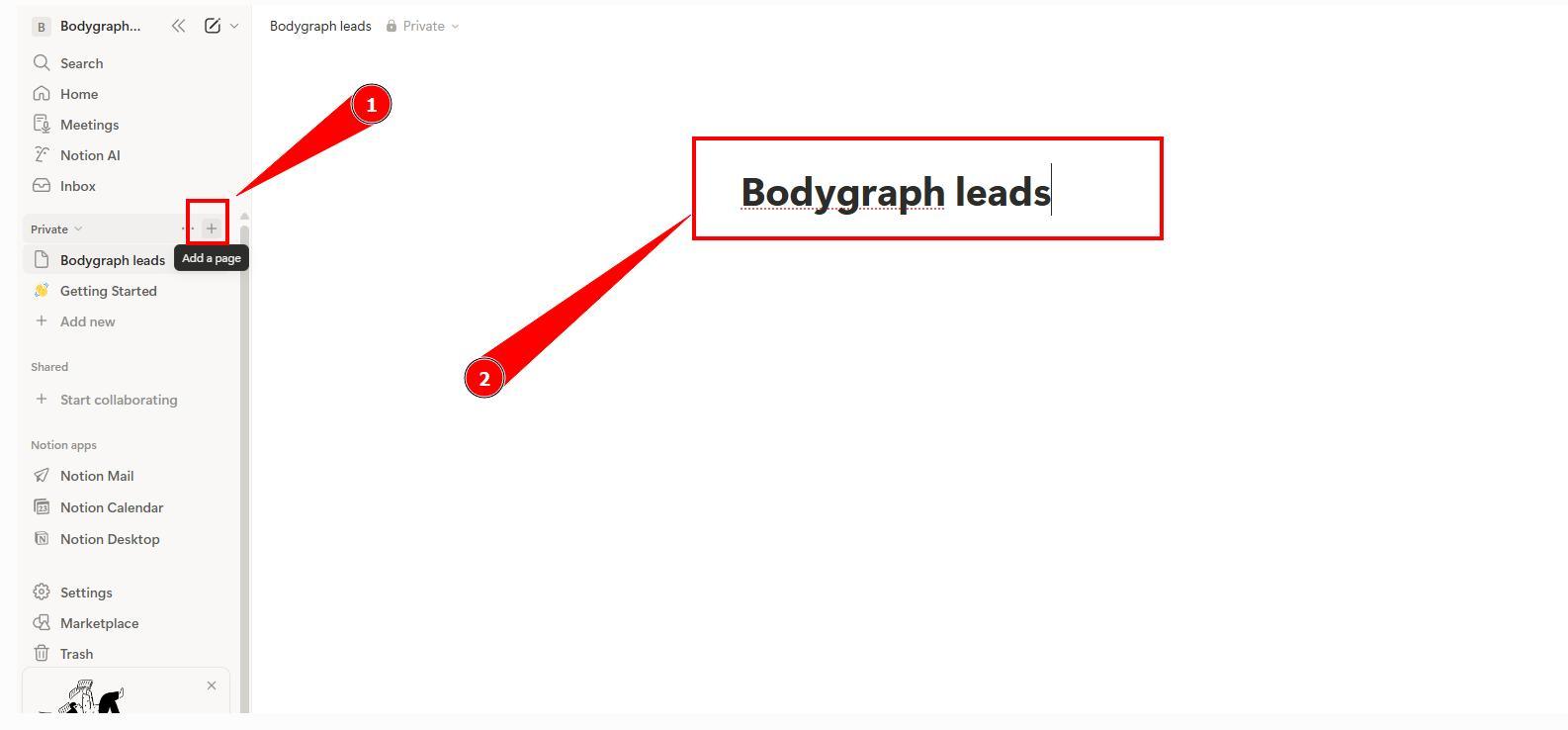
3.Create a page by pressing Add a page plus symbol and rename page so you can easily identify it’s purpose.
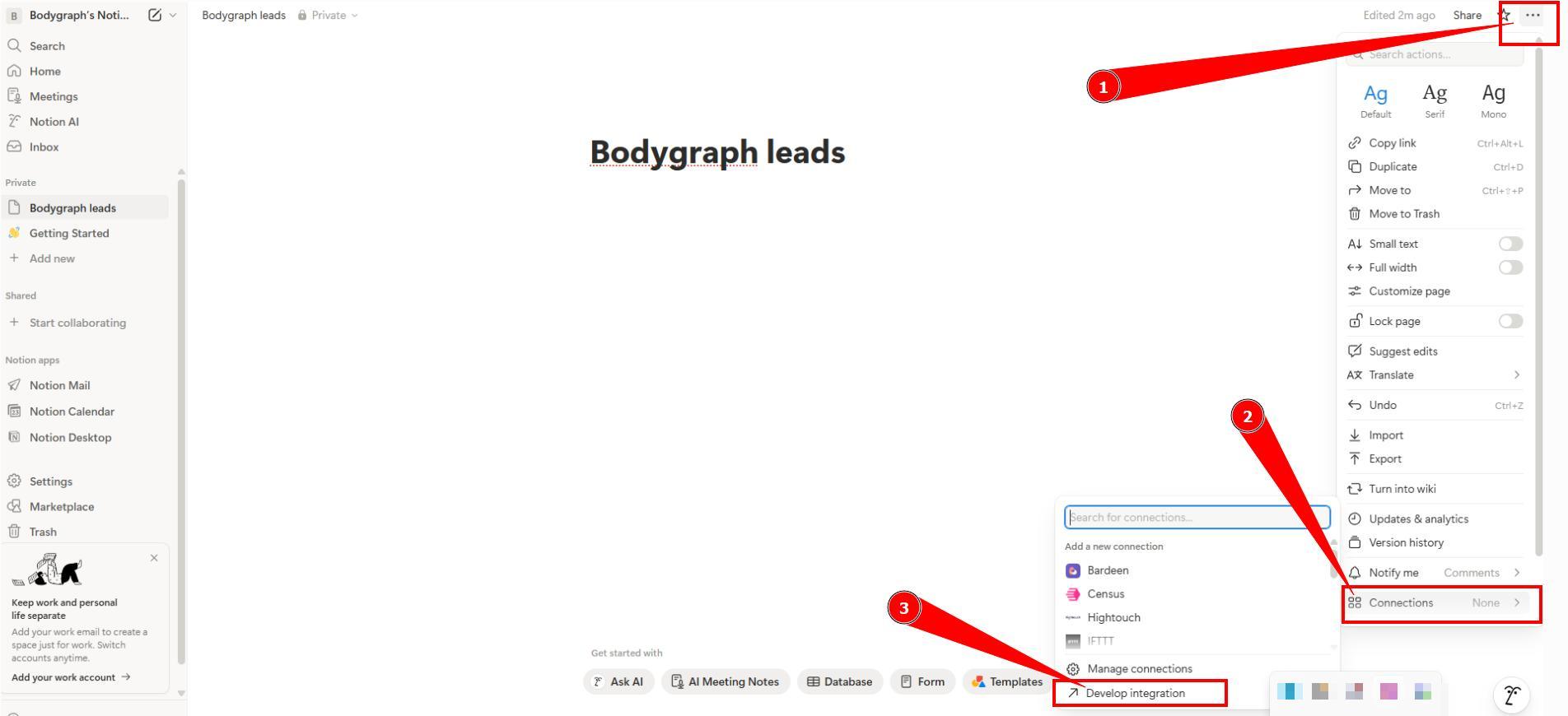
4.Now it’s time to generate API key. Press on 3 little dots at top right corner, then Connections and Develop Integration.
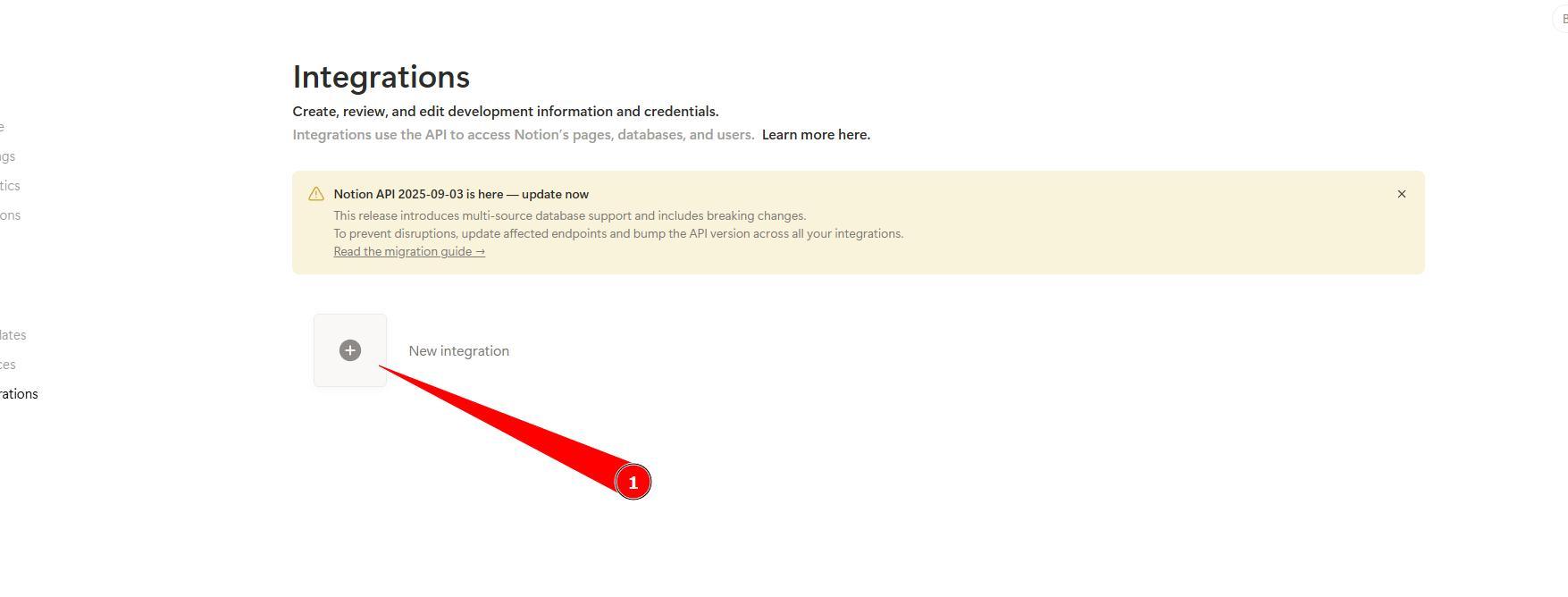
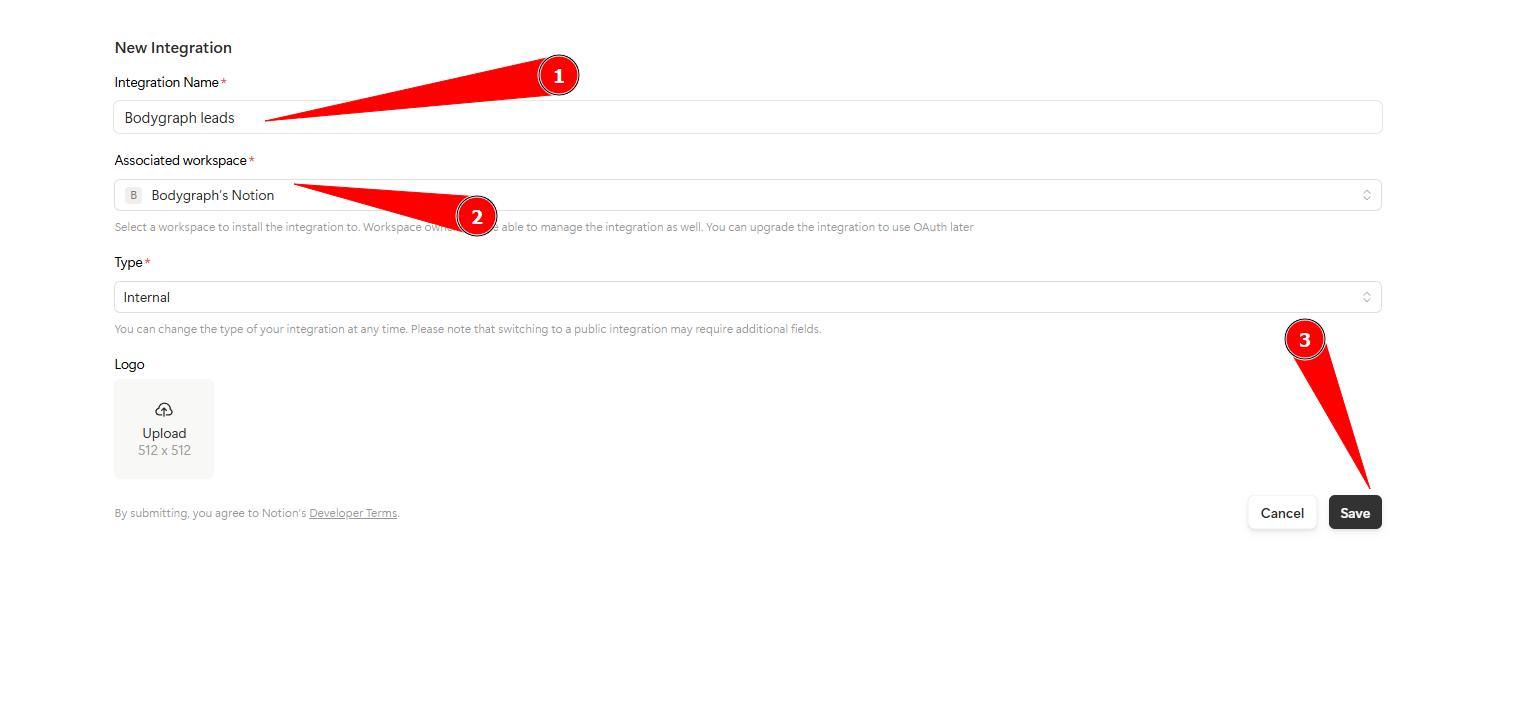
5.Click add new integration, name it and at Associated workspace select the Page that you just created, Type remains internal and click Save. Popup will show up Configure integration settings – press on it.
6.Click Show and copy the API key.
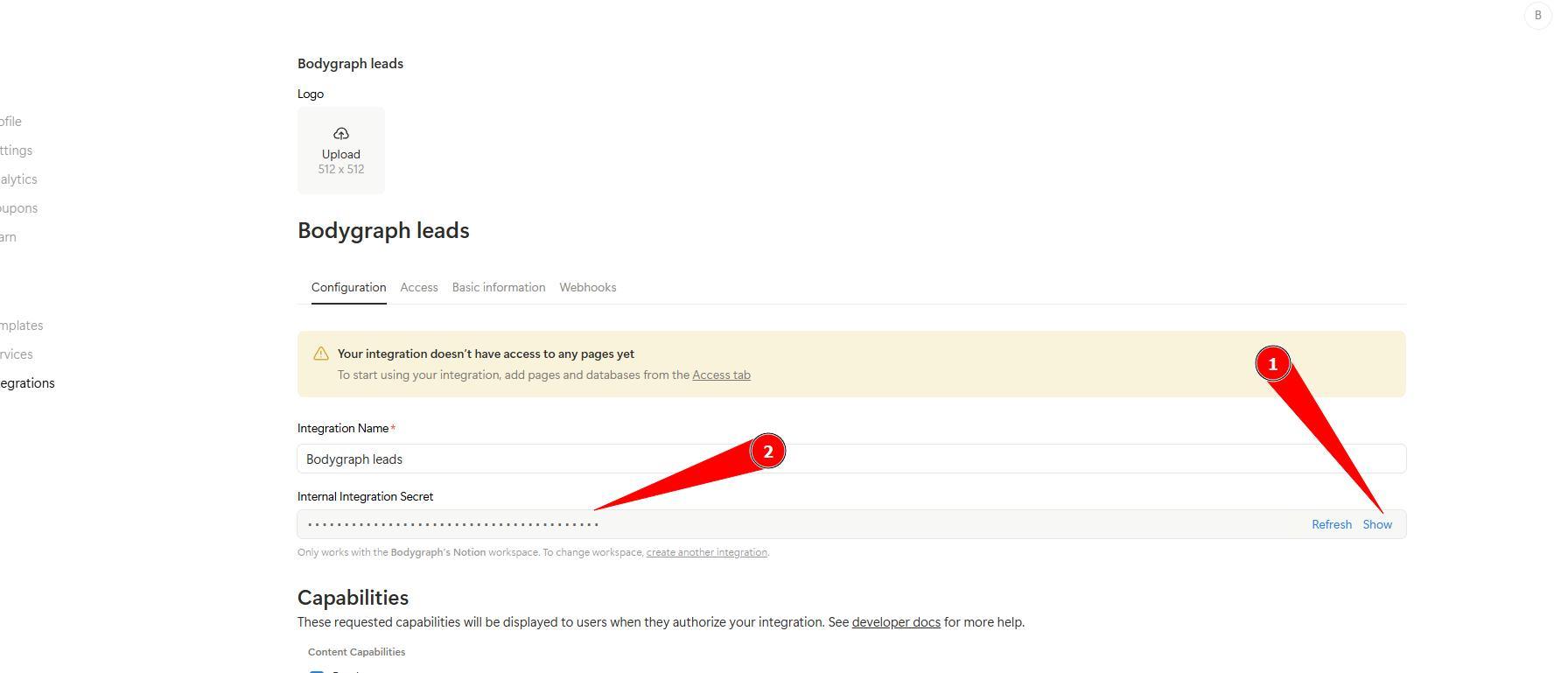
7.Come back to Bodygraph tab that you left open, paste the API key and click Save.
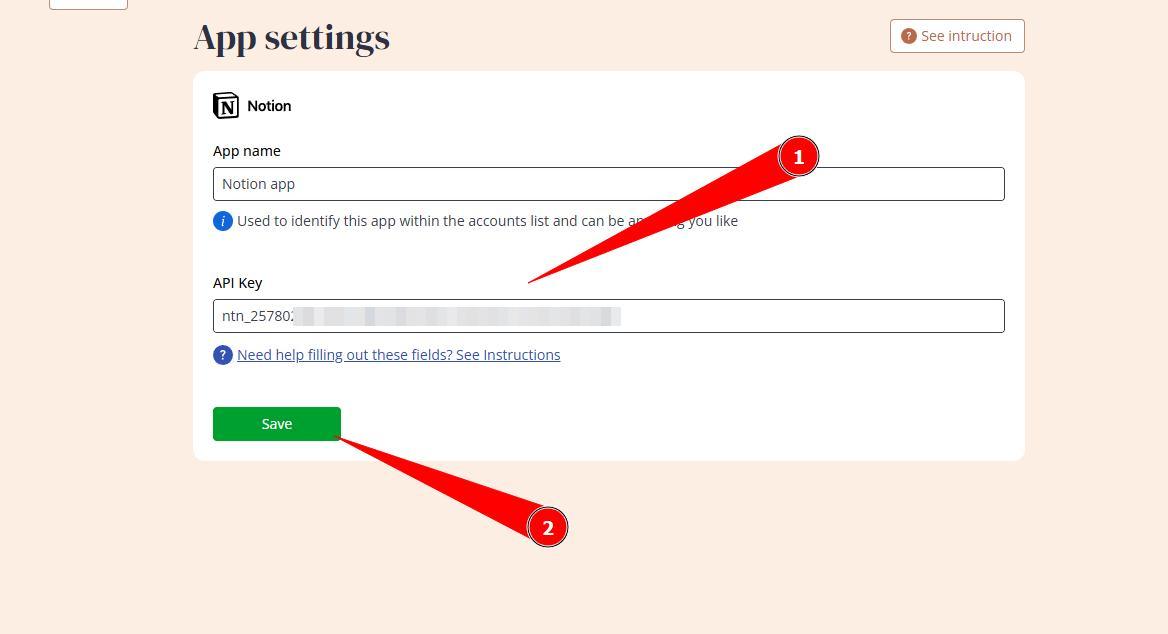
8.Back at Notions tab, open Page that you created earlier. Select 3 dots at the top right corner, then Connections and select integration that you created. If it is not immediately listed, use search bar an type in the name that you typed in at step 5. Confirm connection.
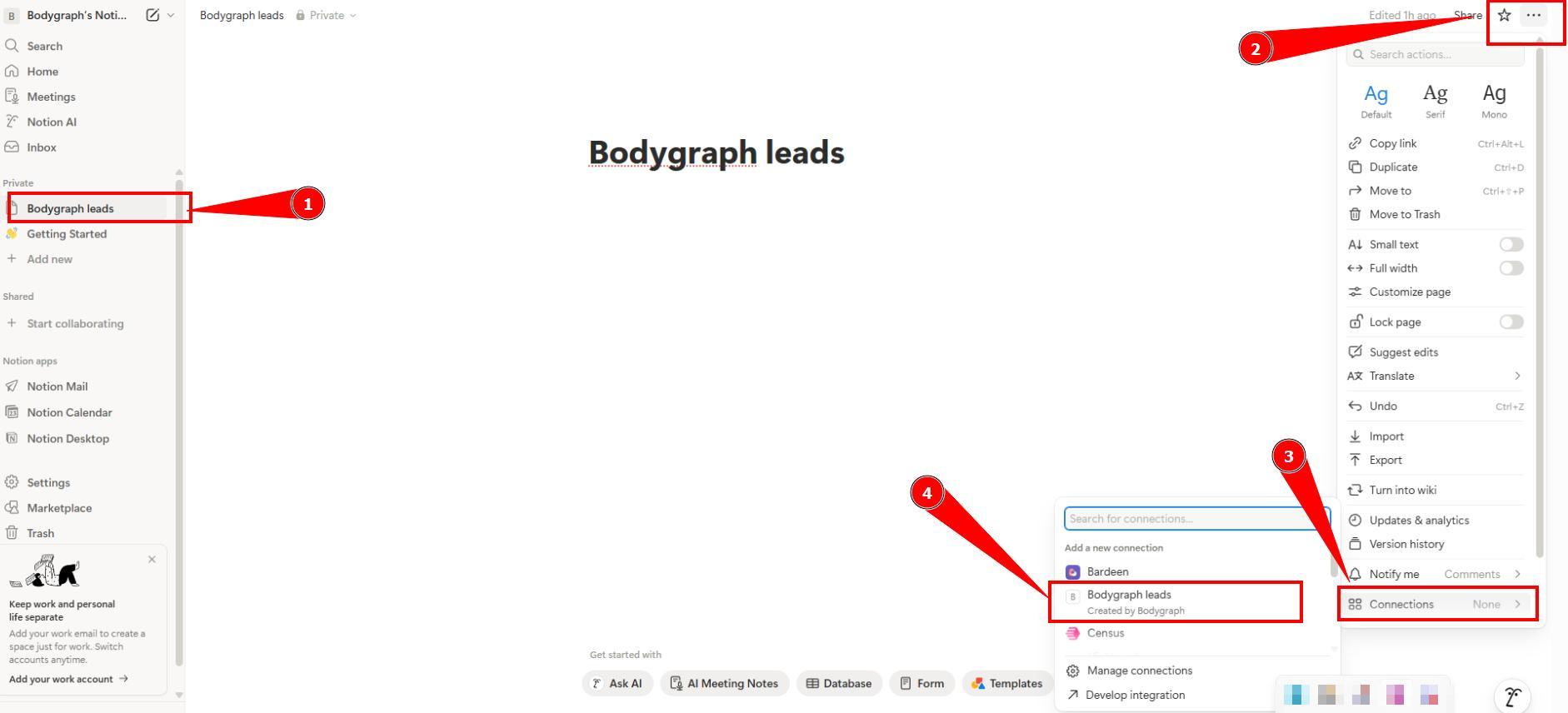
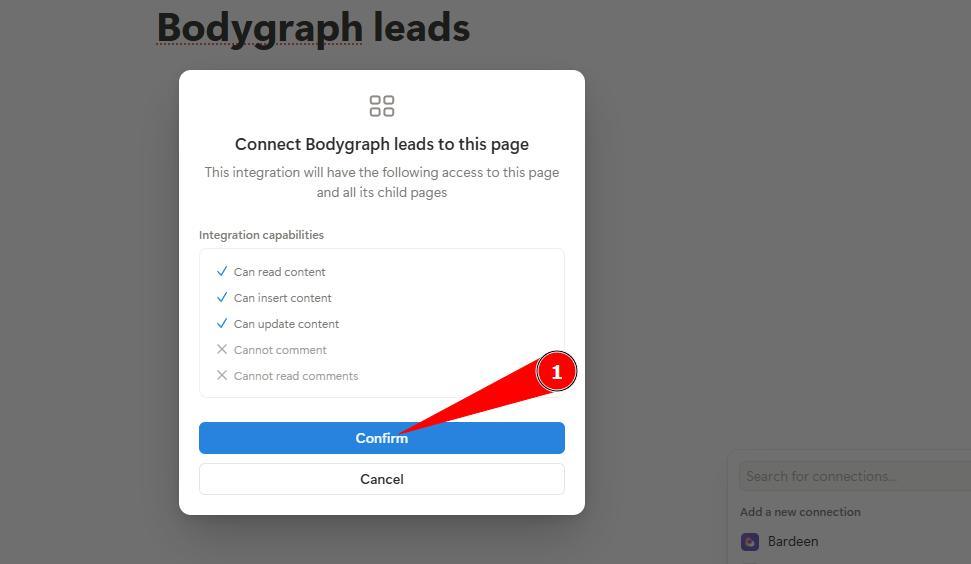
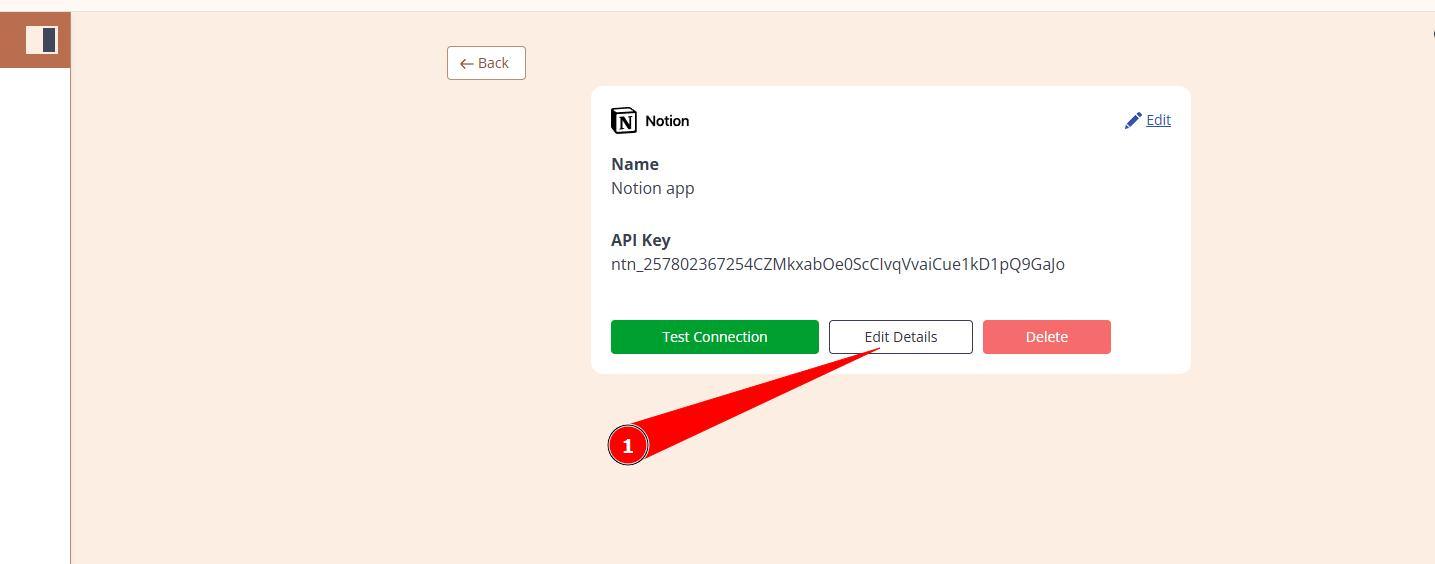
9.Time t finish connection at Bodygraph side. Come back to the tab where you left app integration saved and click Edit details.
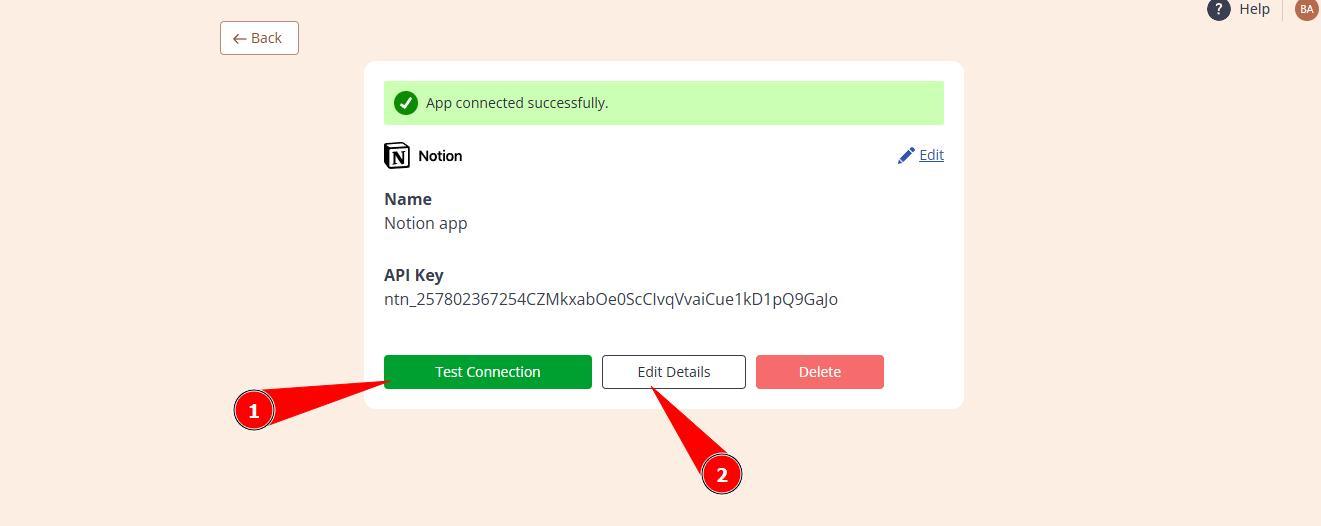
10.Click Test connection to confirm that previous steps completed correctly and then select Edit details.
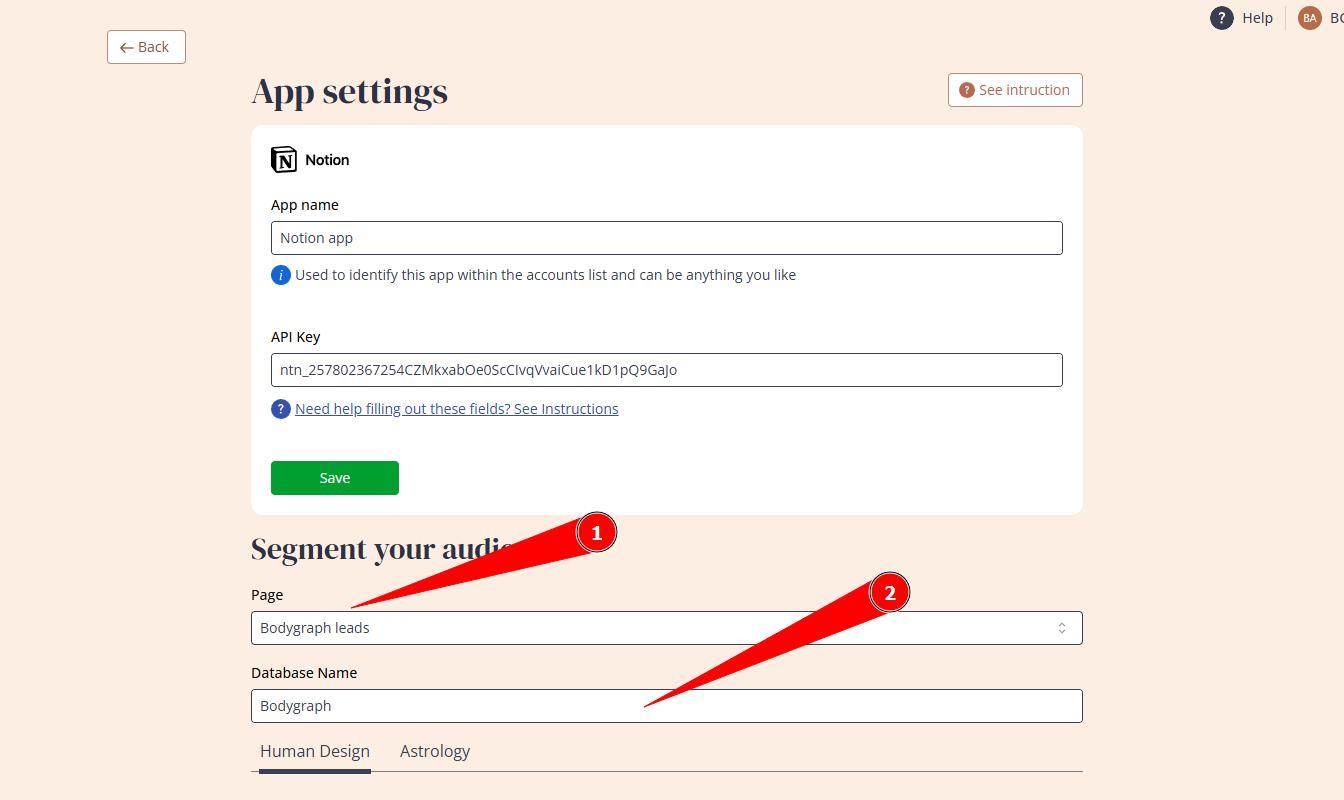
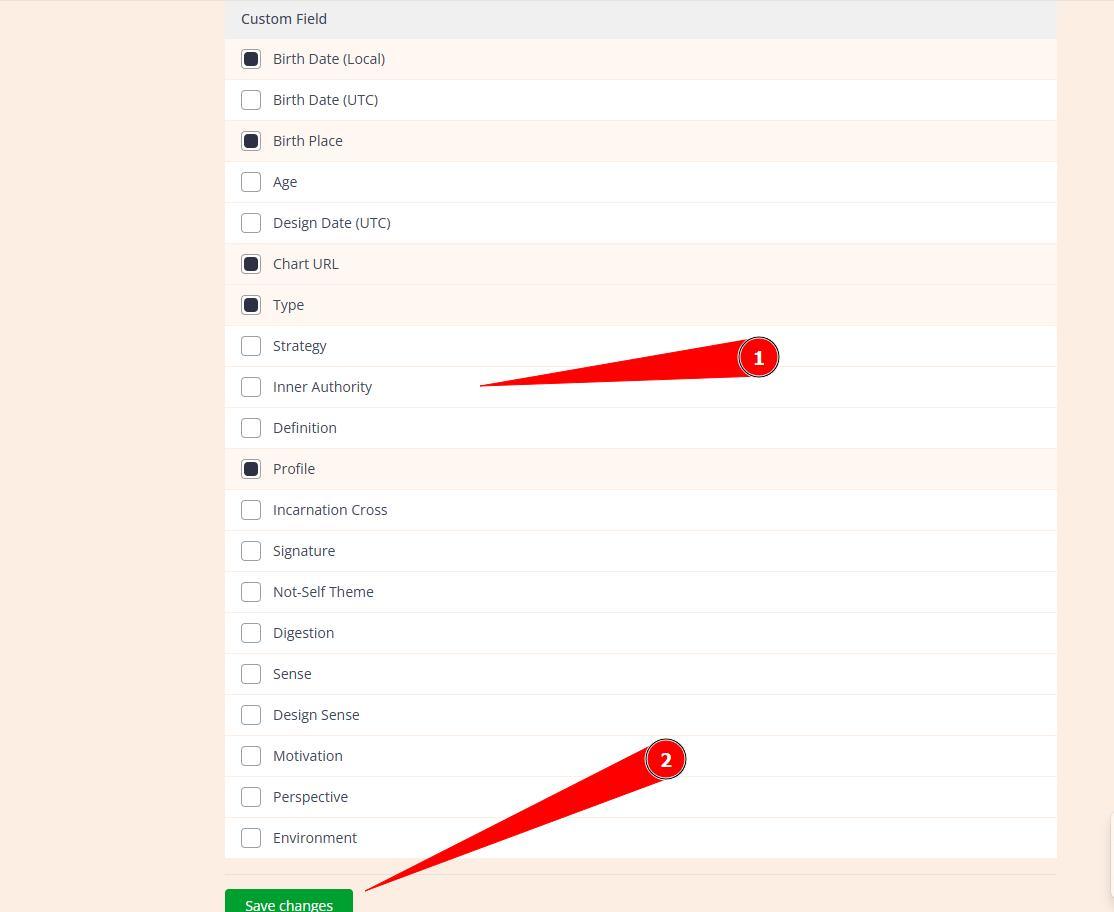
11.Select page that you created at Notion, enter data base name (anything for your reference). Also, toggle on the Custom Fields that you would like to collect and click Save.
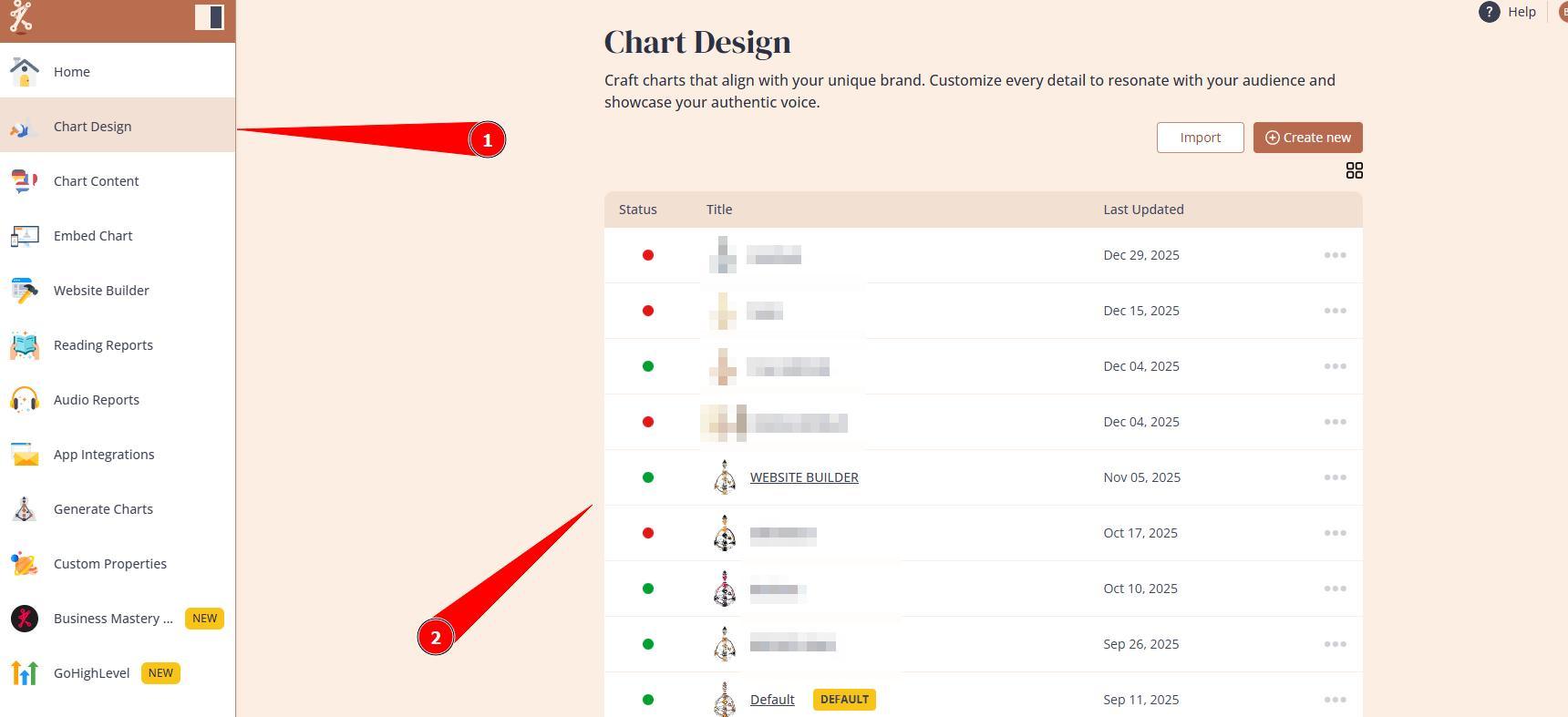
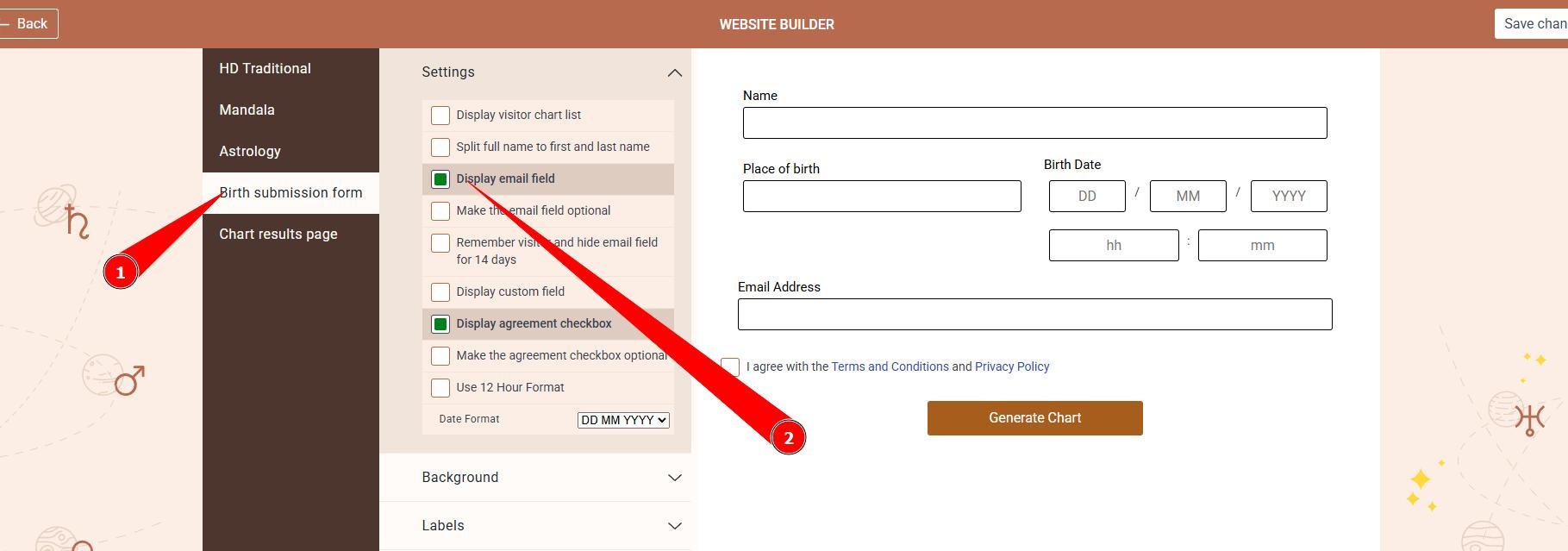
12.Now let’s go to Chart Design tool, select the design that your embed code use and enable email field at the submission form settings.
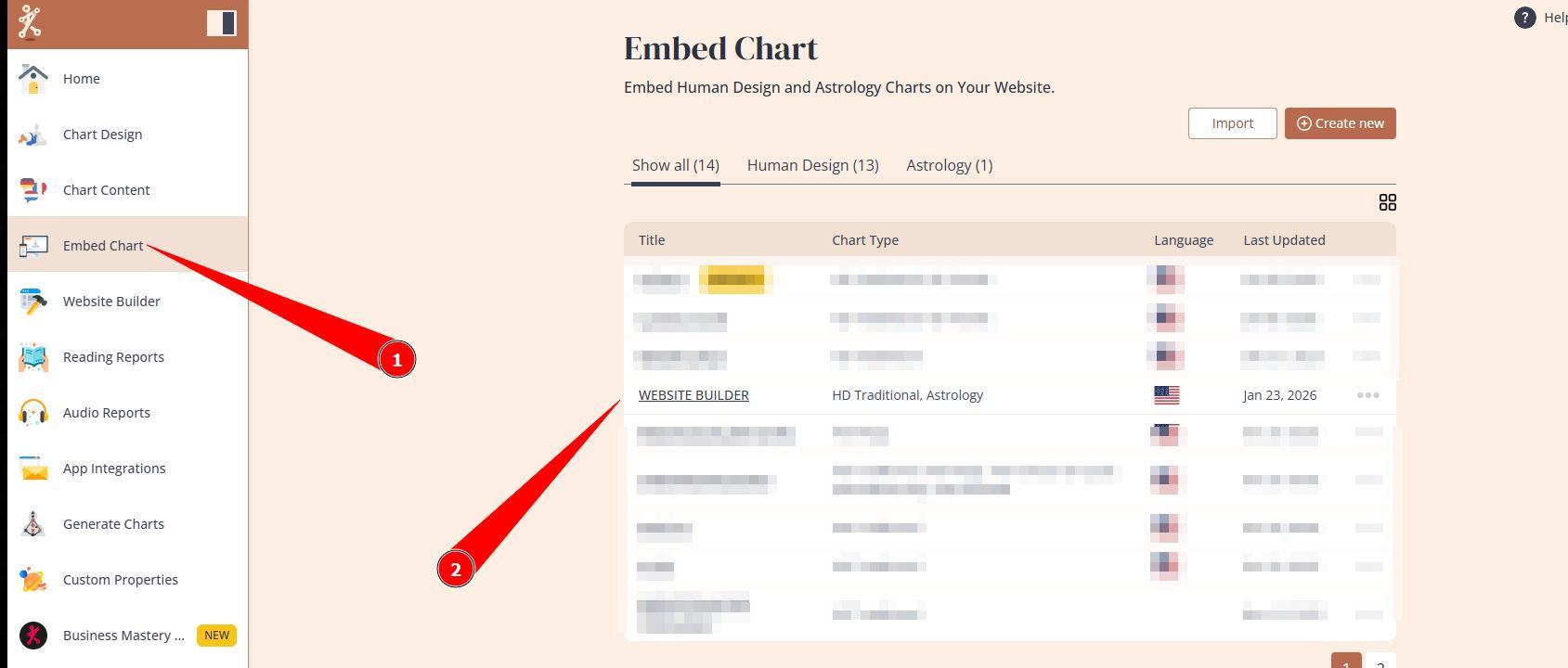
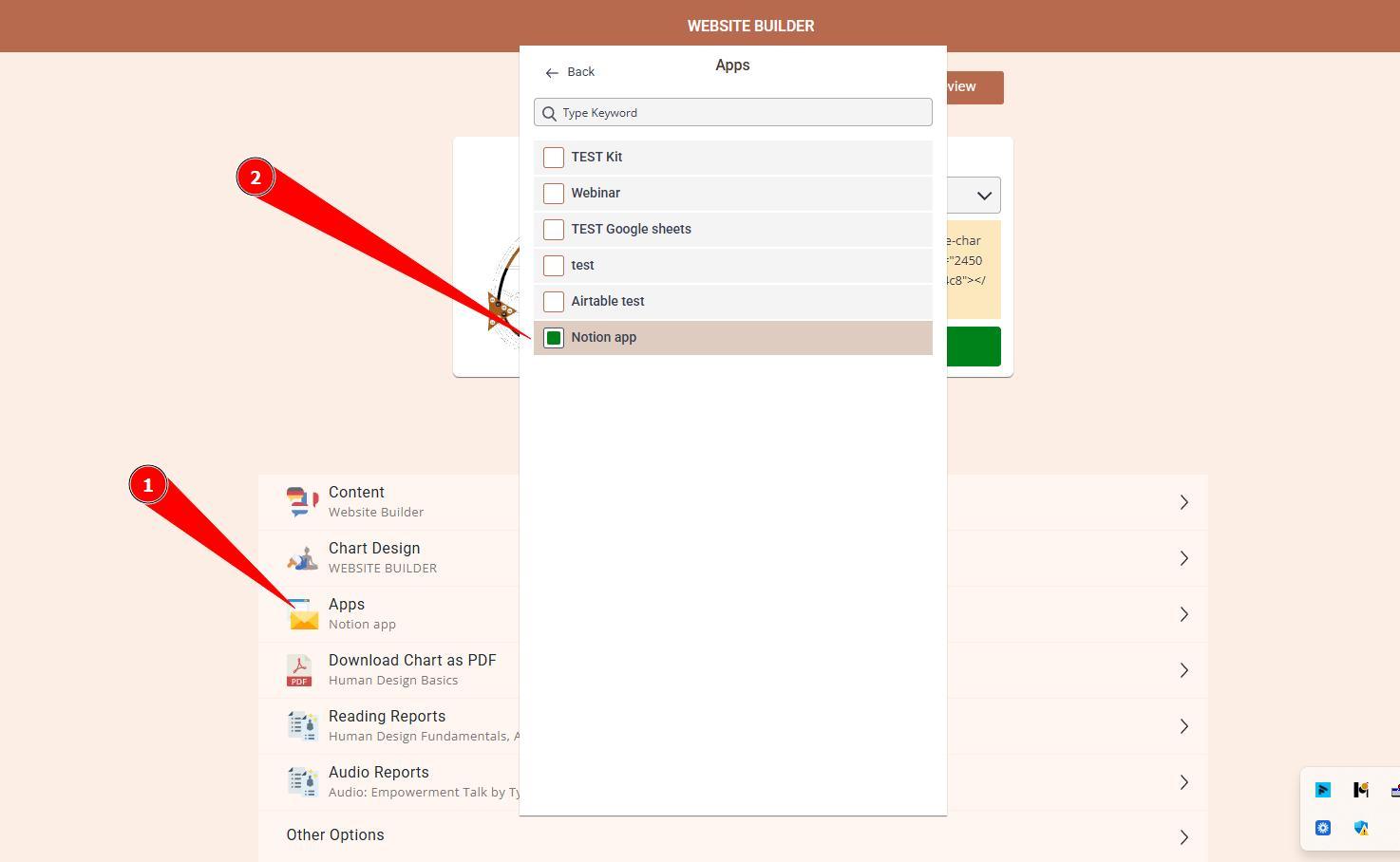
13.Now go to Embed Chart, open your embed code and enable Notion app connection.
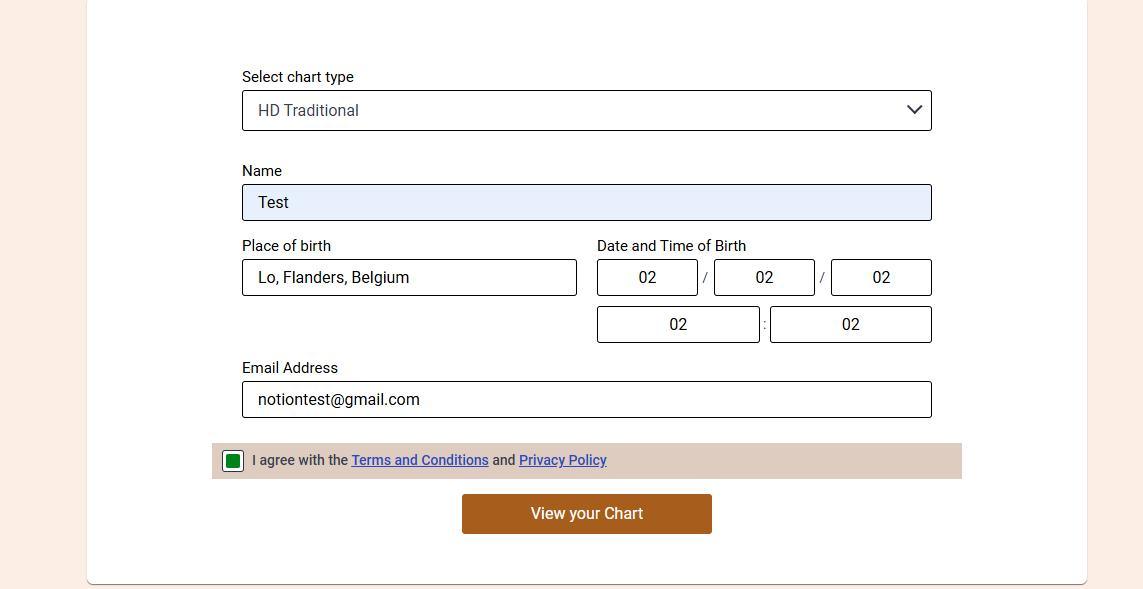
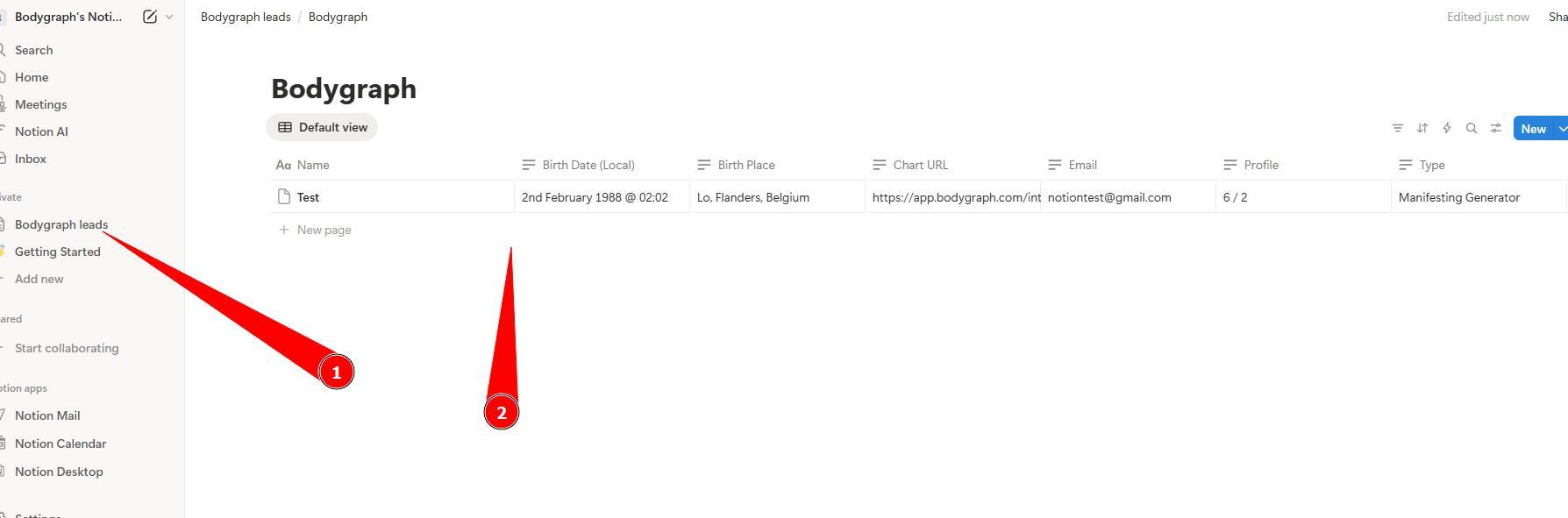
14.Now it is time to run the chart at embed code preview or your website where chart is integrated and see if contact with data arrives to Notion.
Here is a step by step video guide:
Still have questions? Please message us on Live Chat or send an email to support@bodygraph.com.

All the Tools You Need to Build, Grow, and Scale Your Human Design and Astrology Business

