


Mandala – Chart Style
Last Updated: Mar 16, 2026
To select the design of the mandala, proceed as follows:
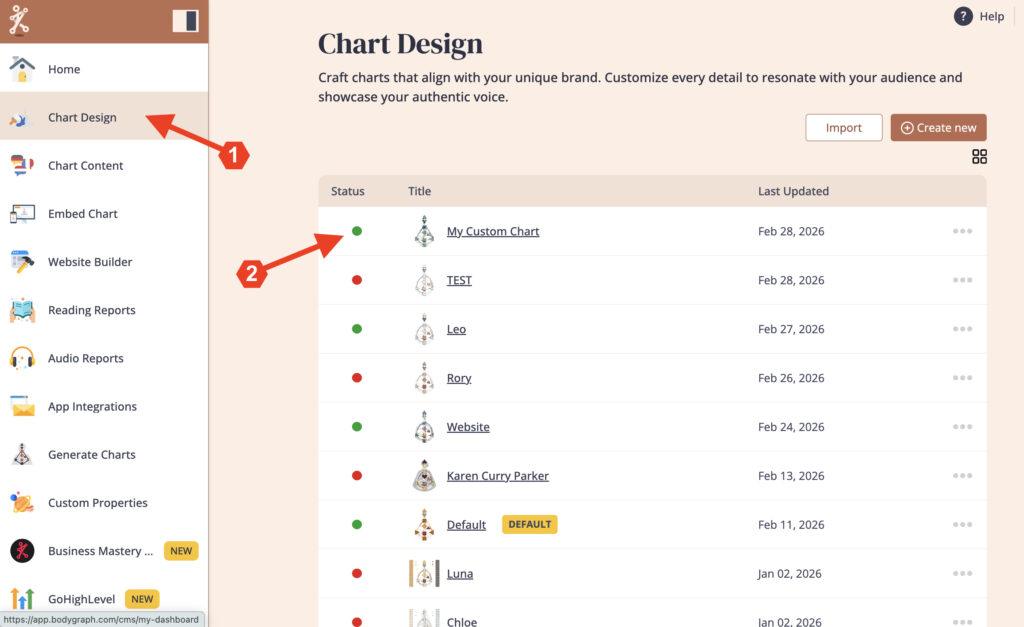
Open ‘Chart Designs‘ and select the chart that you want to edit the Mandala
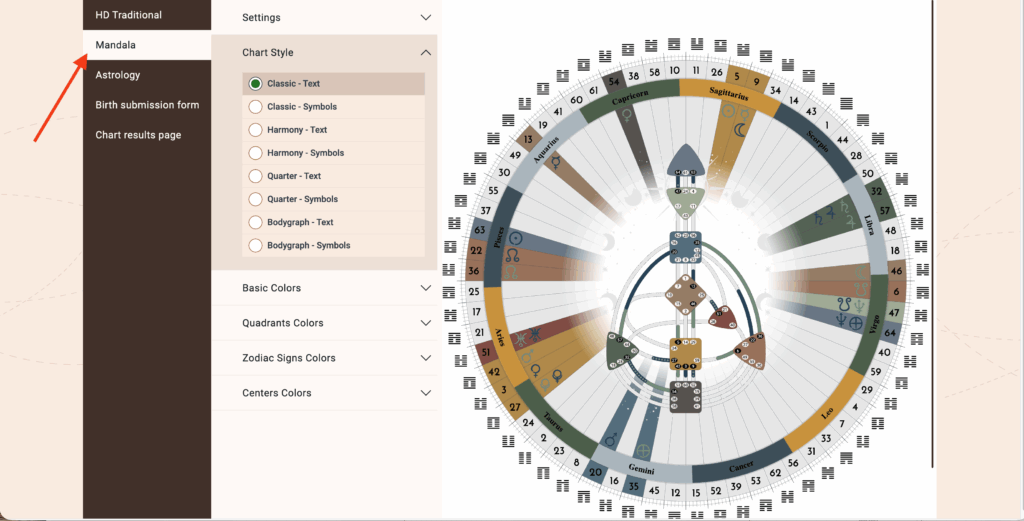
Click on ‘Mandala’
Settings is where you select the Zodiac System
Chart Style gives you options for various Mandala Chart Designs. Choose the one that resonates with you most.
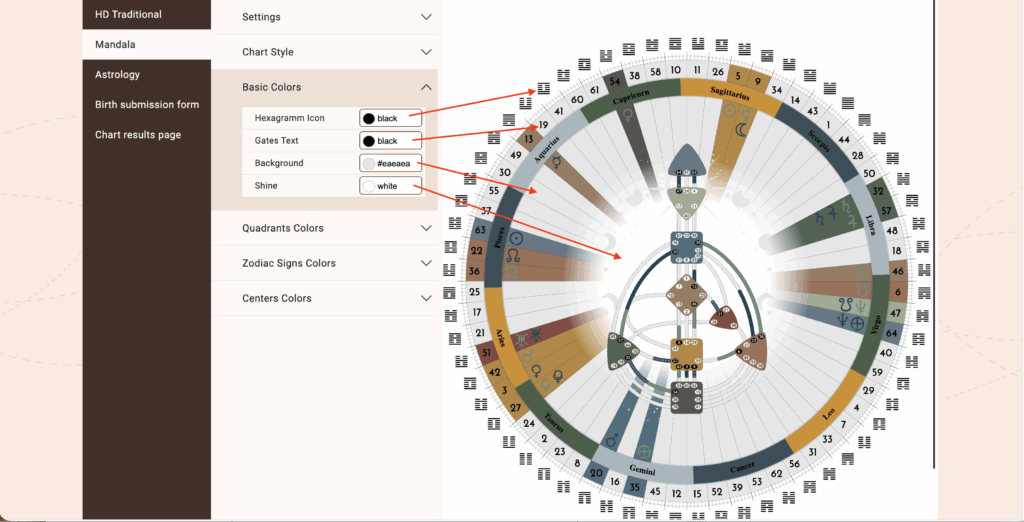
Choose your Basic Colors:
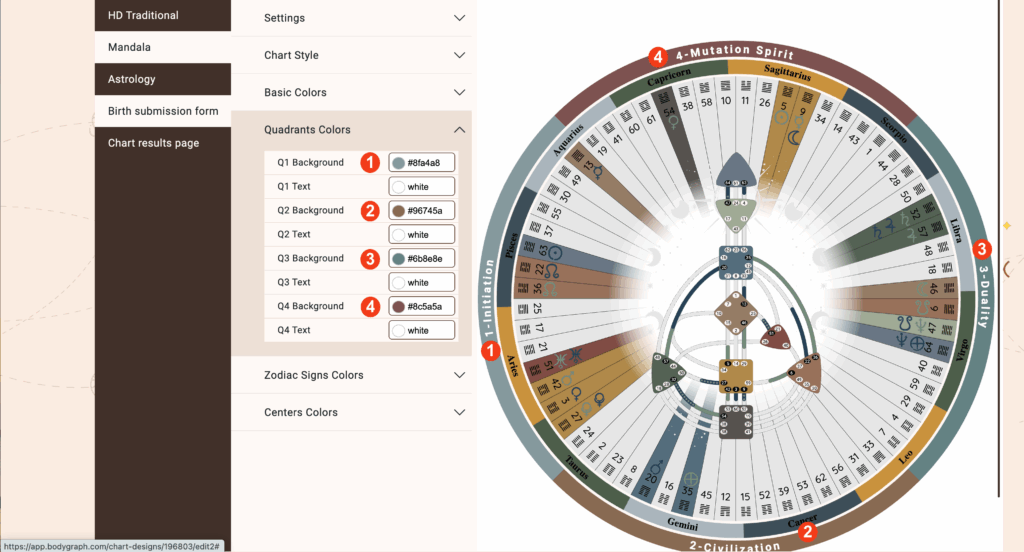
Choose your Quadrants Colors (Quarter – Text & Quarter- Symbol chart styles)
Choose your Zodiac Signs Colors
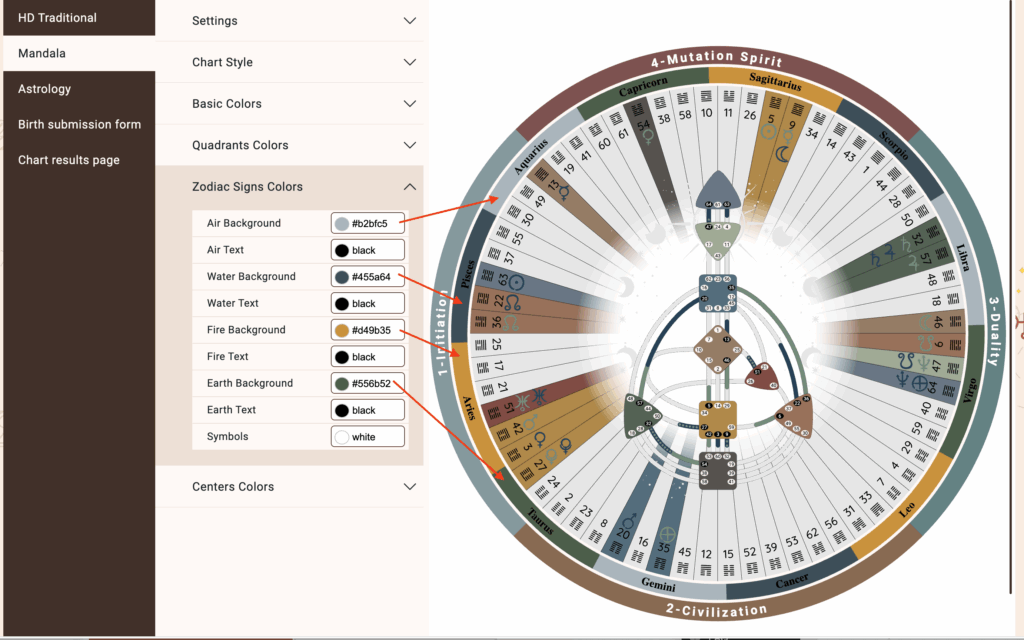
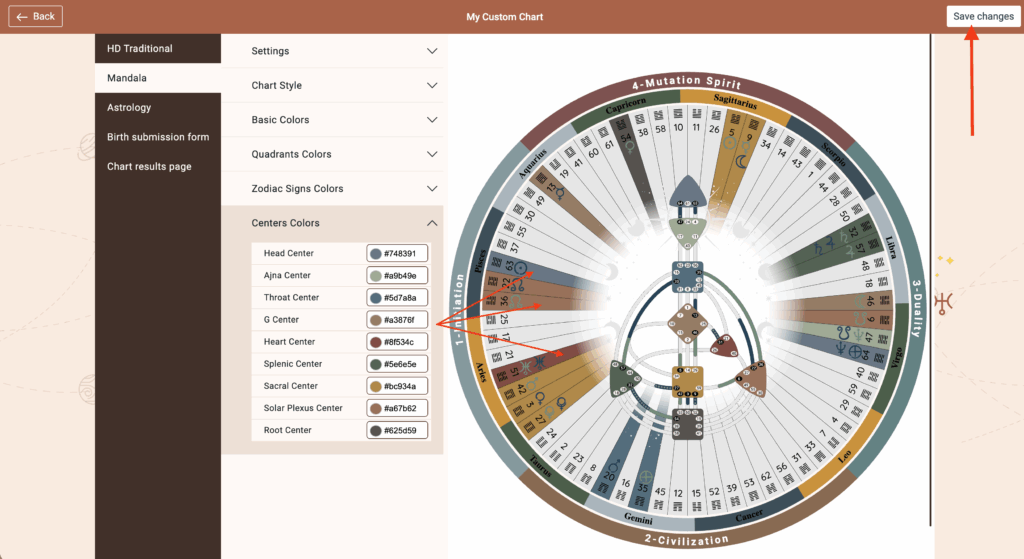
Choose your Centers Colors and be sure to Save changes.
Frequently asked questions:
– Do I need to re-embed chart after making changes in Chart Design?
No. Changed design at the embed code will automatically update your integration at your website, re-embedding is not required.
Still have questions, is above guide outdated? Please message us on Live Chat or send an email to support@bodygraph.com.

