


How to resend report email?
Last Updated: Mar 17, 2026
Once you set Human Design and Astrology report email delivery after purchase , clients will receive an email with the link which has an expiration window of 7 days. But you can resend email again from the statistics by following steps below:
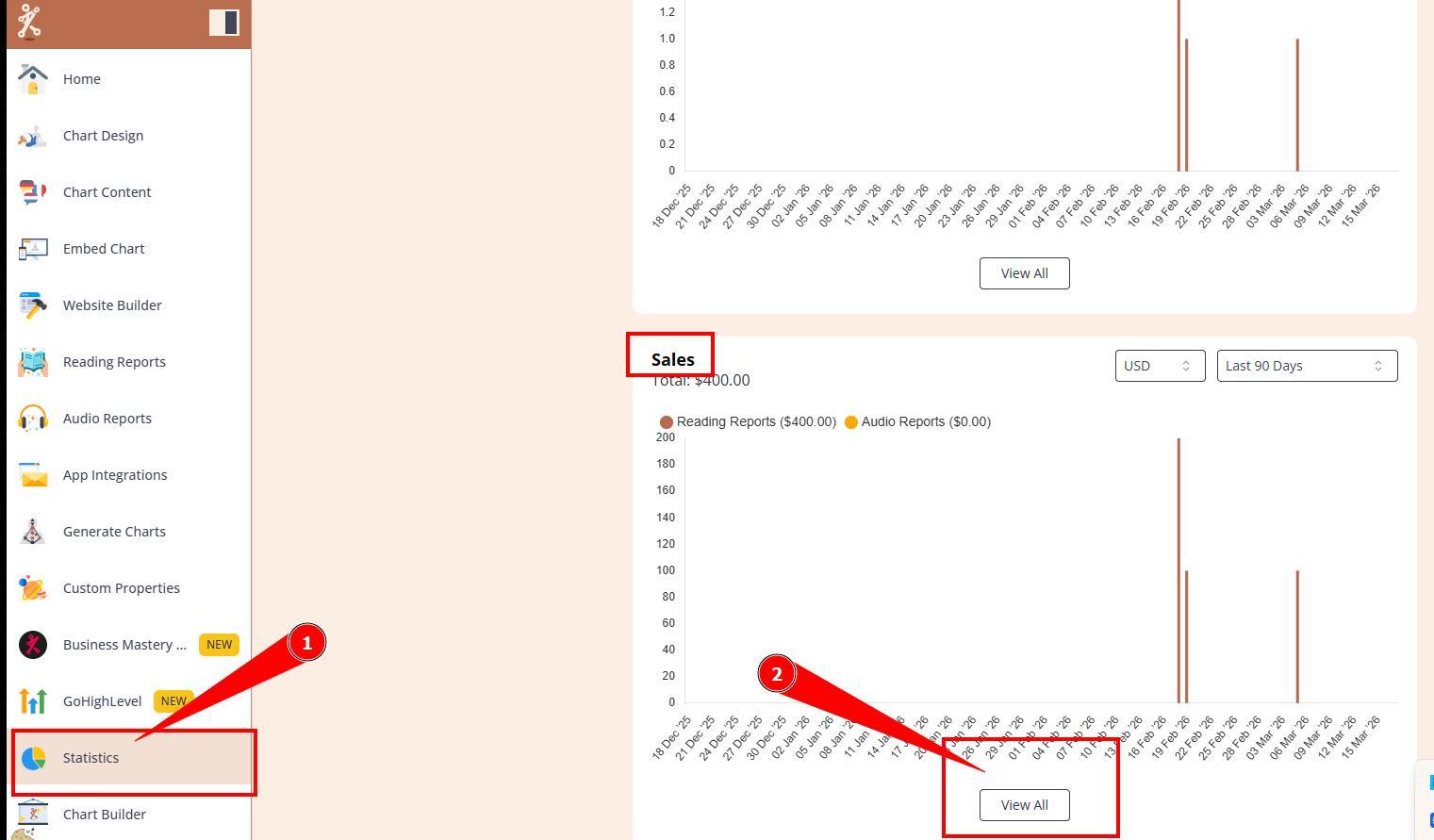
1.Navigate to Statistics section and expand purchases list.
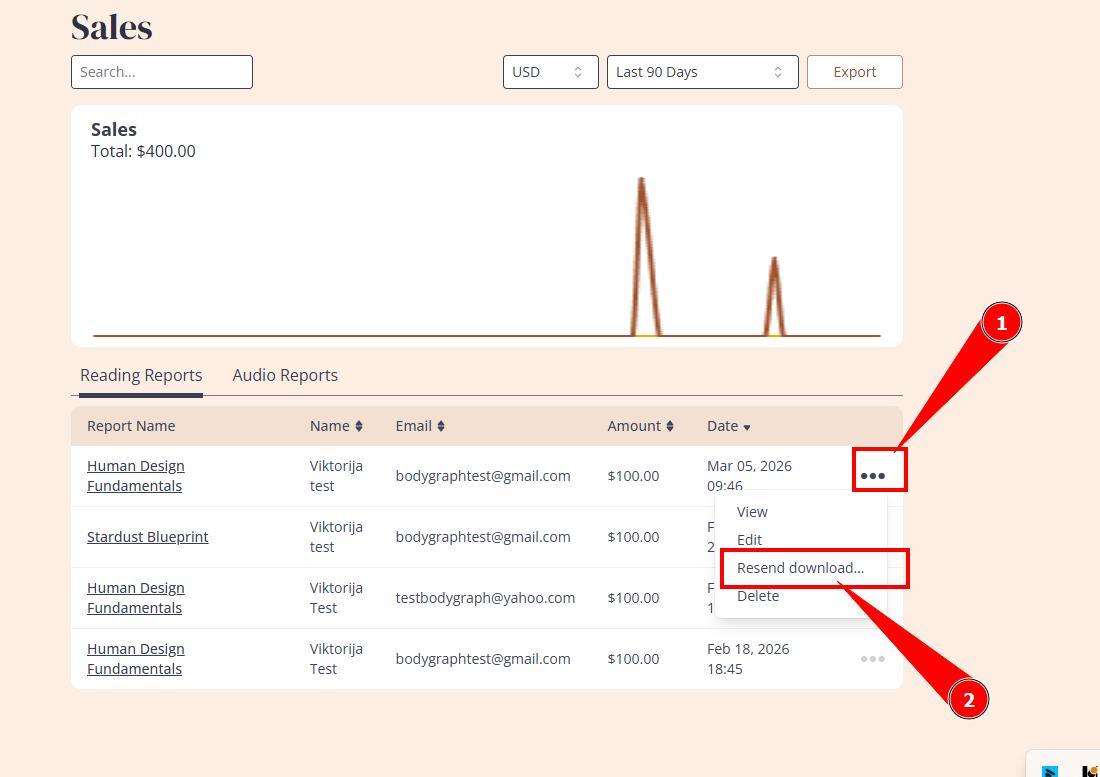
2. Find the order by name or email, click on 3 little dots by that order and press Resend Download Link.
3. Check with the client if they received the email. Do not forget to verify if client entered correct email. Also, check if email landed to Spam or Promotions folder if client claims that email does not arrive.
Please note: this method does not apply for reports sold using WooCommerce payment checkout. Emails in such cases are sent from Woo.
IMPORTANT: resending email for each order is only available for 90 days after purchase as this is how long Bodygraph Statistics stores data. There is no option to resend email for orders older than 90 days.
Still have questions, is above guide outdated? Please message us on Live Chat or send an email to support@bodygraph.com.

All the Tools You Need to Build, Grow, and Scale Your Human Design and Astrology Business

