


How to export data from the Statistics?
Last Updated: Jan 21, 2026
To export data from the Statistics, follow the steps below:
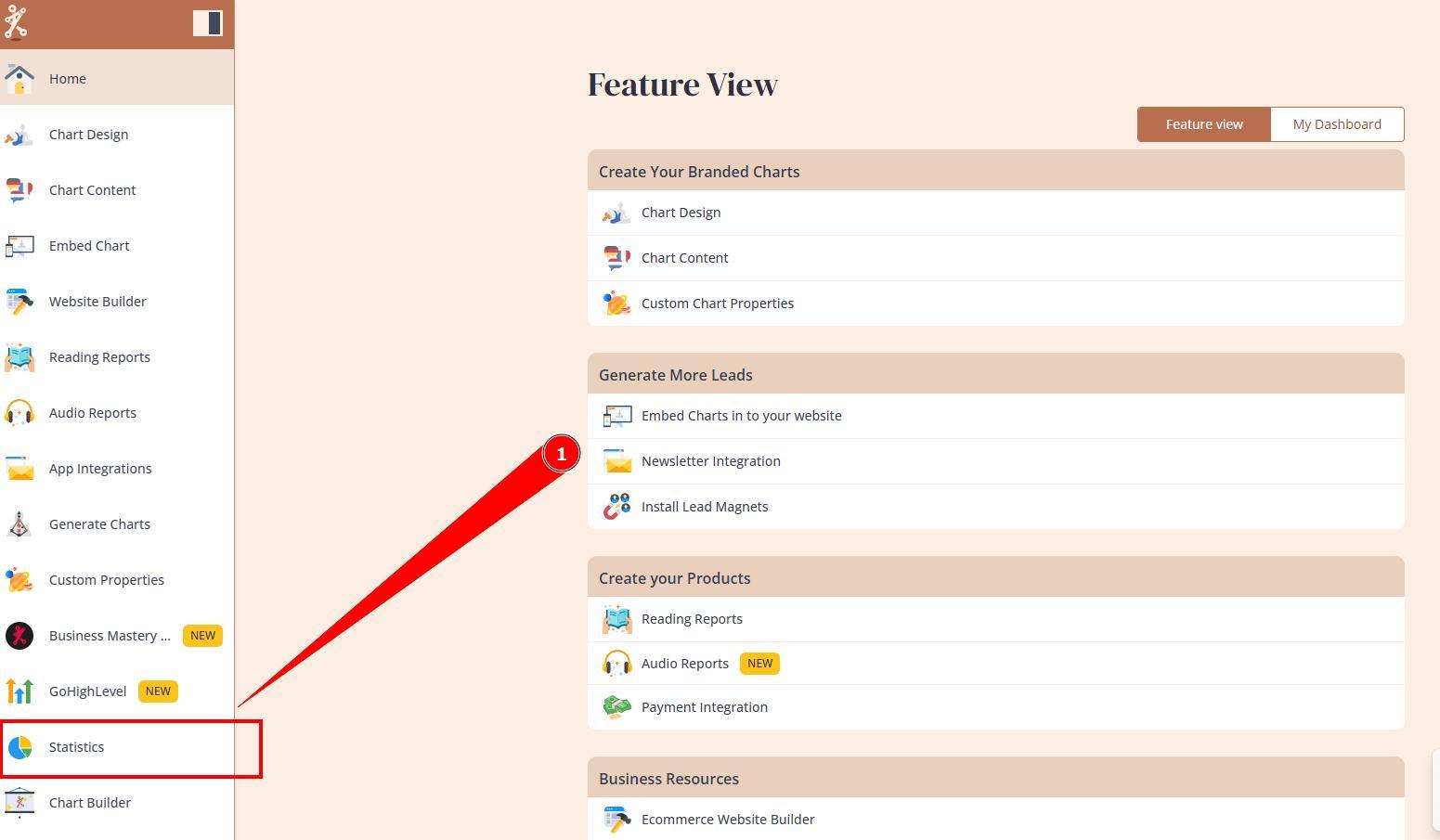
1. Navigate to the Statistics section.
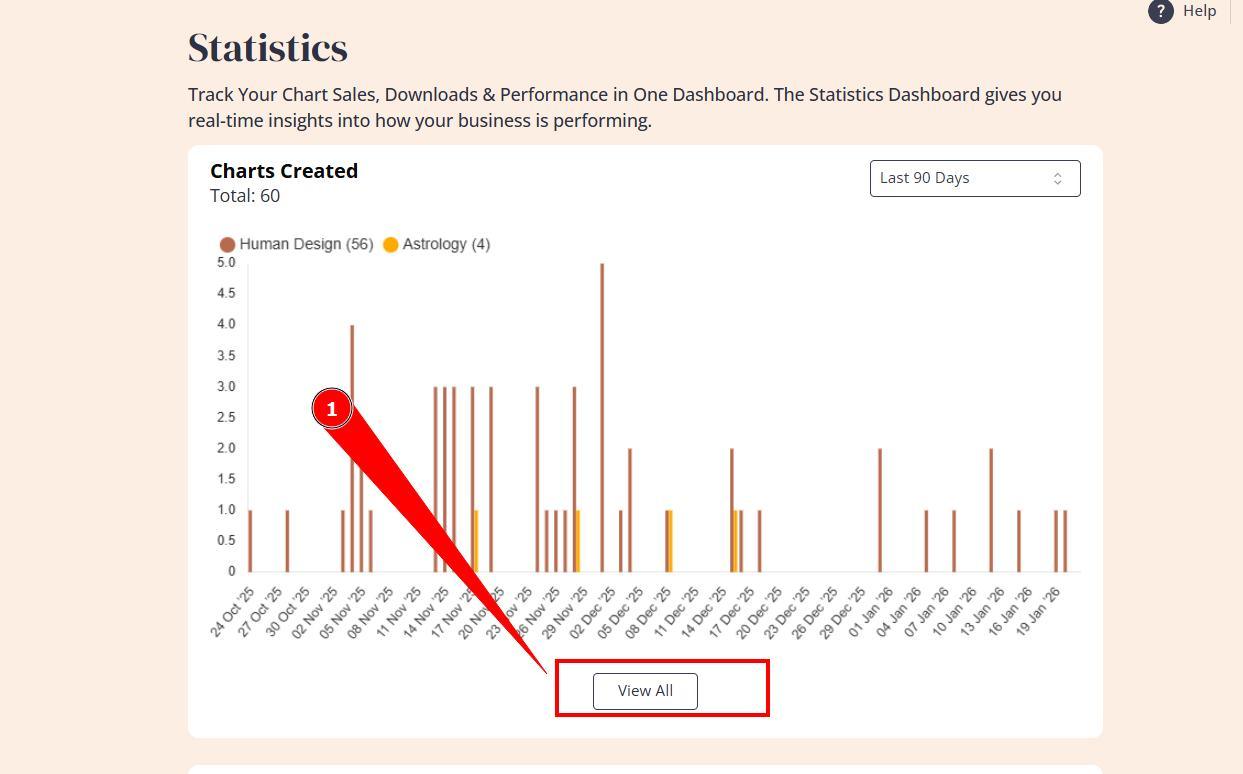
 2. Click View more below the Charts Created section.
3. Press Export button to download CSV file.
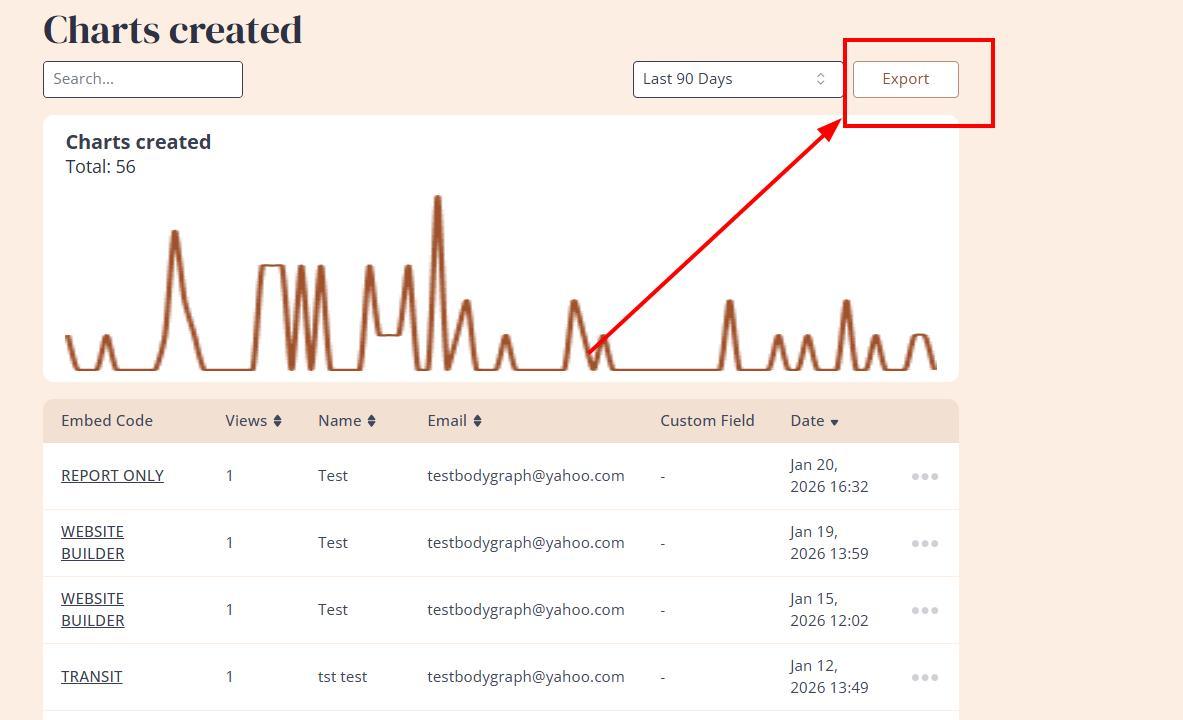
NOTE: It only exports customers names, emails (if integration has email field enabled) and dates, not chart details or personal details.
Frequently asked questions:
– Can I check/export data beyond 90 days?
Bodyhraph only stores data for 90 days and then it gets deleted without an option to restore. For longer data retention Newsletter or Data Storage app connection is required.
– Can I export customers charts or links to the chart?
No. Bodygraph does not collect or store integration visitors personal data beyond name and email, including the chart. Chart links can be collected via App Integrations.
– Can I bulk export report downloads/purchases?
There is no option to bulk download clients PDF downloads/purchases. You can download individual files.
Related articles:
Terms of use.
Data retention period.
Still have questions, is above guide outdated? Please message us on Live Chat or send an email to support@bodygraph.com.

All the Tools You Need to Build, Grow, and Scale Your Human Design and Astrology Business

