


Gemini AI troubleshooting
Last Updated: Jan 20, 2026
When integrating AI services such as Google’s Gemini API with your projects, several technical limitations and operational issues can arise. Understanding these challenges in advance helps you plan your usage and avoid unexpected disruptions.
1. API Rate Limits and Quotas
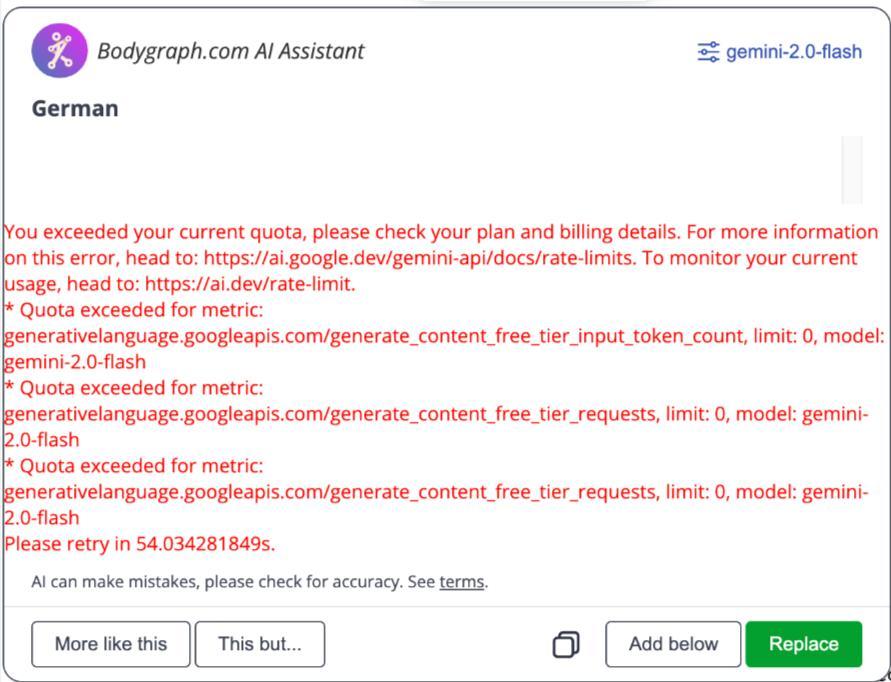
Google’s Gemini API has strict usage limits, especially on the free tier. These limits include quotas on requests per minute, tokens per minute, and total requests per day. Exceeding these limits will trigger rate limit errors and can cause your AI-powered features to fail or return errors.
Free tier limits are considerably lower than paid tiers, and for serious or high-volume use, upgrading to a paid plan is sometimes necessary to avoid frequent interruptions if large number of requests are planned.
For a detailed overview of current quotas and usage tiers, refer to the official Google documentation.
2. Geographic and Regional Restrictions
The Gemini API is not available in all regions. API access may be limited or entirely unavailable depending on where your application is hosted or where your users reside.
If your users are based in locations where the service is not supported, API calls can fail or return region restriction errors.
You can review the list of supported regions here.
3. Model Availability and Performance Issues
Certain AI models and features are not equally supported across all API setups or regions. This means that free-tier users may experience slower performance, timeouts, or feature limitations when working with high-demand models like Gemini Pro.
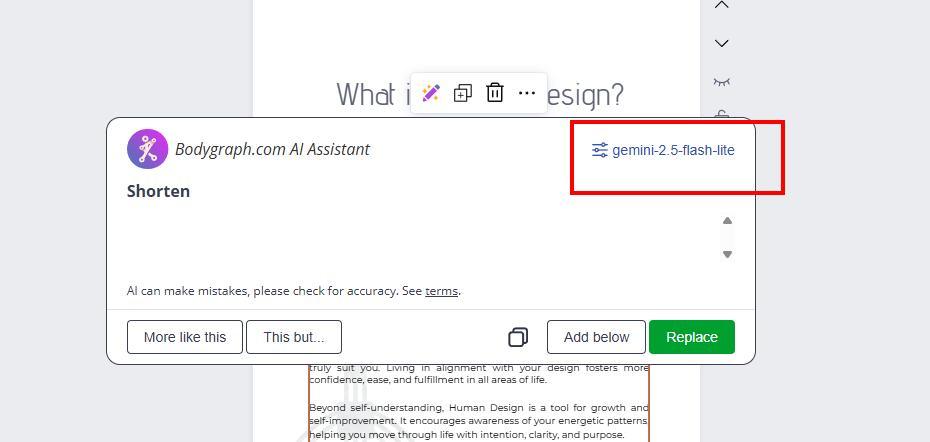
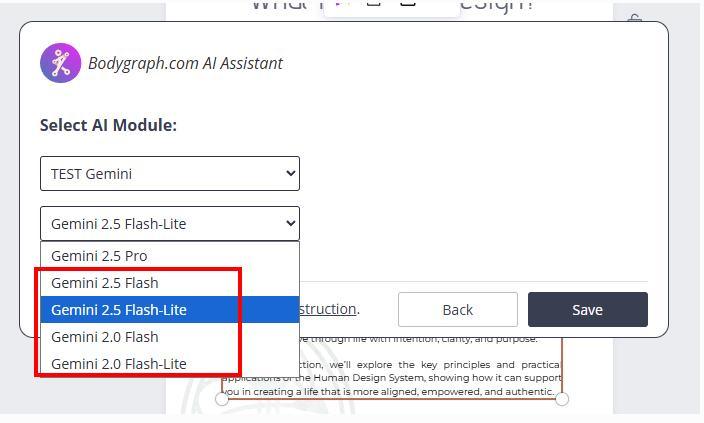
Additionally, using the free tier of high-performance models (e.g., 2.5 Pro) can be very slow, and long requests may timeout or return errors. For these use cases, it is often recommended to use lighter models such as Gemini Flash or Gemini Flash-Lite, which have higher rate limits and are more efficient for many applications.
4. Incorrect Accuracy and Content Reliability
Although AI tools are helpful for translating content, editing text, and checking spelling, Bodygraph does not recommend using AI as a primary source for creating Human Design or Astrology content. AI technology is advanced, however extensive internal testing shows that it can produce frequent inaccuracies.
If you do not have solid Human Design and Astrology knowledge to properly proofread and verify the output, there is a high risk of overlooking errors and publishing misleading reports. AI should be used cautiously and responsibly, as a supporting tool rather than a source of truth.
Please note that Bodygraph is not responsible for the accuracy, interpretation, or performance of Gemini AI outputs. For more information, refer to the Bodygraph AI usage terms.
Best Practices to Avoid Issues
Monitor your quota usage and adjust your project logic if you hit rate limits.
Consider upgrading to a paid tier if your project needs consistent output or higher volume.
Test in your target region to confirm the API endpoints are supported.
Choose the right model for your use case – lighter models often offer better stability under free tiers.
Planning ahead and choosing the right usage tier and models will help you build more reliable, resilient AI functionality into your projects.
Still have questions, is above guide outdated? Please message us on Live Chat or send an email to support@bodygraph.com.

