


Embedding chart to Website Builder
Last Updated: Mar 20, 2026
Since Bodygraph Website Builder is built into Bodygrap’s ecosystem, embedding chart into website is slightly different then copying embed code and pasting to external website.
To link your embed code with Website Builder chart sections, follow the steps below:
1. Navigate to the Website Builder and open it’s dashboard.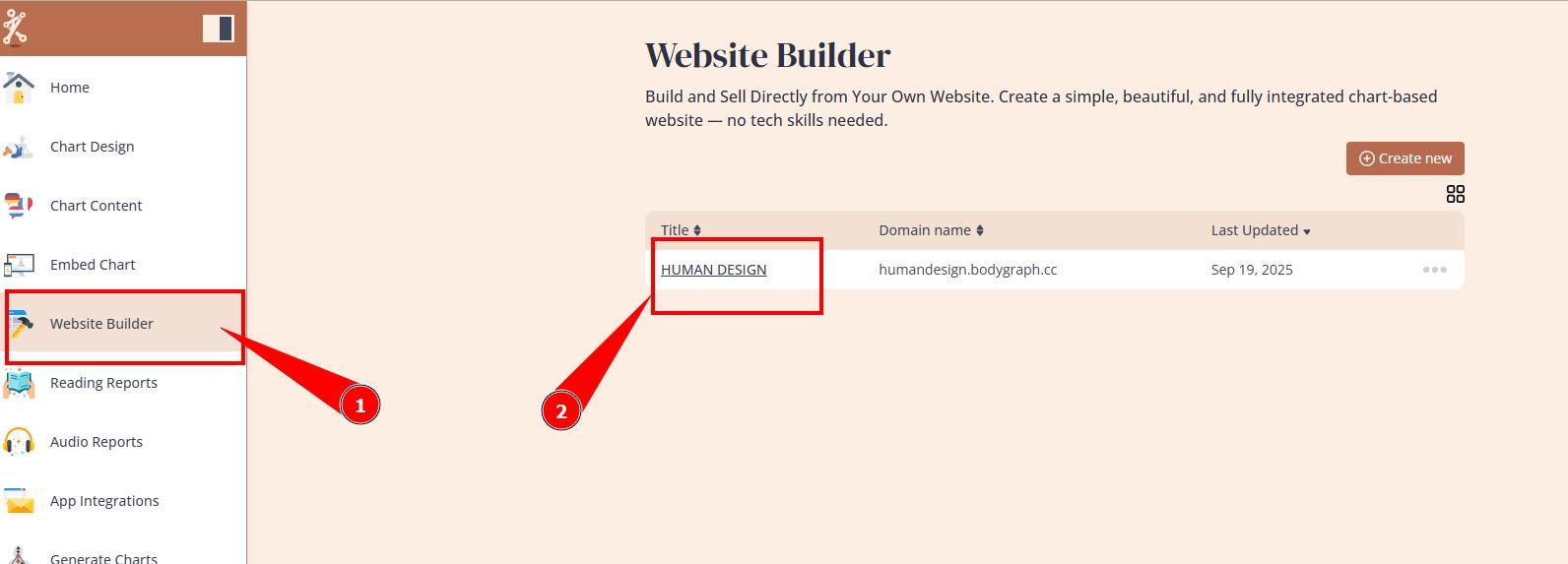
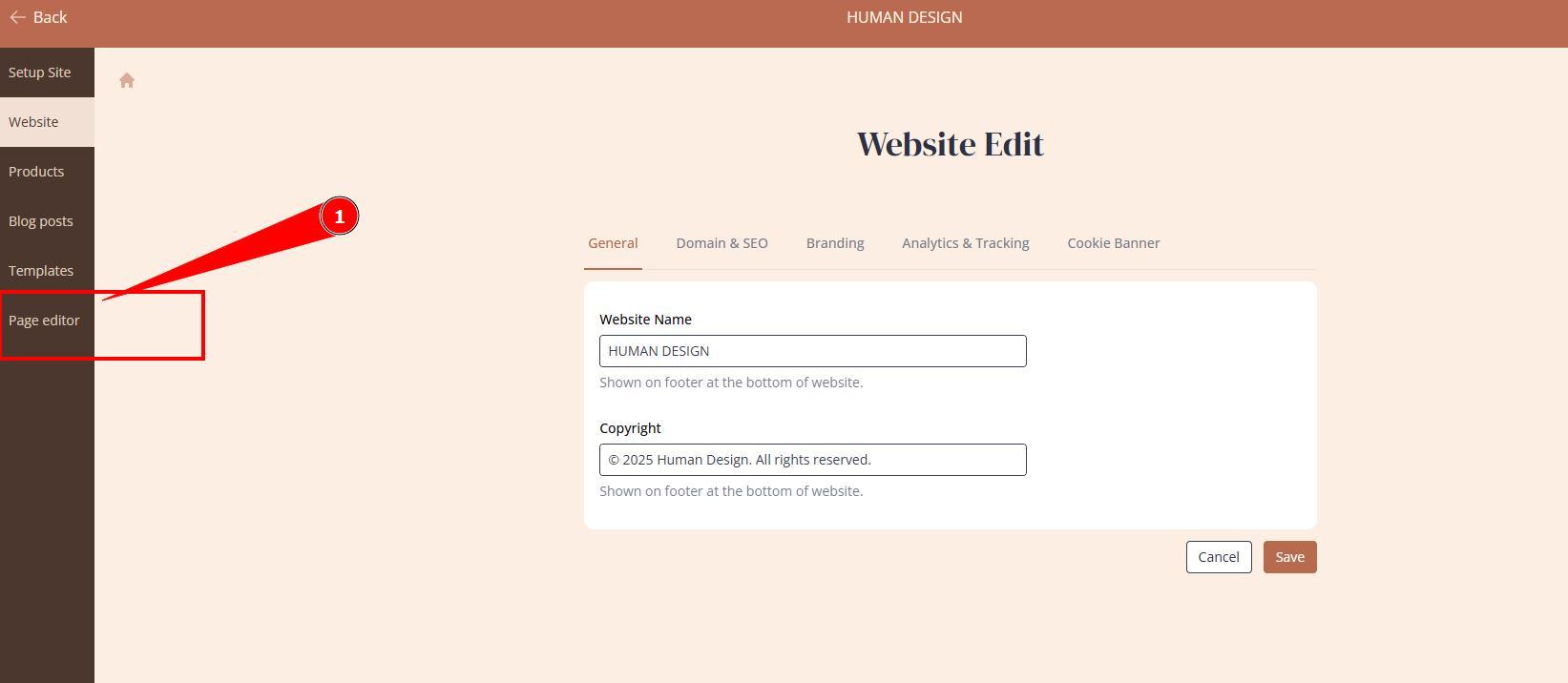
2. Access Page editor.
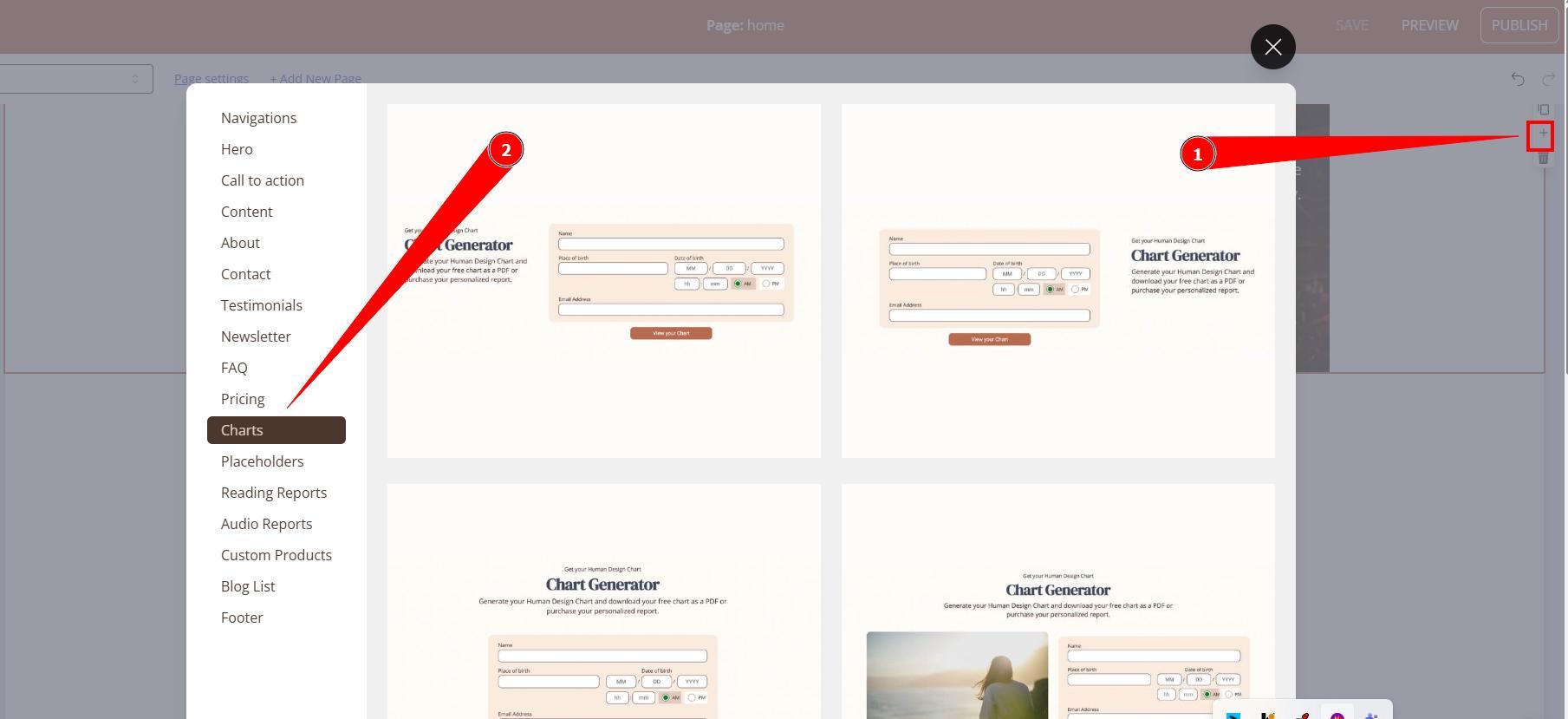
3. If you are using Template just navigate to pages and sections that include chart form. If you building it from scratch, then add chart section first.
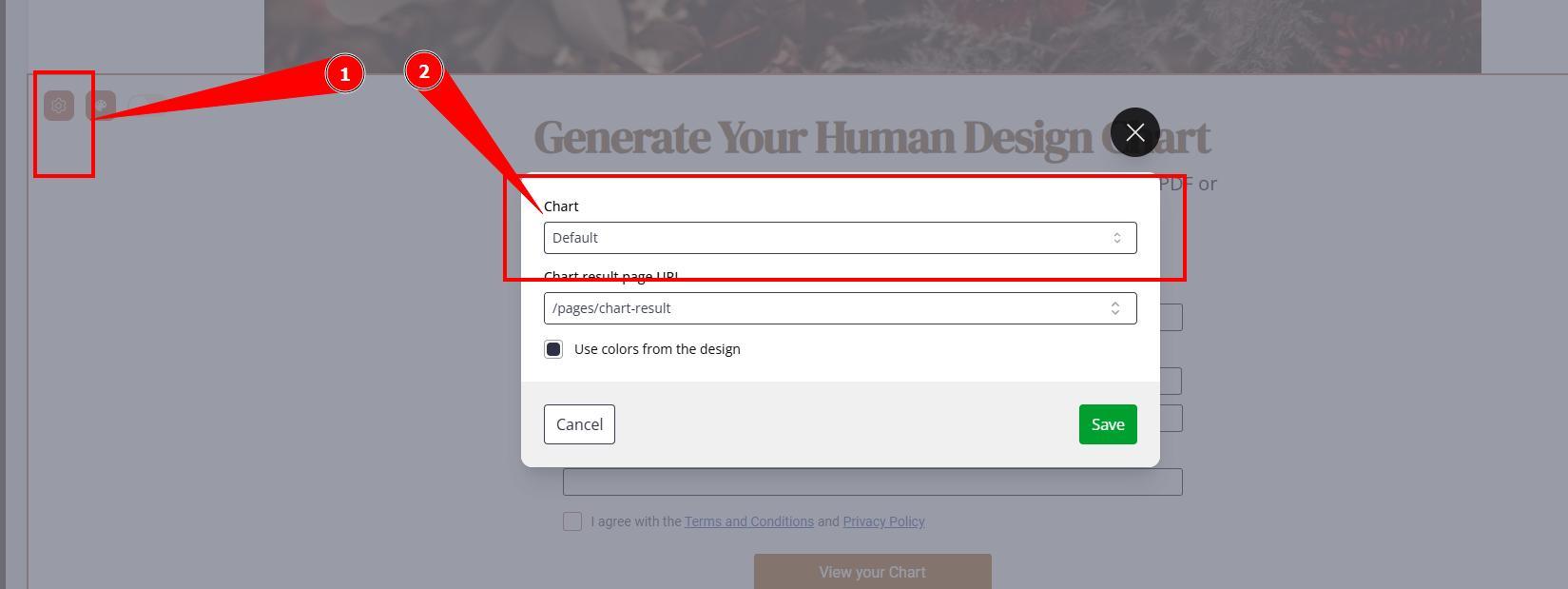
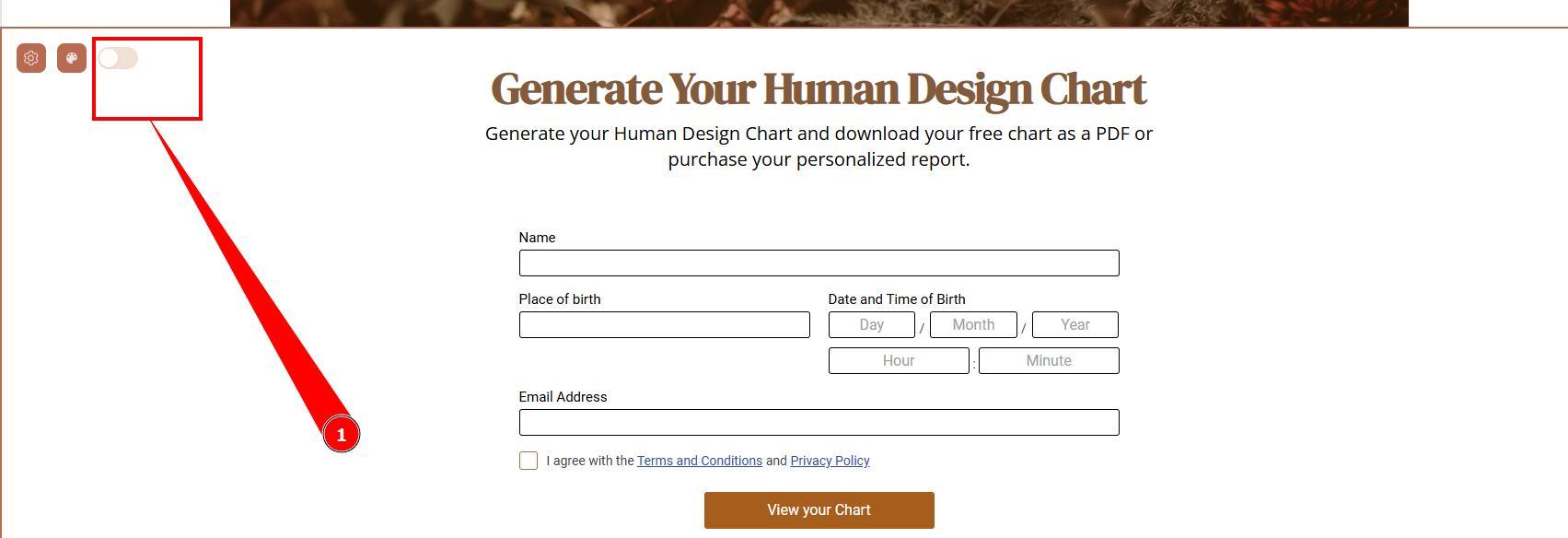
4. Press on gear icon at Chart section and select embed code that you are linking the section with. Please note that without linking it to embed, section does not function as chart calculator.
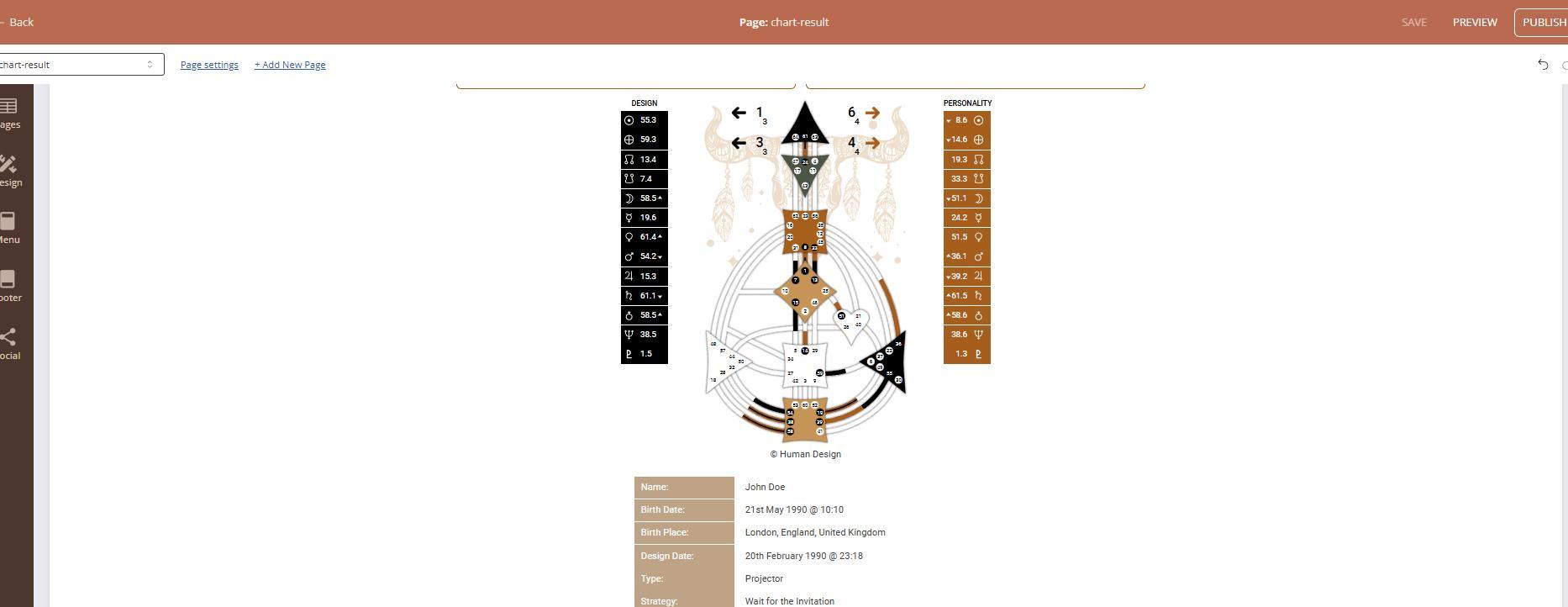
5. Once embed code is assigned, toggle the preview to check if it brings your settings, design and language correctly.
IMPORTANT: Embed code settings can be edited at Embed Chart section.
Still have questions, is above guide outdated? Please message us on Live Chat or send an email to support@bodygraph.com.

All the Tools You Need to Build, Grow, and Scale Your Human Design and Astrology Business

