


Changing logo and favicon
Last Updated: Mar 17, 2026
To change Website Builder logo and favicon, follow the steps listed below:
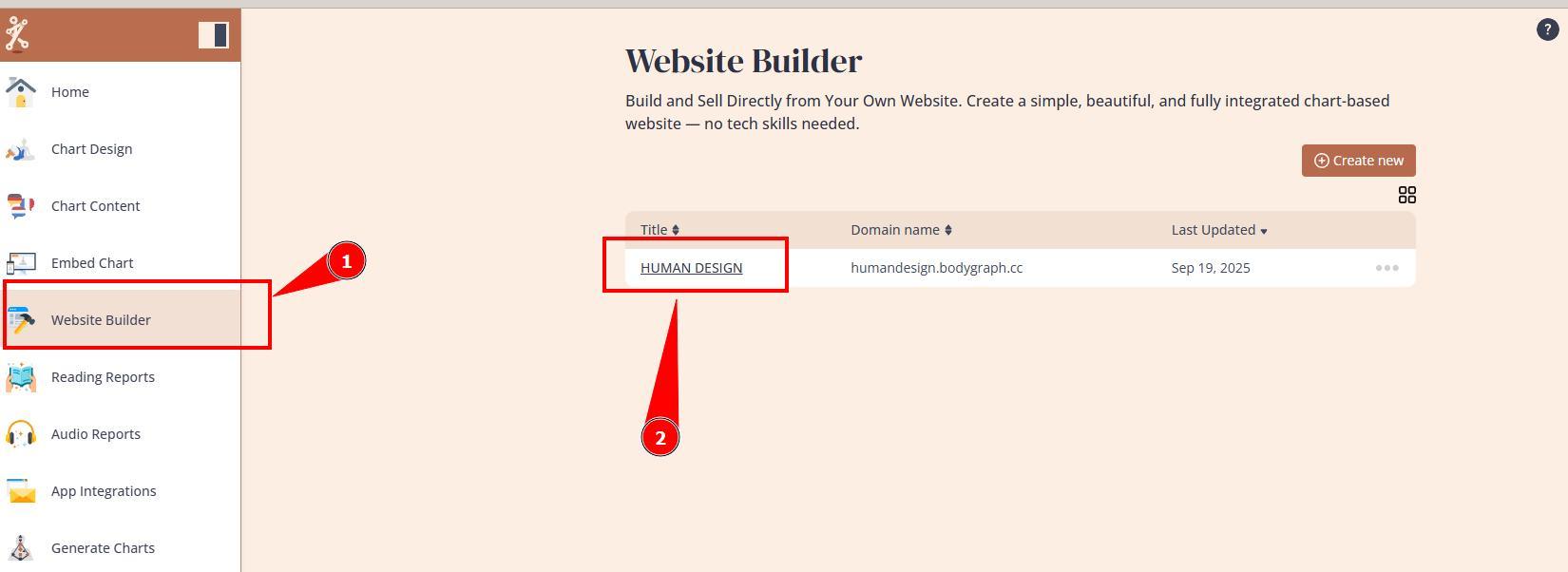
1. Open Website Builder’s dashboard.
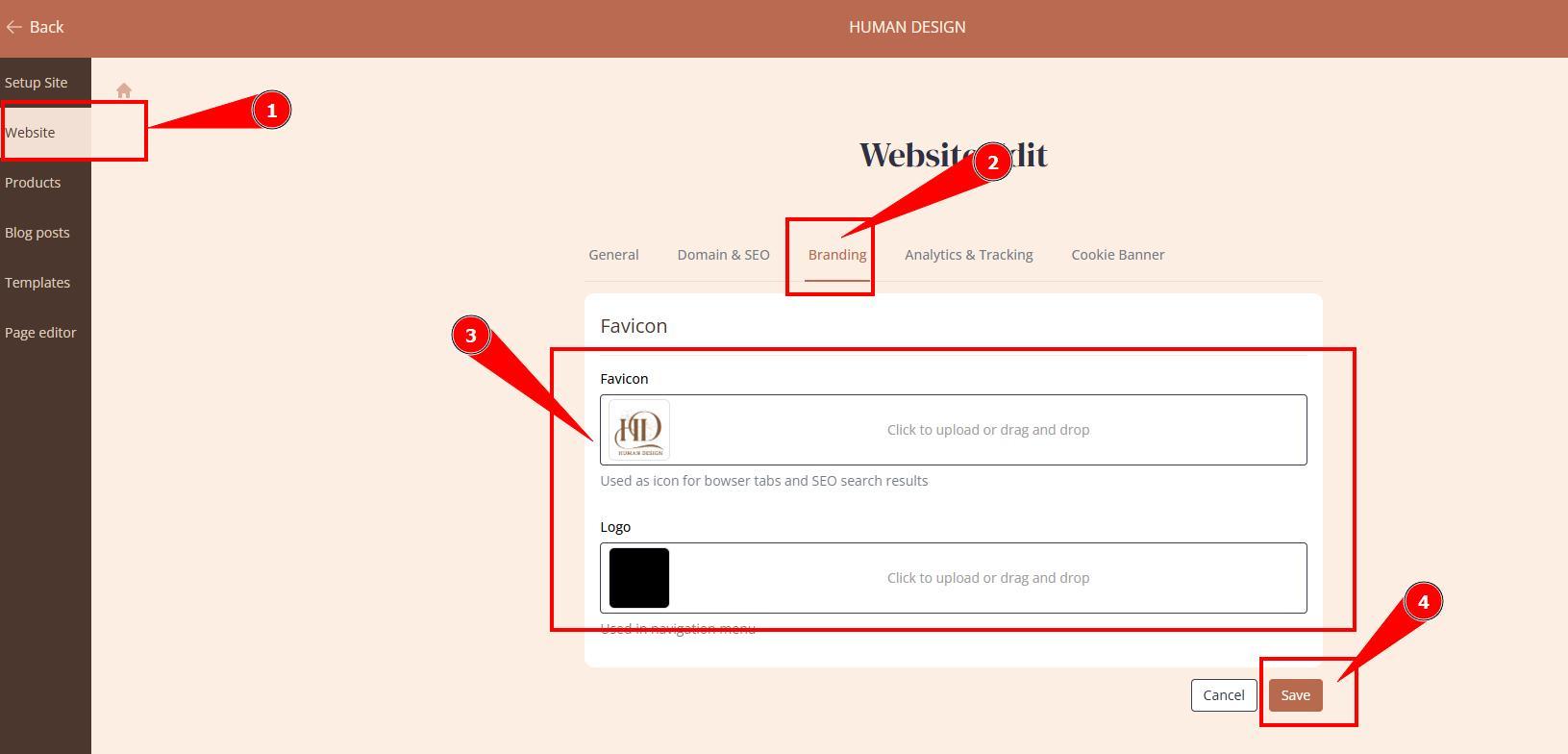
2. Navigate to website settings, Branding tab, upload Logo and Favicon and click Save.
IMPORTANT: this logo position is compatible with clear an symbol based logos that do not include small elements. If your logo includes small elements and text best to use this method instead.
Still have questions, is above guide outdated? Please message us on Live Chat or send an email to support@bodygraph.com.

All the Tools You Need to Build, Grow, and Scale Your Human Design and Astrology Business

