
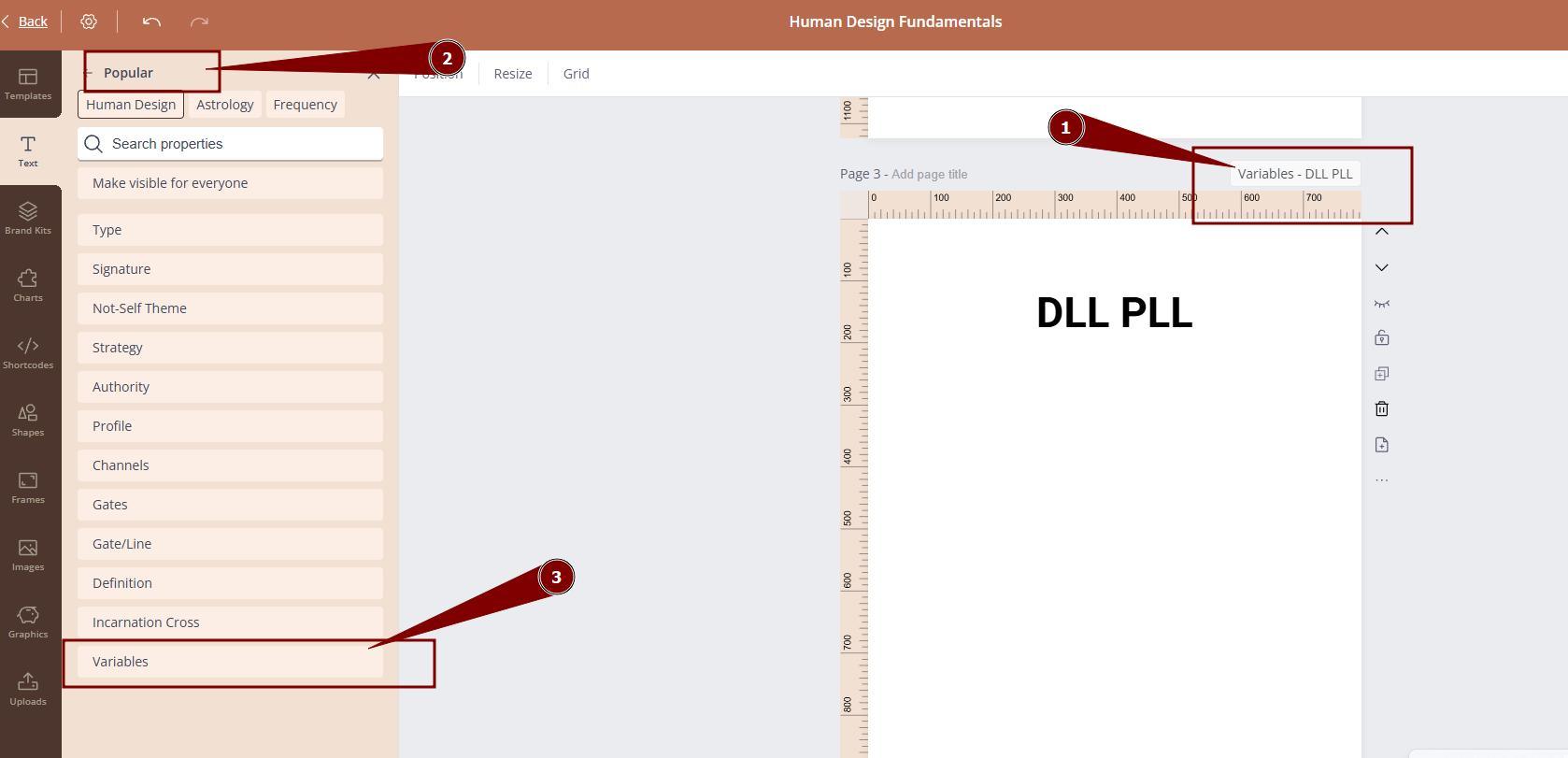
To use Variables direction property, follow the steps below:
To edit the labels and/or descriptions:
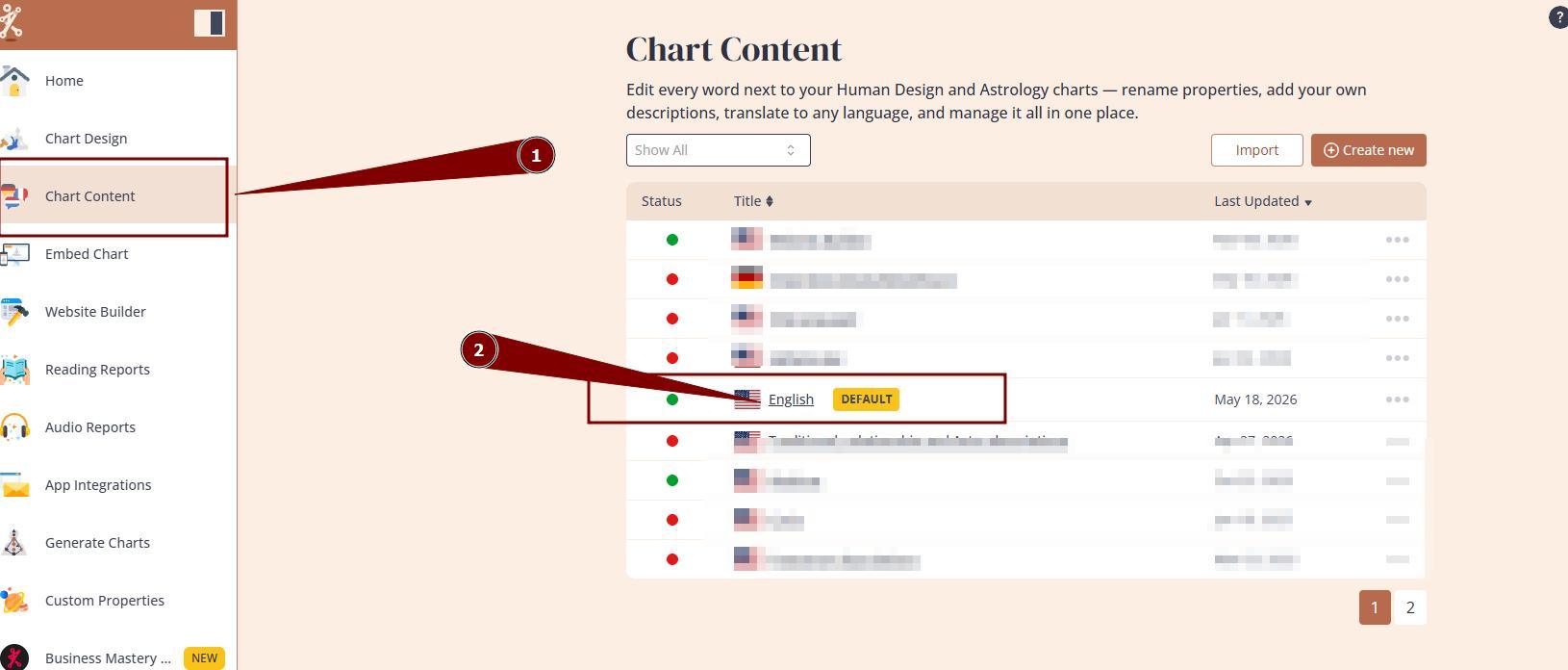
1. Navigate to Chart Content tool and open the language that you are using/will be using at your embed and/or report.
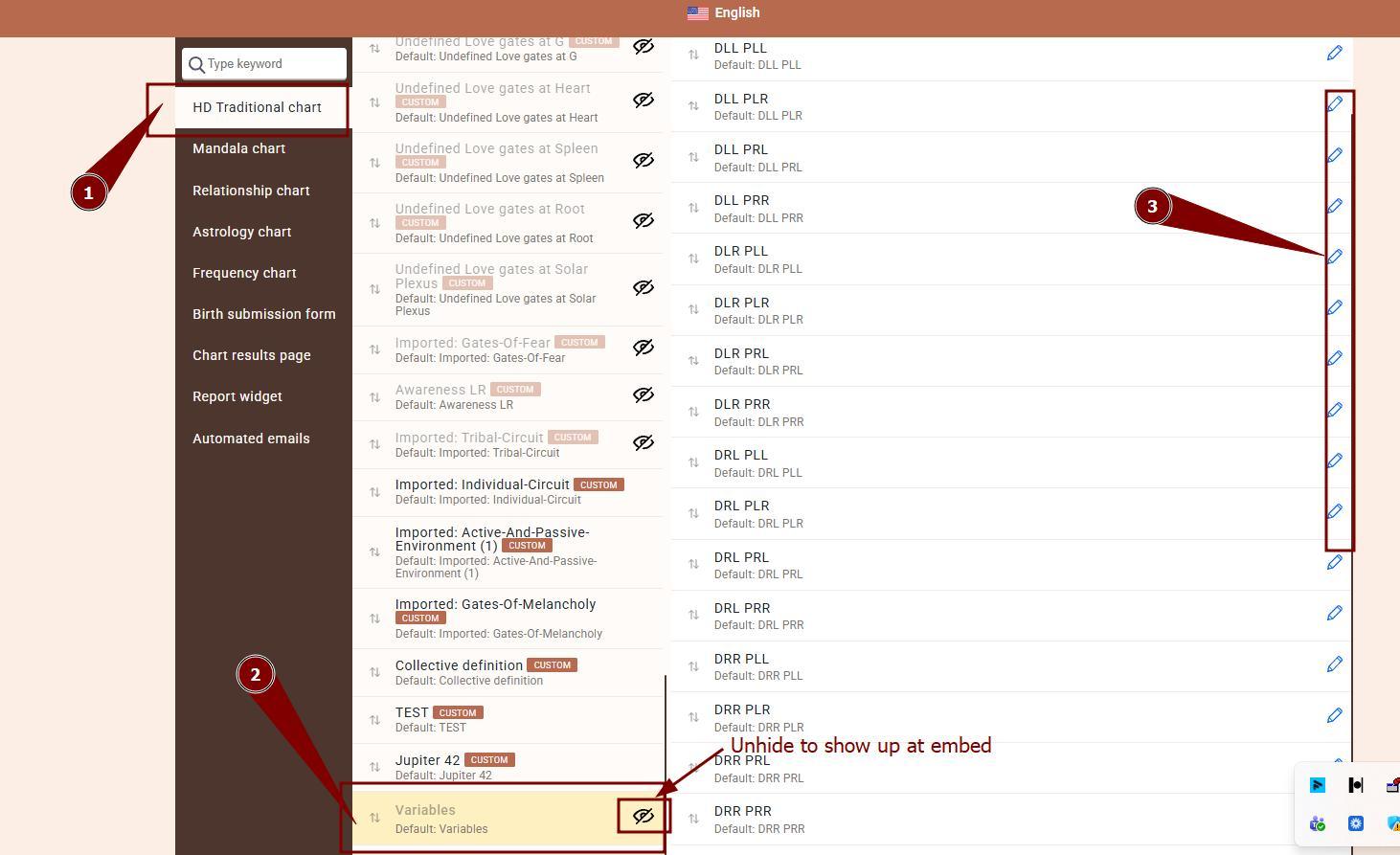
2. Select Variables option and click pencil icon to edit the labels and descriptions.
!Please note this property will be hidden by default. If you wish for it to show up at your embed code property list, click the crossed eye symbol next to it to unhide.
To use it at the reports:
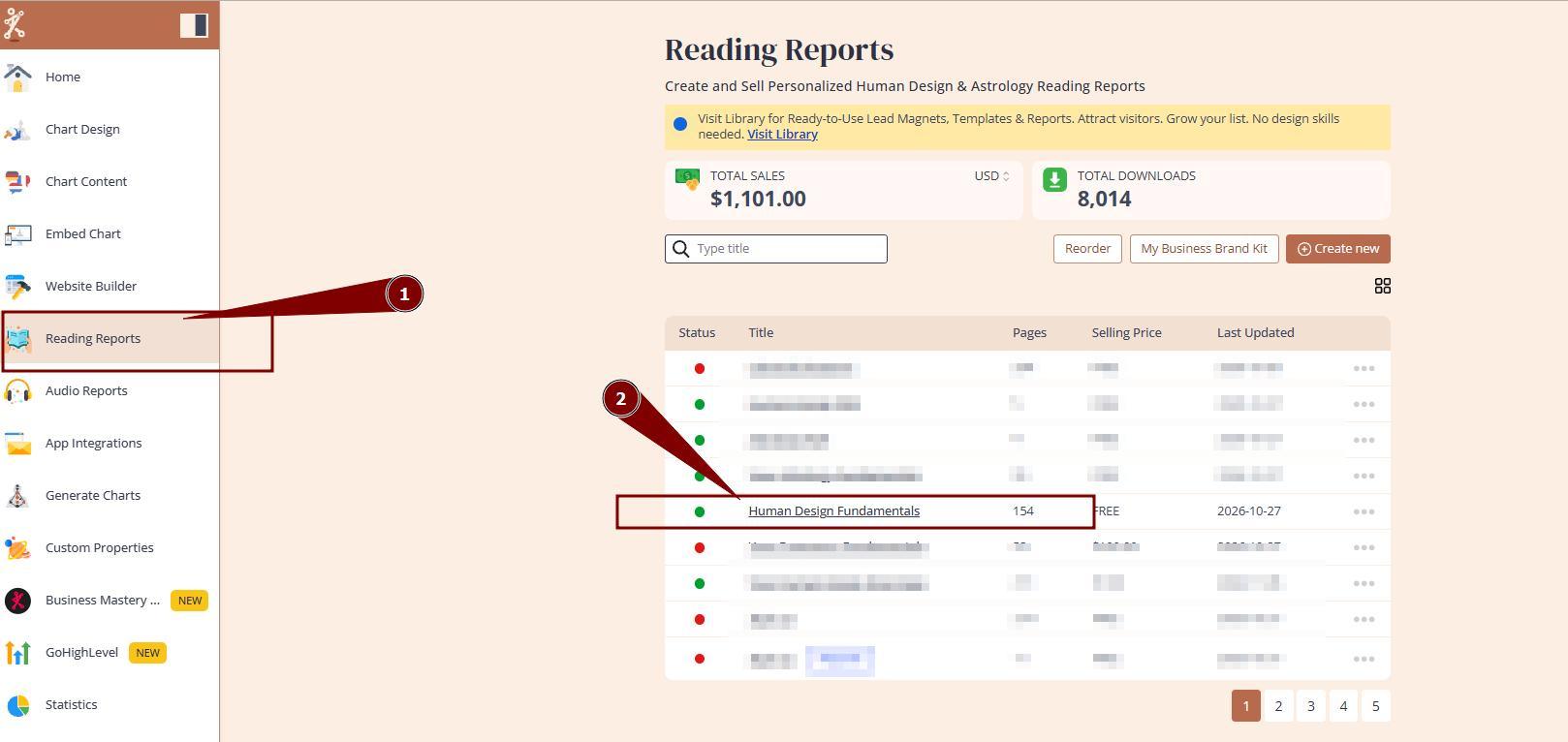
1. Navigate to reading repots and open the repot that you want to use property at.
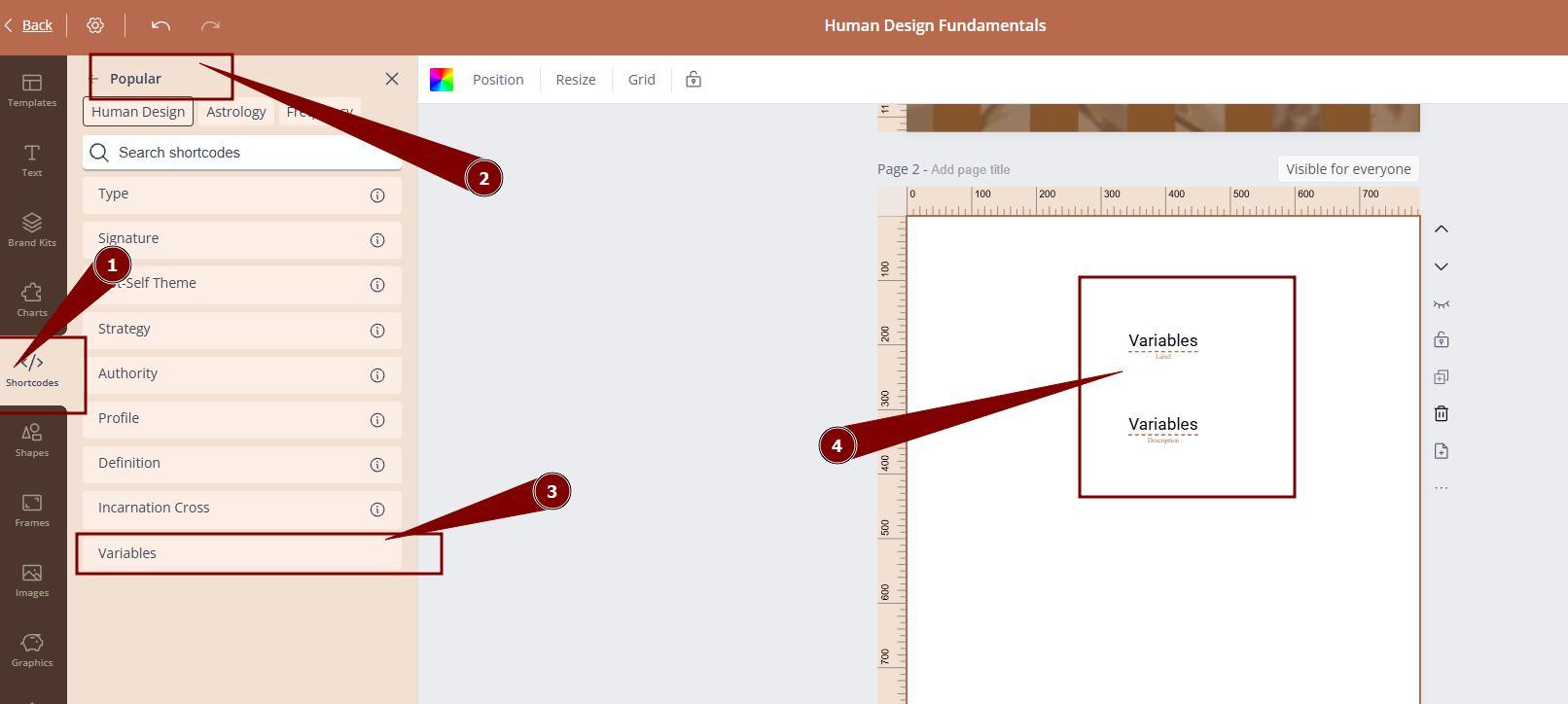
2. You can either add this property via shortcode that will bring label and description from chart content or set property outcomes as page visibility.
Still have questions, is above guide outdated? Please message us on Live Chat or send an email to support@bodygraph.com.