
To add a thumbnail to your report, proceed as follows:
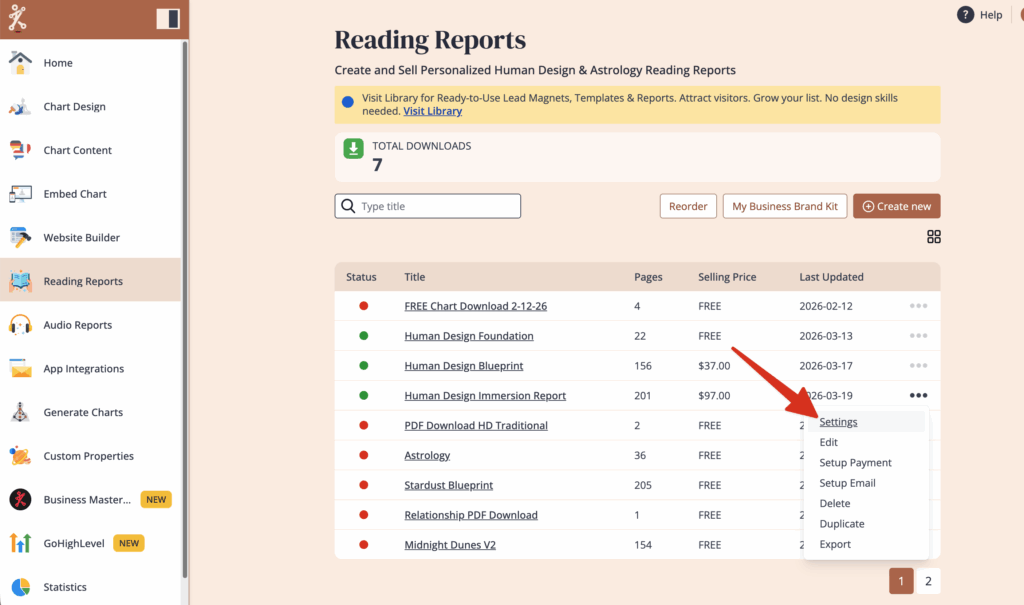
Go to Reading Reports tool and click on the 3 little dots next to the report that you want to sell. Click on Settings in the menu.
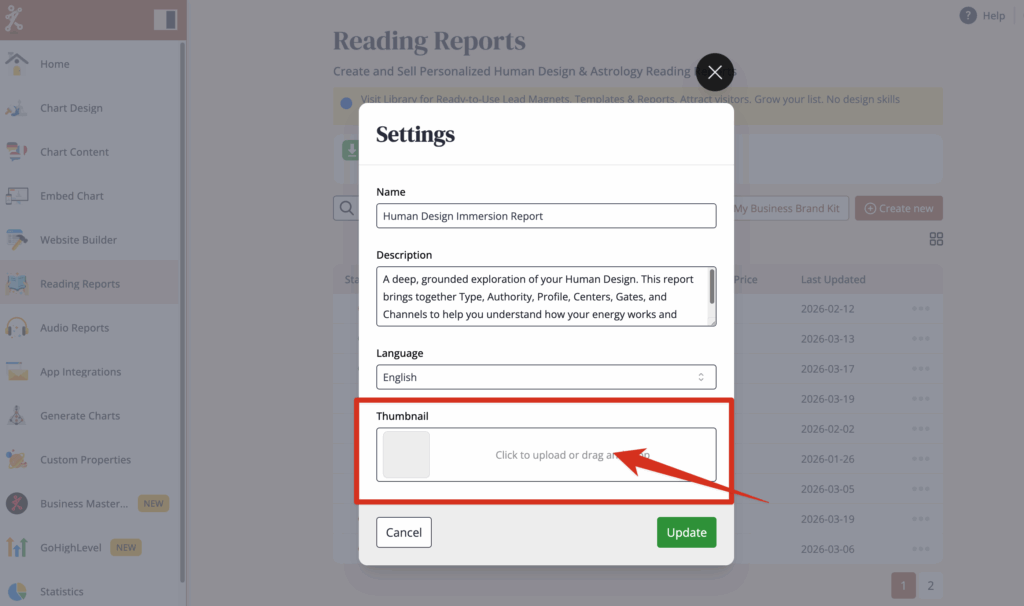
2. Click or drag your thumbnail picture in square format with max 500kb. (The only files accepted are PNG, JPG and WEBP files.)
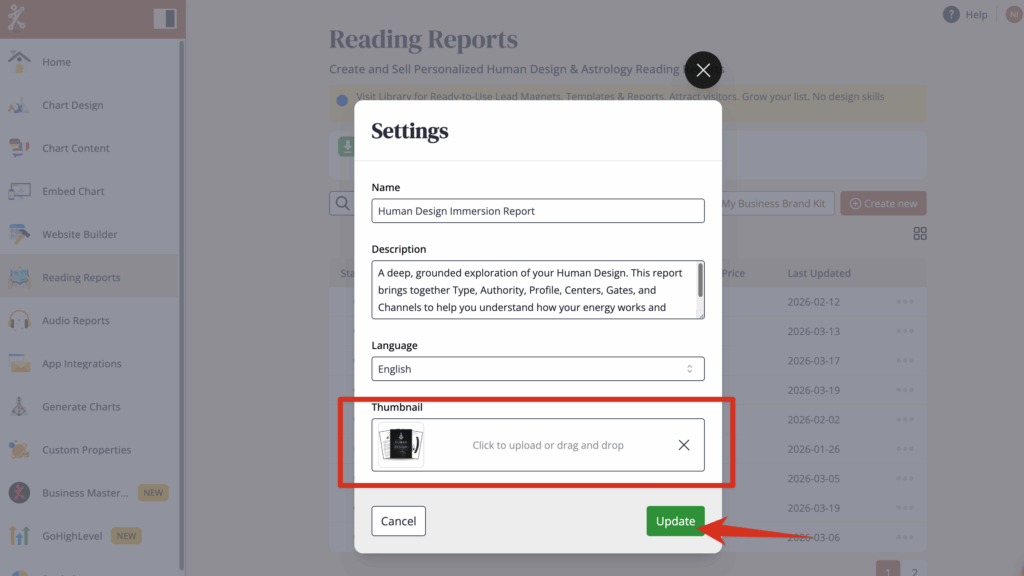
Click Update once uploaded.
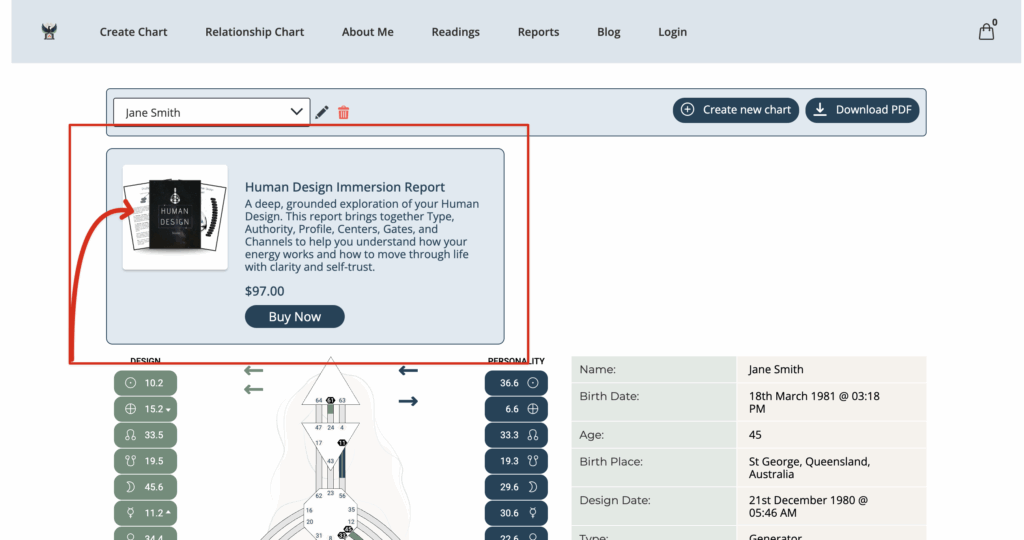
Check the results at your website.
Still have questions, or is above guide outdated? Please message us on Live Chat or send an email to support@bodygraph.com.