
To enable Birth Date and Location at the result page please follow the steps listed below:
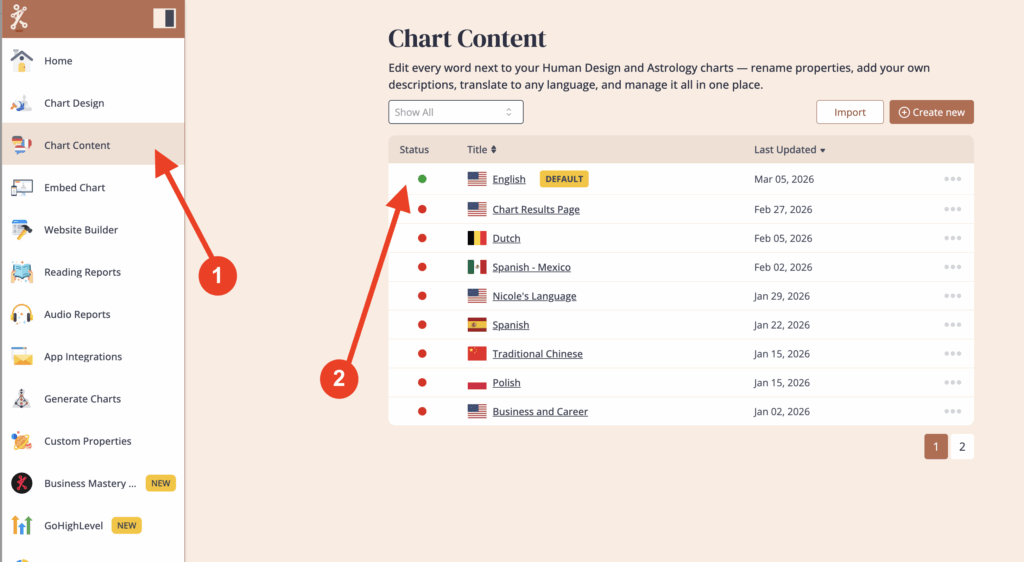
Click on ‘Chart Content’ and then select the language that is assigned to the embed code that you’re using for your website.
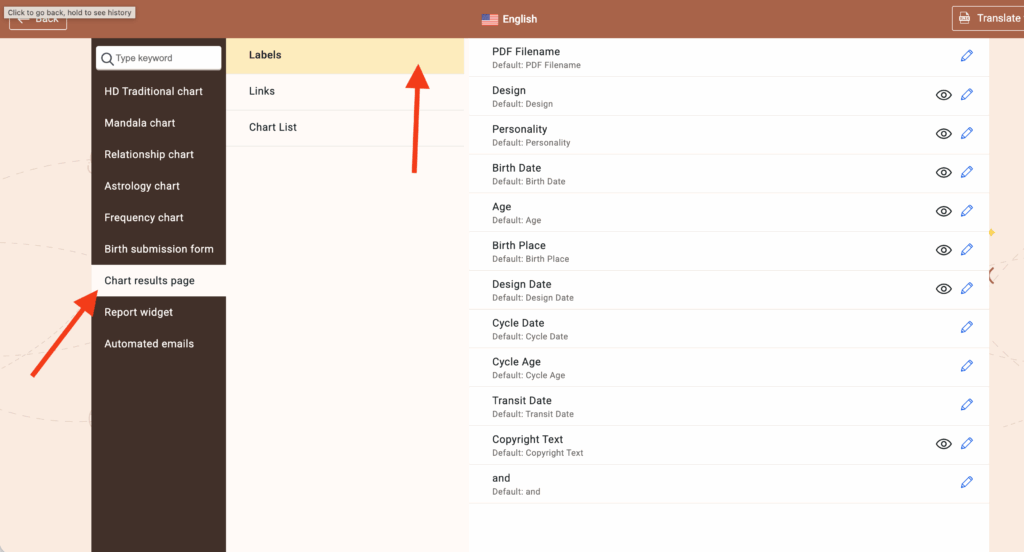
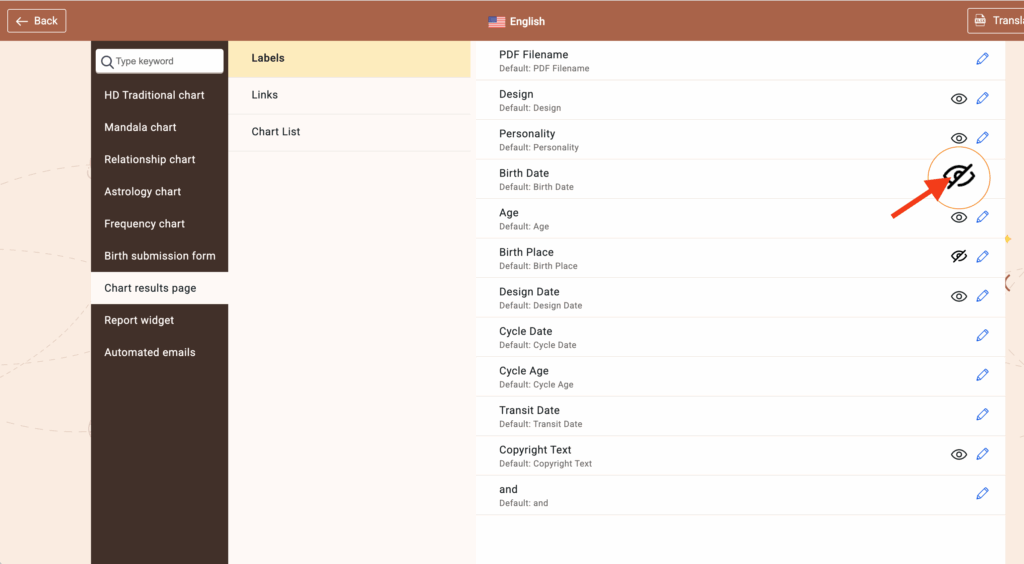
Click on ‘Chart results page’ and then clickon ‘Labels’
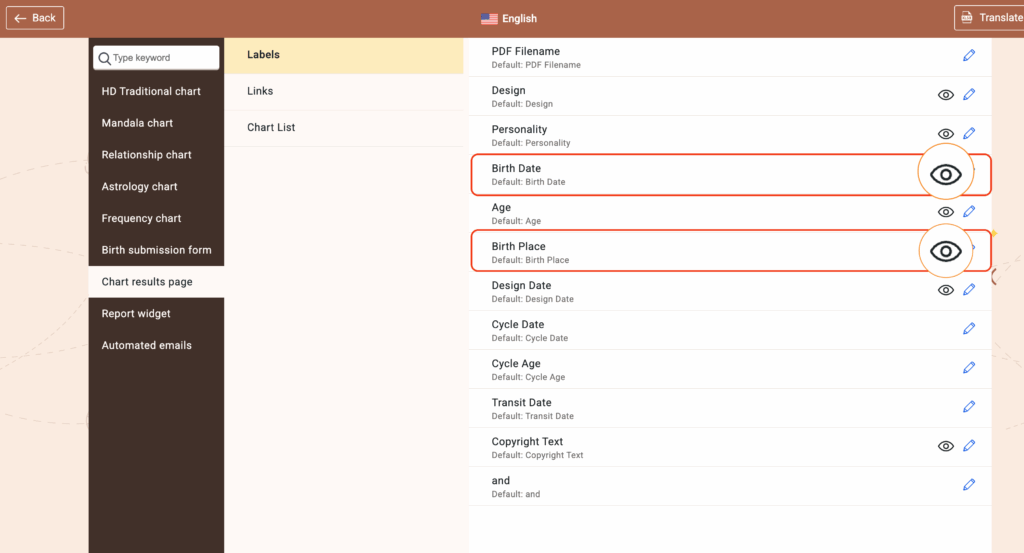
Look at ‘Birth Date’ and ‘Birth Place.’ If the eye next to them does not have a slash through it, then it is visible on the chart results page.
If the eye has a slash through it, then it is hidden from the chart results.
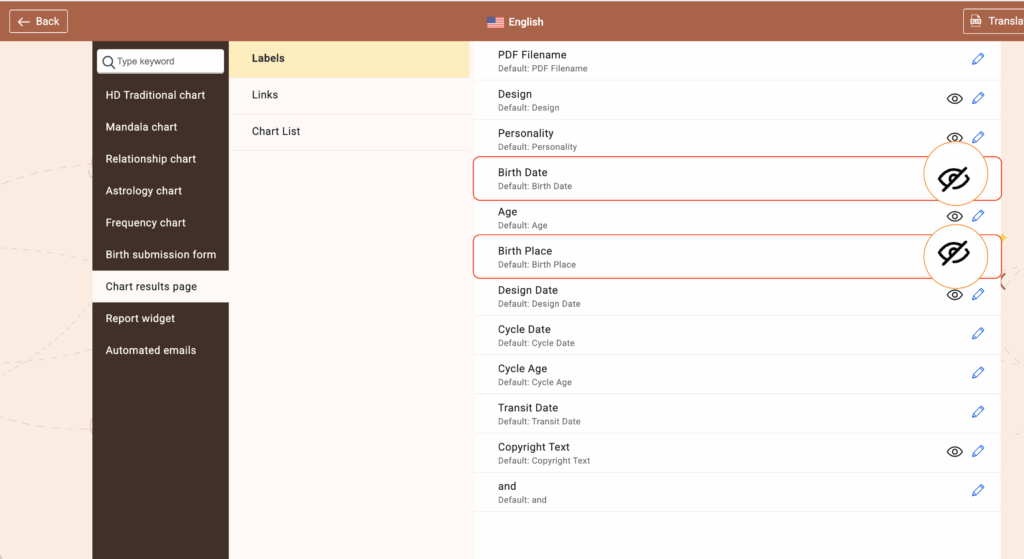
Click on the eye next to the property to make it visible or hidden. Remember an eye with a slash through it is hidden from the page.
Related articles:
How to control which properties appear on the chart results page
How to hide property descriptions on the chart results page.
Still have questions, is above guide outdated? Please message us on Live Chat or send an email to support@bodygraph.com.