
You can set up your email to automatically send a message to customers, providing them with a link to download their paid report.
Please note that this feature is exclusively available for paid reports. By “paid reports,” we refer to those for which you have configured either Stripe or PayPal payment methods. This feature is not available for free reports.
To automatically send the report link to your customers by email after the purchase, proceed as follows:
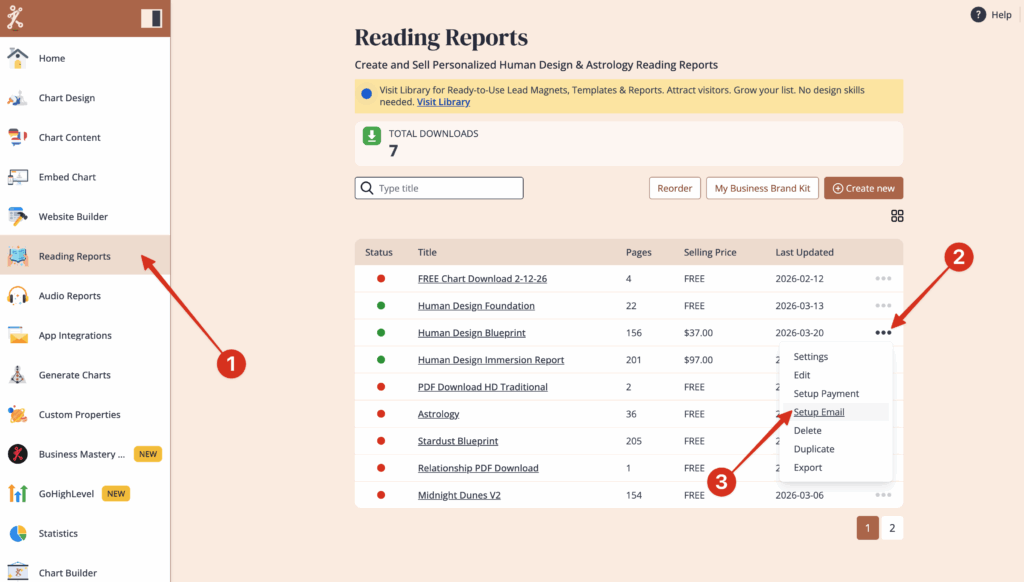
Go to the overview page in ‘Reading Reports’.
Click on the three small dots on the right-hand side next to the reading report that you want to set up the email for and click on: ‘Setup Email‘
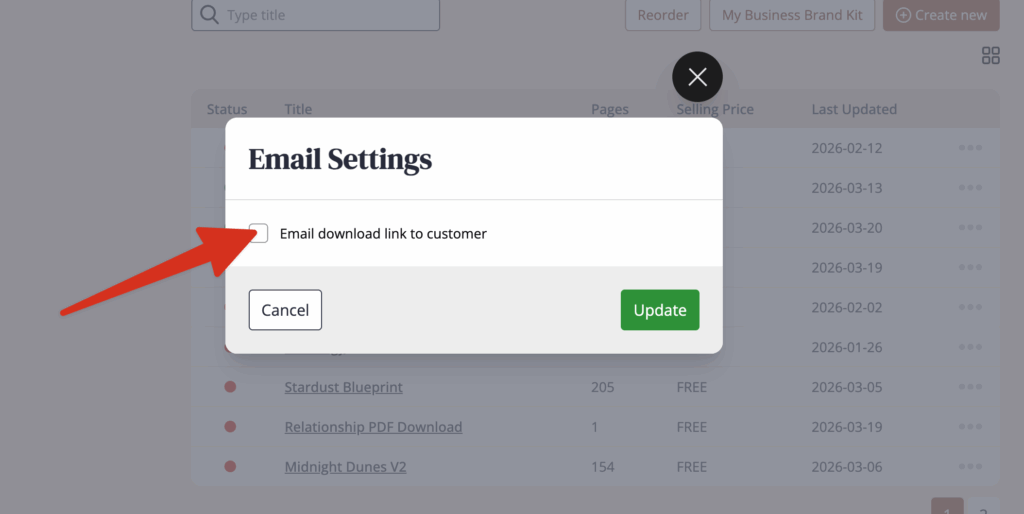
Click on ‘Email download link to customer’
If you do not have your own domain
Leave the email domain as mail.mybodygraphchart.com. Choose an ‘email name‘ such as ‘noreply’ or ‘reports’ or your business name.
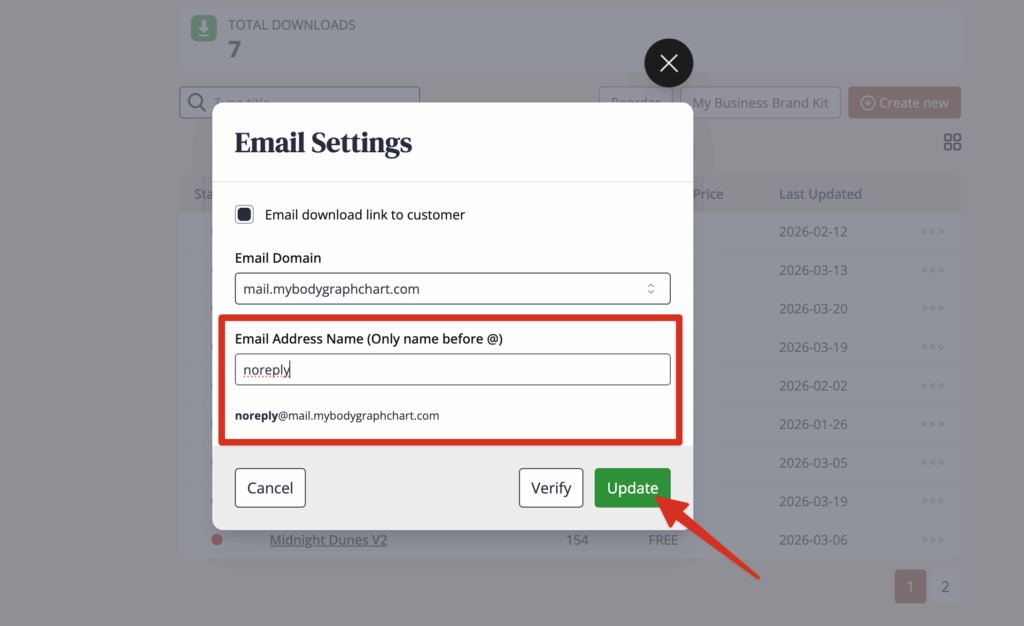
NOTE: Your customers/clients will not be able to reply to this email. When you set up your report email template, it is recommended that you add an email address they can reach you at if they have questions.
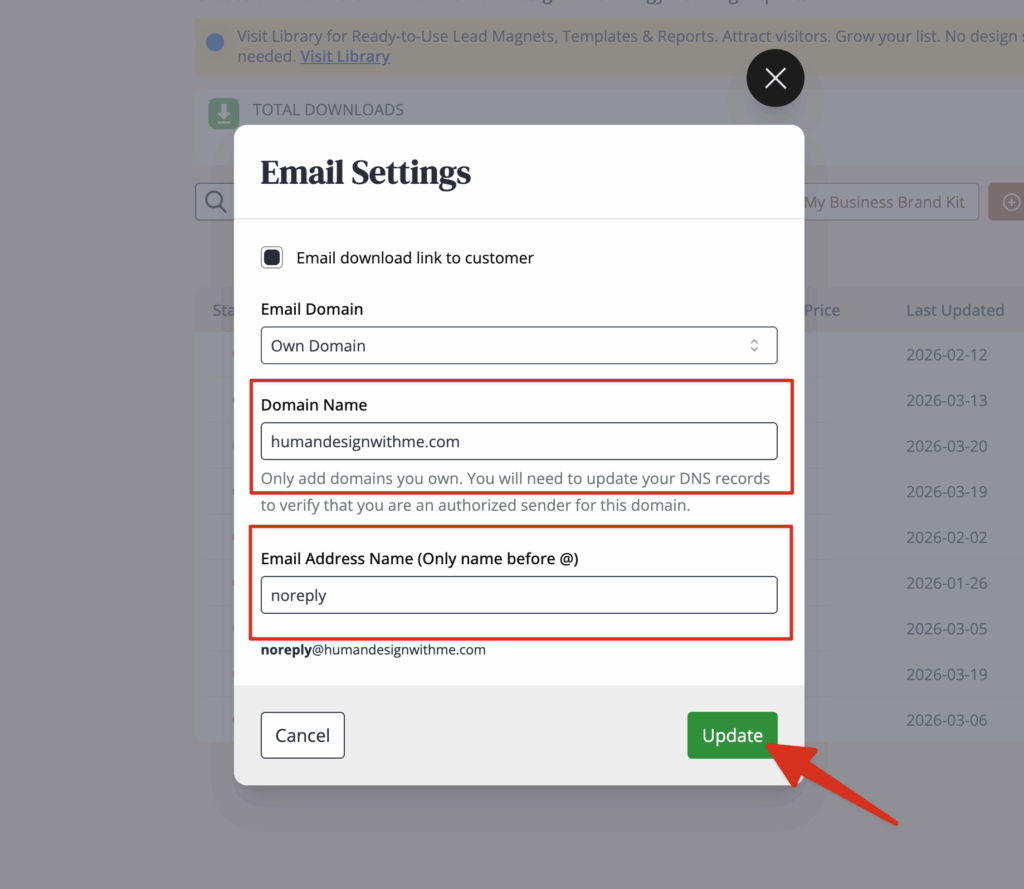
If you have your own domain
Select ‘Own Domain’ in Email Domain, and then enter in your domain name. Do not enter the www before your domain name.
Then enter an email address name. This can be your actual email address, or you can enter something like ‘reports’ or ‘noreply’
NOTE: If you want to receive replies to this email, then enter in your actual email address.
Once again, click on the three small dots on the right-hand side next to the reading report that you want to set up the email for and click on: ‘Setup Email’
Click ‘Verify’ to view your DNS TXT Records. You will need to enter these two DNS Records inside your domain name hosting.
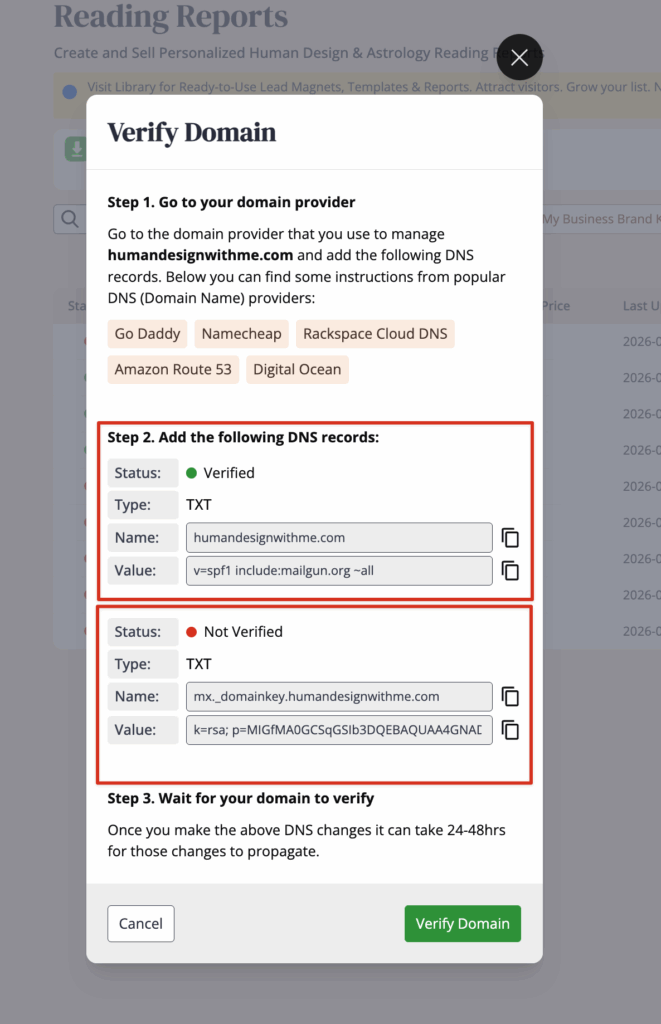
NOTE: It can take up to 24 hours depends of your hosting provider.
Frequently Asked Questions
How long is the link valid?
The link is available for 7 days. Therefor it is good idea to add this information at report email template.
What to do if customer has not received an automated email with the report?
Did you set up email delivery? If so ask customer to check spam folder. Test email delivery by purchasing your own report. If email is not delivered try to set email delivery all over again and test it again. If still doesn’t work contact support.
How to set automated email report delivery for free reports?
This function is currently not available in the Bodygraph software. The automation is possible via the newsletter app if you have the skills.
Related Articles
How to edit the reading report delivery email?
Still have questions, is above guide outdated? Please message us on Live Chat or send an email to support@bodygraph.com.
Similar questions:
Does my customer automatically receive an email with the Link after purchasing the report?
Can I use my own domain / email to send the report link to my customers?