
You can choose between the following house systems:
- Equal
- Whole sign
- Placidus
- Alcabitius
- Campanu
- sequal (MC)
- Carter poli-equ.
- horizon/azimut
- Sunshine
- Sunshine/alt.
- Koch
- Pullen SD
- Morinus
- equal 1=Aries
- Porphyry
- Pullen SR
- Regiomontanus
- Sripati
- Polich/Page
- Krusinski-Pisa-Goelzer
- equal/Vehlow
- axial rotation system/Meridian houses
- APC houses
Chart Design
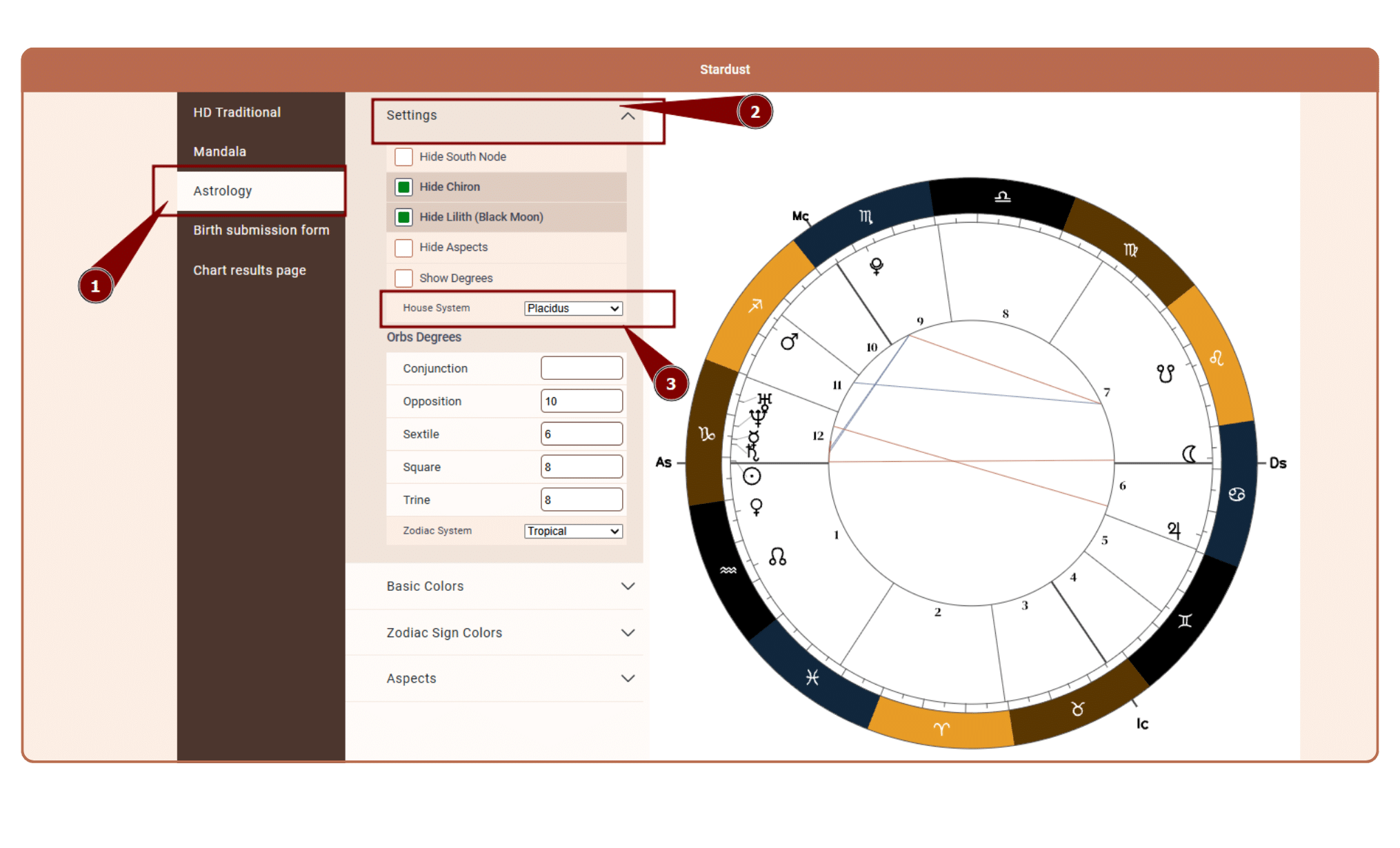
To change the house system in the astrology chart at Chart Designs proceed as follows:
1. Open chart design under Chart design section that you are using at embed and reports
2. Select House system from the dowpdowns
Generate Chart
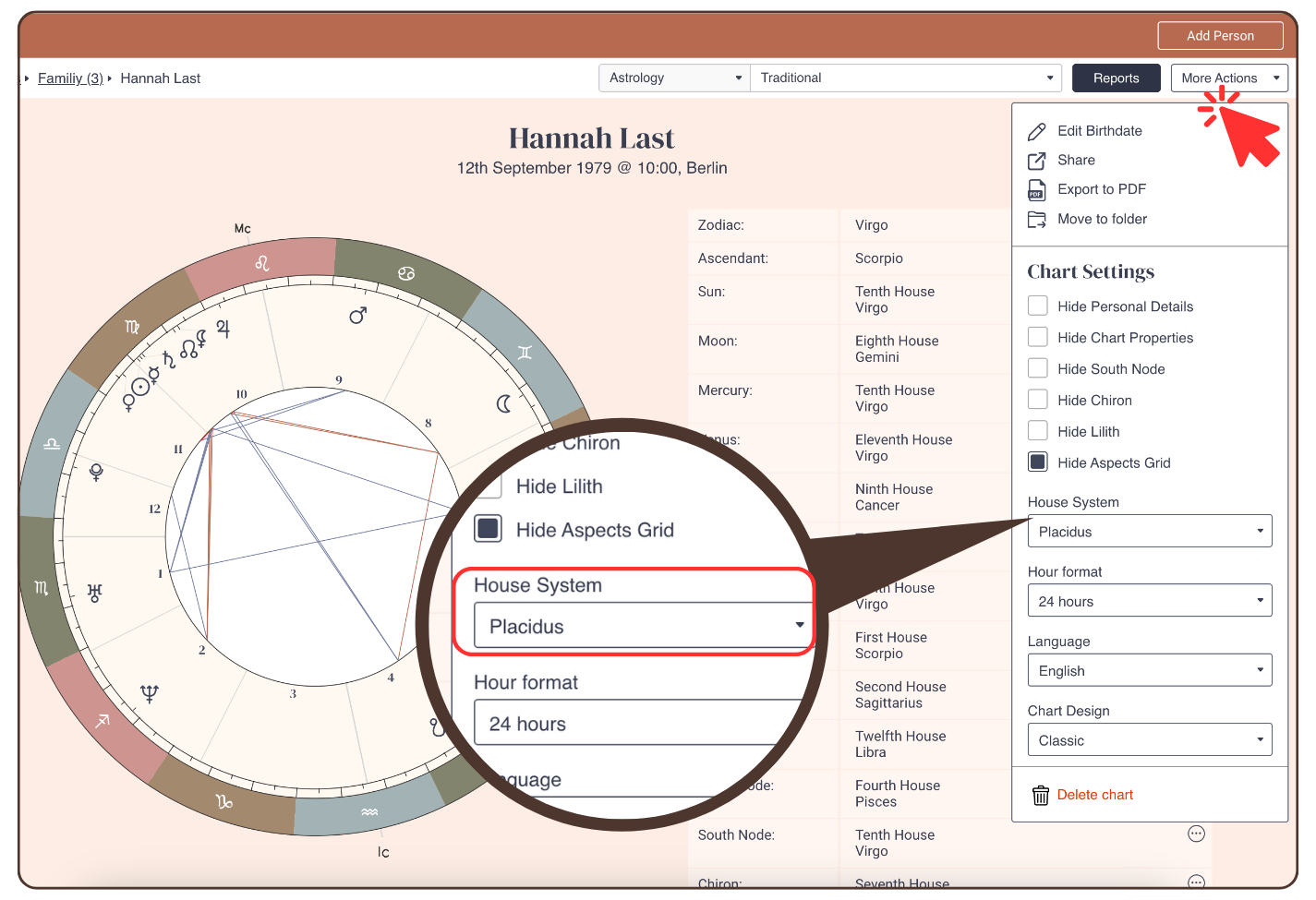
To change the house system in the astrology chart in ‘Generate Chart‘ proceed as follows:
- Click: ‘More Actions’
- Click on the drop down menu to select a housing system
Reading Reports
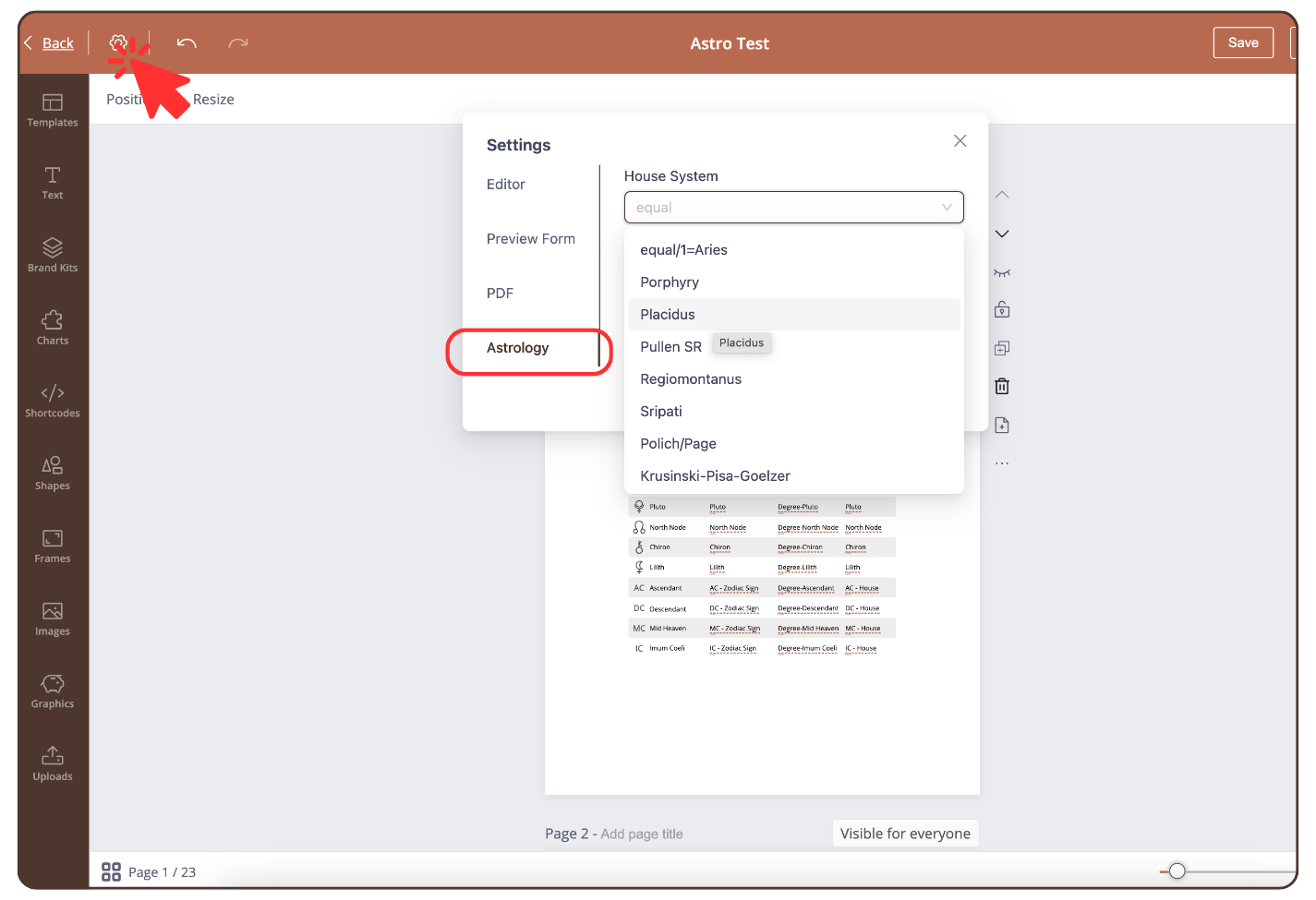
To change the house system in the astrology chart in ‘Reading Reports’ proceed as follows:
- Click on the settings icon at the top left
- Click: ‘Astrology’ and select a house system
Still have questions, is above guide outdated? Please message us on Live Chat or send an email to support@bodygraph.com.
Similar questions:
How to change the house system in the tool ‘Generate Chart’ or ‘Reading Reports’?