
To hide Create Chart button from your embed code, please follow the steps below:
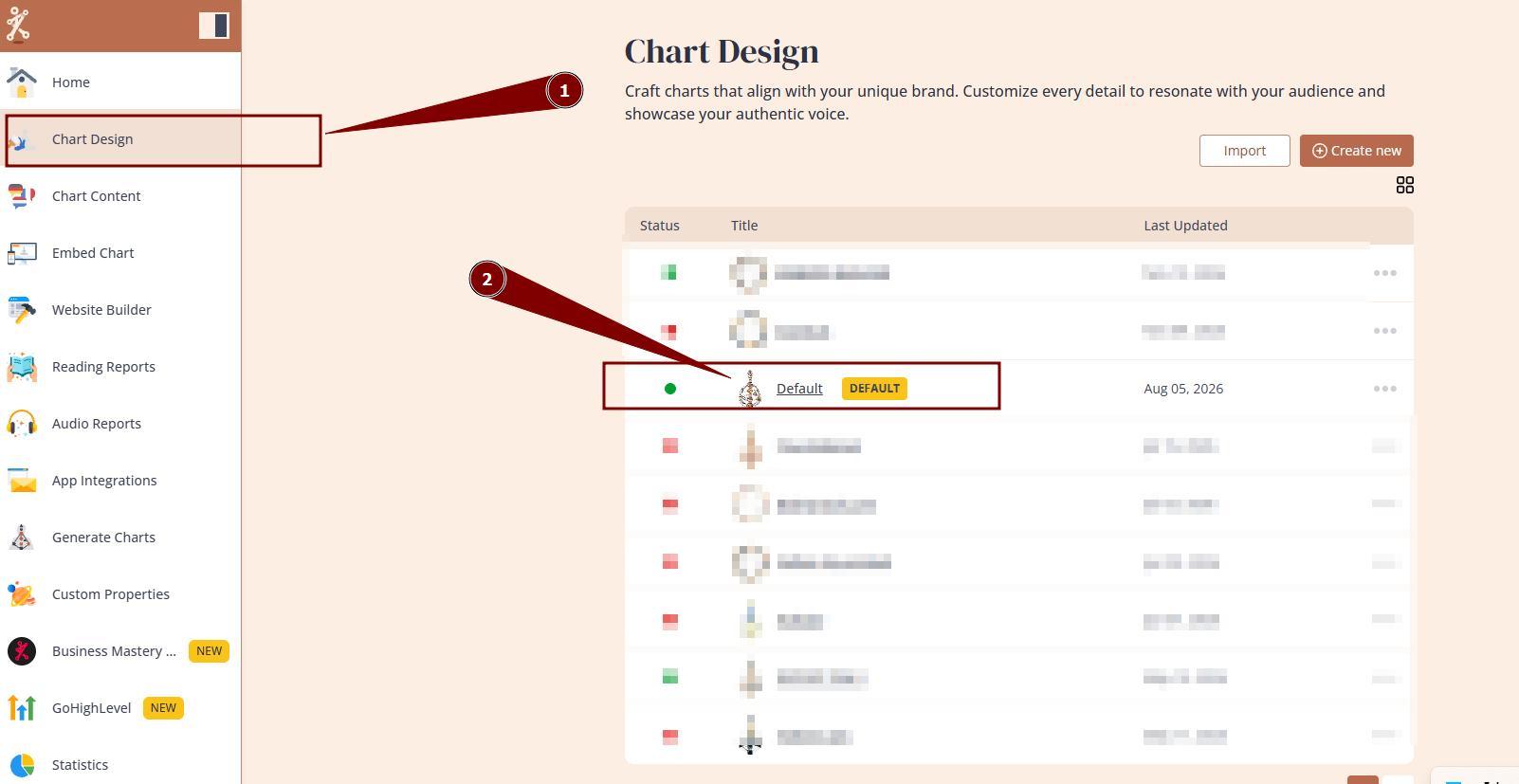
1. Navigate to Chart Design and open the design that you are using/will be using at your embed code:
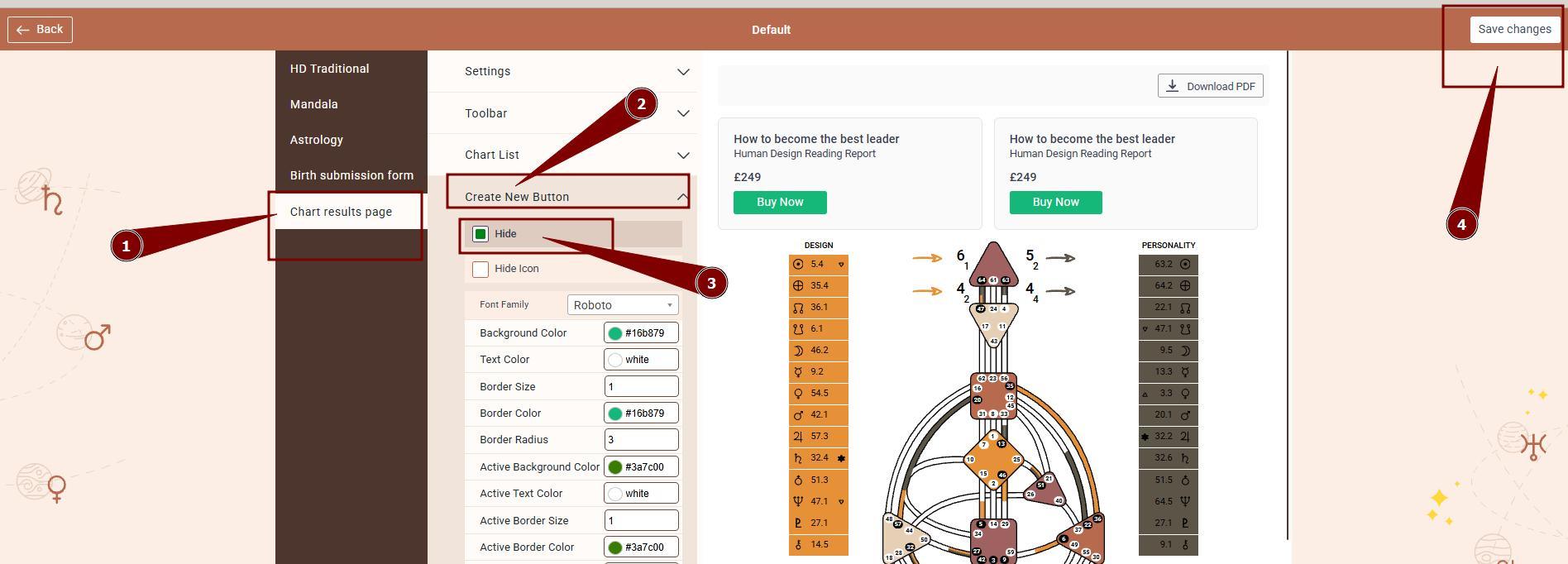
2. Select Chart Result Page, expand Create New Button option and tick Hide option. Save changes.
Still have questions, is above guide outdated? Please message us on Live Chat or send an email to support@bodygraph.com.