
To change submission form agrement tick box design, please follow the steps below:
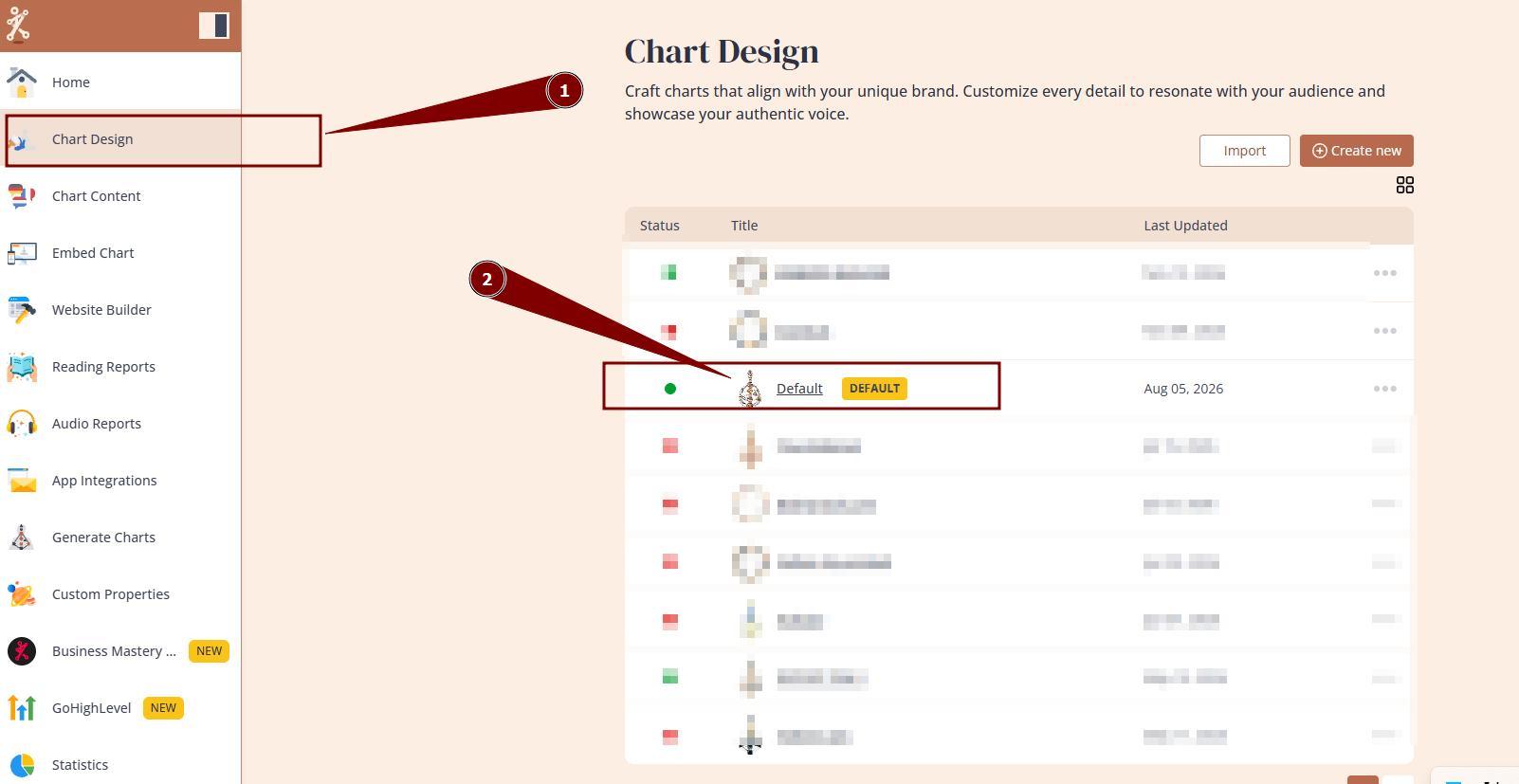
1. Navigate to Chart Design and open the design that you are using/will be using at your embed code:
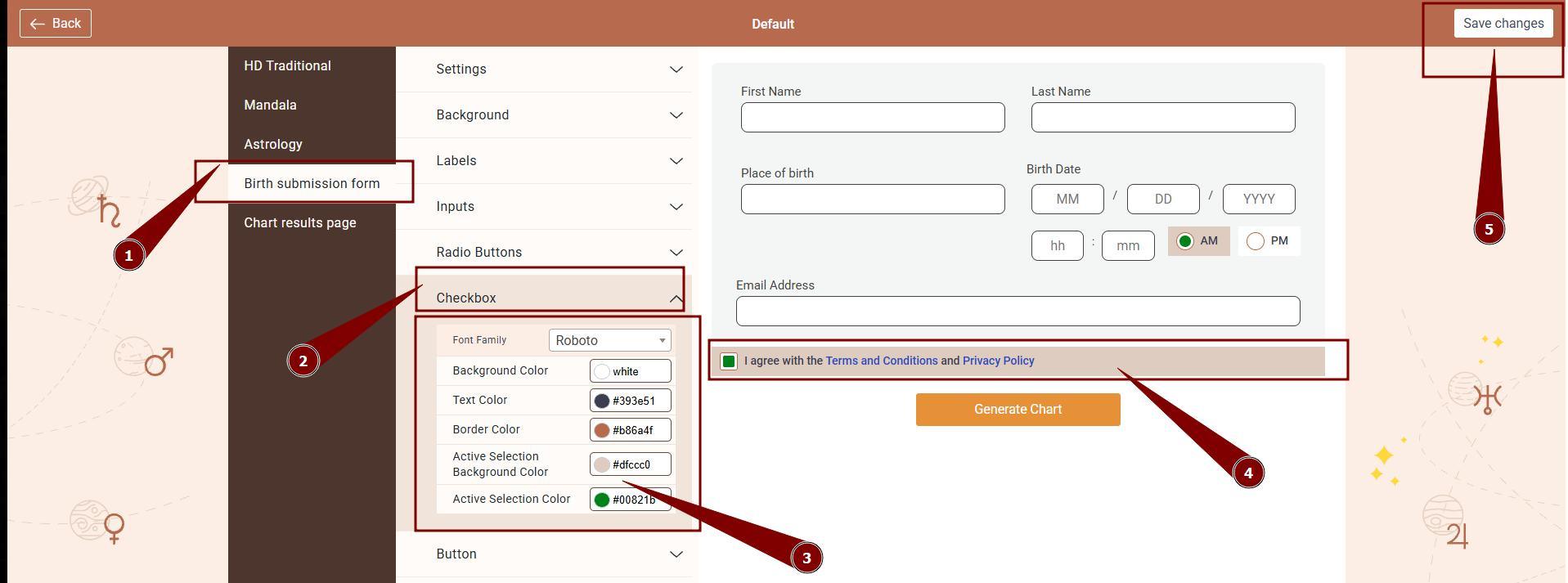
2. Select Birth submission form settings and expand check box option to edit background, text, border and tick color. Once happy with design, click Save changes.
Frequently asked questions:
– Where to change agreement check box text?
Agreement check box text can be edited at Chart Content tool, at language associated to your embed code. Follow THIS guide.
Still have questions, is above guide outdated? Please message us on Live Chat or send an email to support@bodygraph.com.