
To change submission form AM/PM tick box design, please follow the steps below:
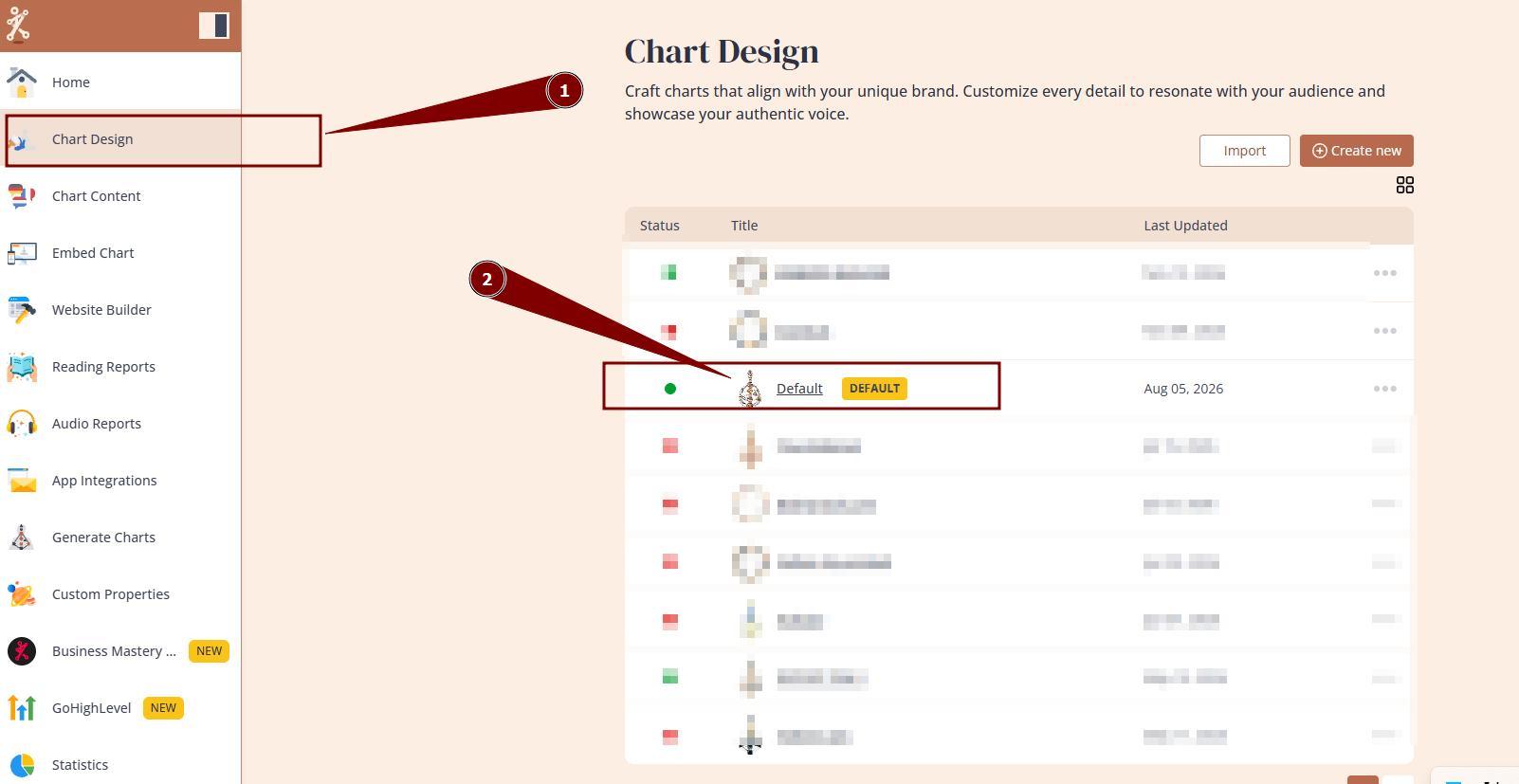
1. Navigate to Chart Design and open the design that you are using/will be using at your embed code:
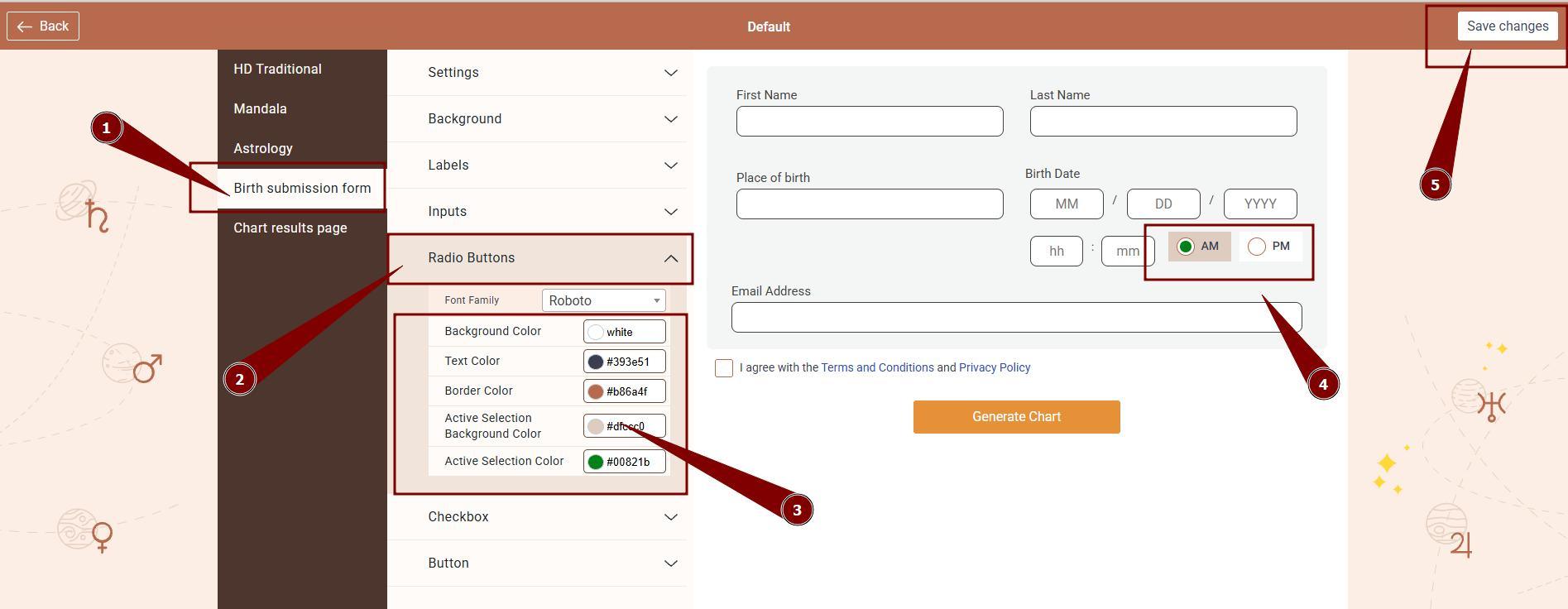
2. Select Birth submission form settings and expand Radio buttons option to change background, text, border and tick color of AM/PM selector. Once happy with design, click Save changes.
Still have questions, is above guide outdated? Please message us on Live Chat or send an email to support@bodygraph.com.