
How to Use the Generate Chart Tool on Bodygraph.com
The Generate Chart tool is a manual, backend feature designed for creating detailed charts using client birth data. It supports multiple systems, including Human Design, Astrology, and Success Codex, making it a practical solution for professional readings and personal exploration.
What the Generate Chart Tool Does
This tool allows you to manually enter a person’s birth details and generate various chart types in one place. It is built for flexibility during live sessions and works independently from any external integrations or website embeds. That means charts created through your website will not appear here, and everything must be entered manually.
Users commonly rely on this tool during consultations because it supports screen sharing and includes built-in guidance to help navigate readings.
Getting Started
When you open the tool for the first time, you will see an option to add a new person. You can:
- Enter birth details manually
- Assign profiles to folders such as family, test, or customer
- Search and filter individuals by name
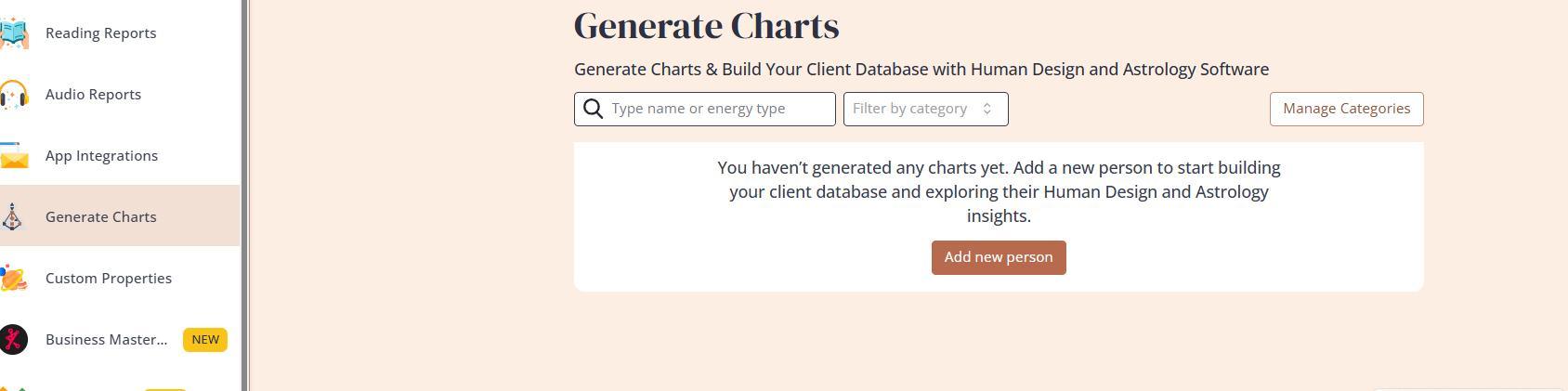
This structure helps keep your workspace organized, especially when managing multiple clients.
Switching Between Chart Types
The tool allows you to switch seamlessly between different chart views during a session. Available options include:
- Human Design charts, with subviews like Mandala, relationships, transits, and cycles
- Astrology charts
- Success Codex charts
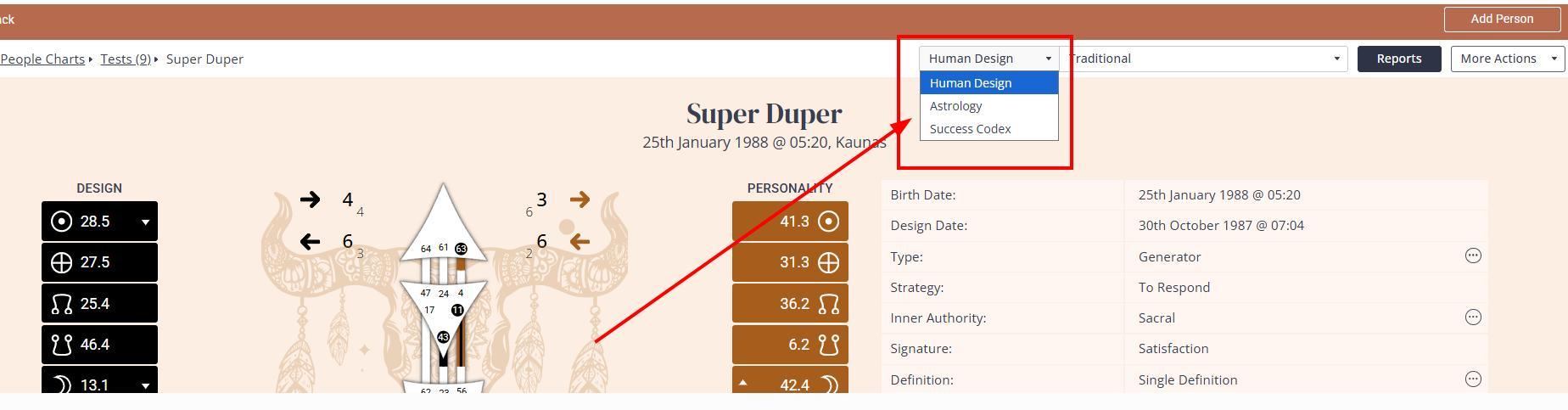
This flexibility supports deeper and more dynamic readings without needing to leave the interface.
Sharing and Exporting Charts
You can easily share or save charts in several ways:
- Generate a link for clients to view their chart in the same layout
- Export charts as PDFs
- Save screenshots for presentations or reports
These options make it simple to deliver results in a format that suits your workflow or your client’s needs.
Customization and Settings
The tool includes several adjustable settings:
- Time format
- Language
- Chart design
Access to these options depends on your subscription plan. Higher-tier plans offer more flexibility, while lower tiers provide pre-made selections.
Reports and Subscription Levels
Report availability varies by plan:
- Business plan: Full access to custom designs and reports. Any reports or designs you create elsewhere in the platform will automatically appear in the Generate Chart tool. Reports are generated instantly once a profile is created.
- Lower-tier plans: Access to pre-made reports, designs, and languages only. These cannot be customized.
Important Note for Astrology Users
If you are using the tool for astrology readings, consistency in settings is critical. The House System and Zodiac System must match across:
- The Generate Chart tool
- Your chart design settings
- Any reading reports you generate
If these settings do not align, your outputs may be inconsistent or incorrect.
Practical Use in Client Sessions
The Generate Chart tool is particularly effective during live readings. You can:
- Share your screen with clients
- Move between chart types in real time
- Use built-in guidance to support explanations
It also creates an opportunity to offer additional value. You can provide downloadable reports during or after the session, which can serve as an additional revenue stream.
Related Video:
Related Articles
Still have questions, is above guide outdated? Please message us on Live Chat or send an email to support@bodygraph.com.