
To create HD Cycle reports at the reading reports tool, please follow the steps below:
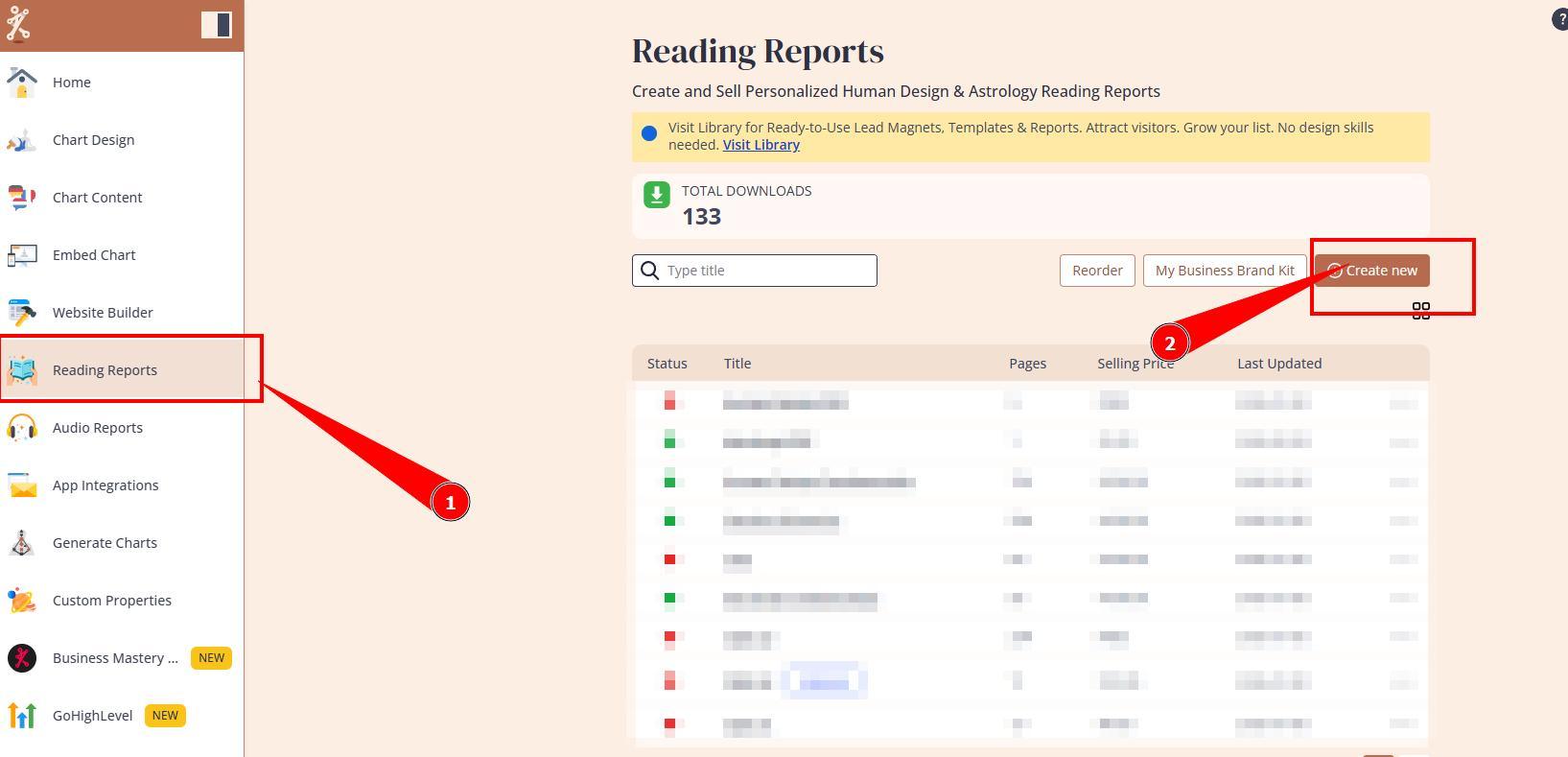
1.Navigate to Reading reports tool and press Create new button.
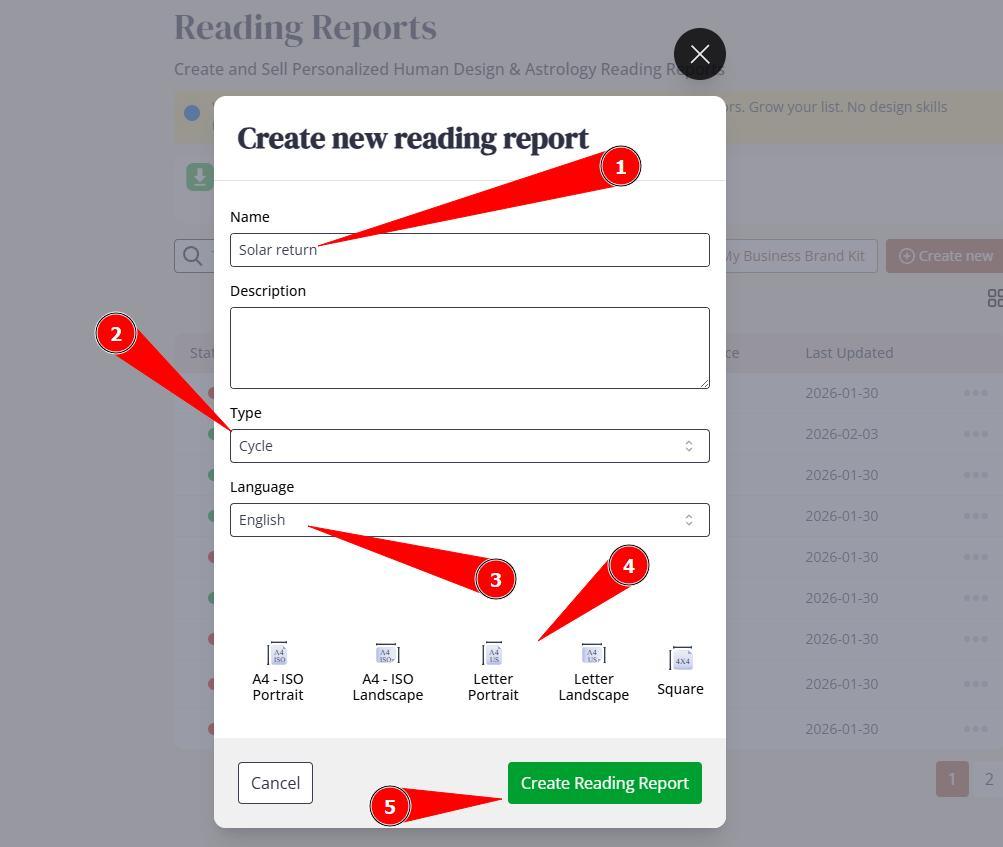
2. Name the report, select type as Cycle, assign language and preferred page format. Click Create Reading Report.
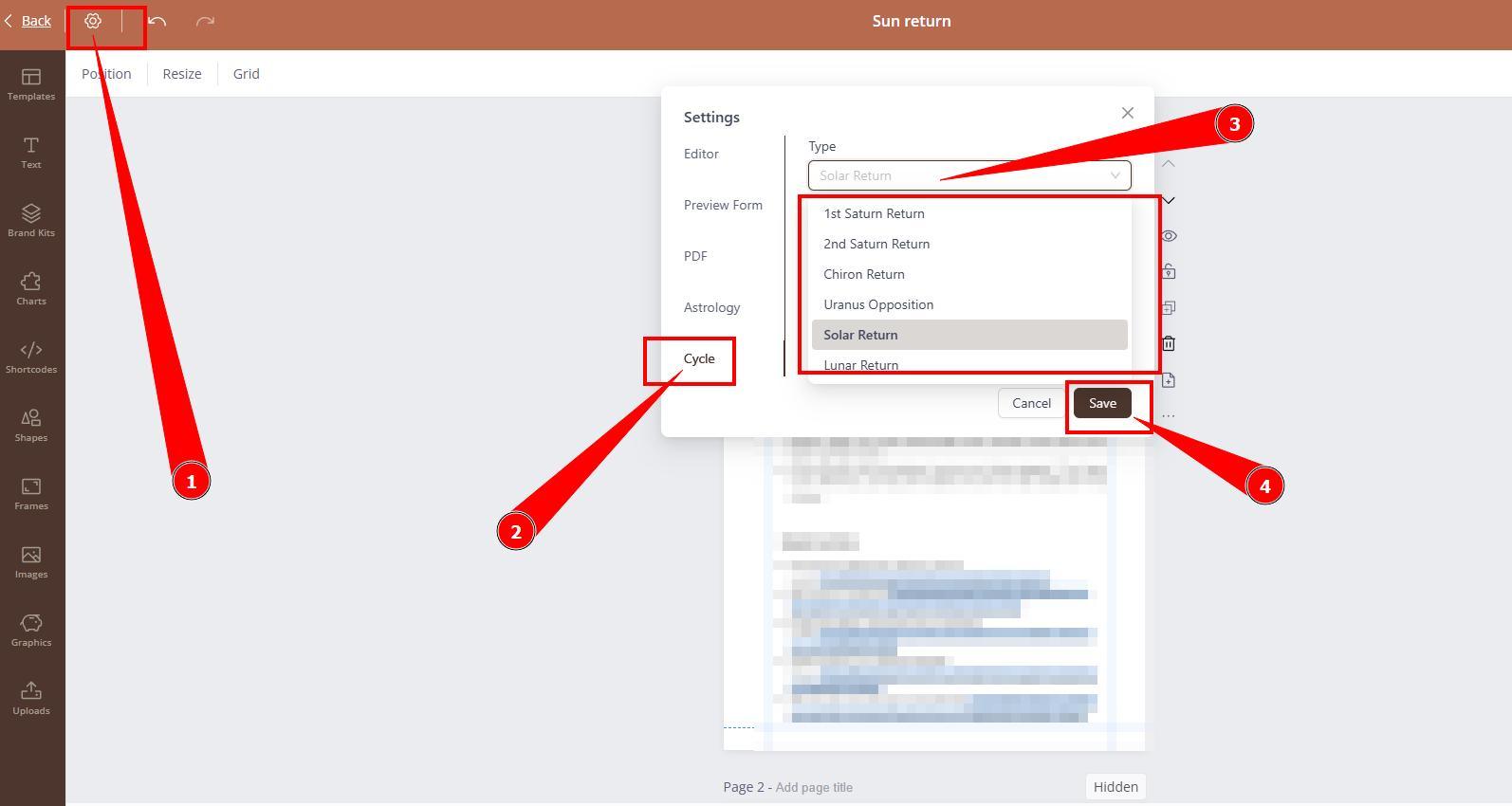
3. Editor will open. Navigate to the report settings and select Cycle type that report is being built for. Click Save.
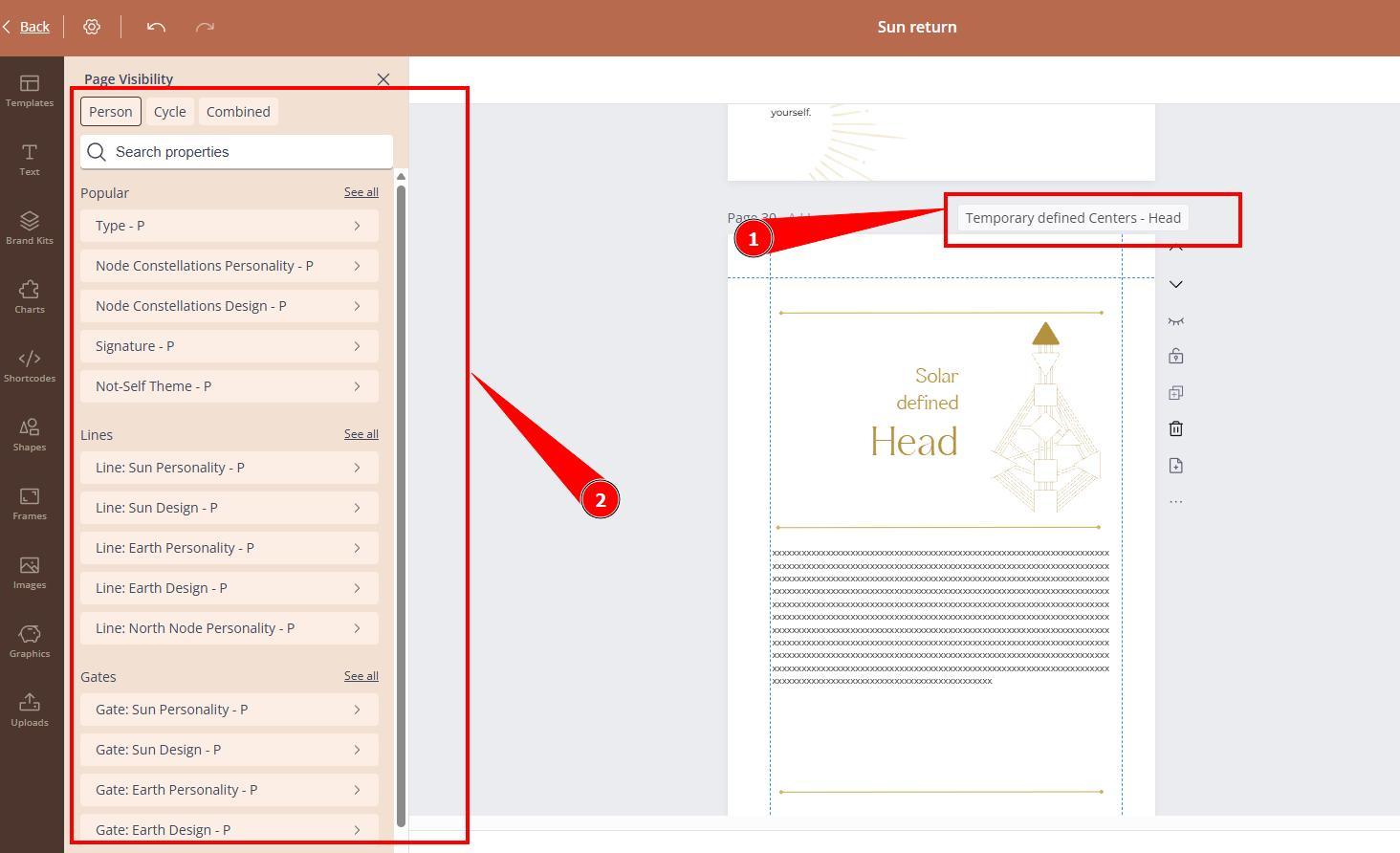
4. Start creating the report utilizing Cycle related Page visibilities according to content.
Related articles:
Still have questions, is above guide outdated? Please message us on Live Chat or send an email to support@bodygraph.com.