
To save a page in your report as a template, proceed as follows:
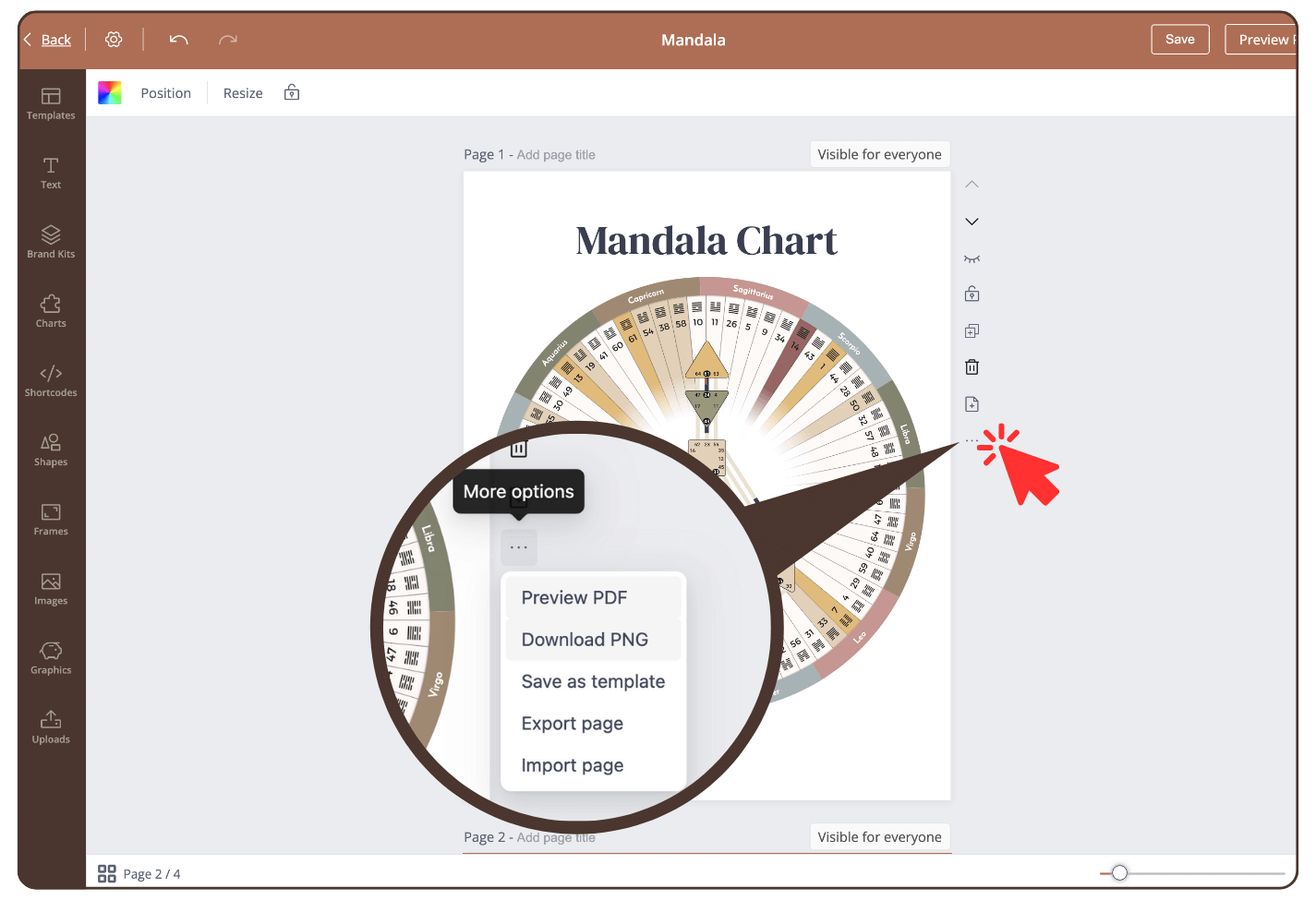
Step 1
Click on the three small dots to the right of the page.
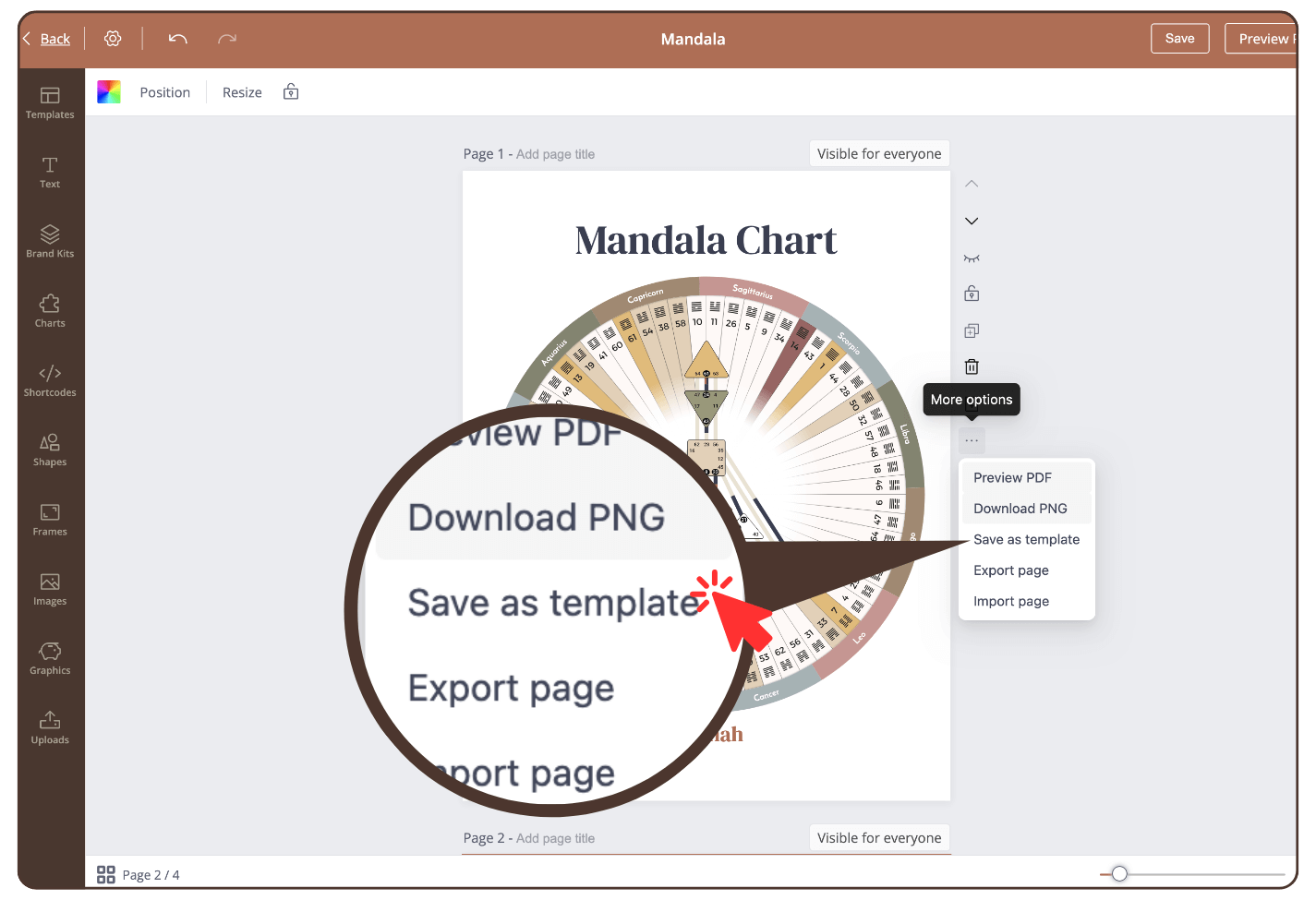
Step 2
Click: ‘Save as template’.
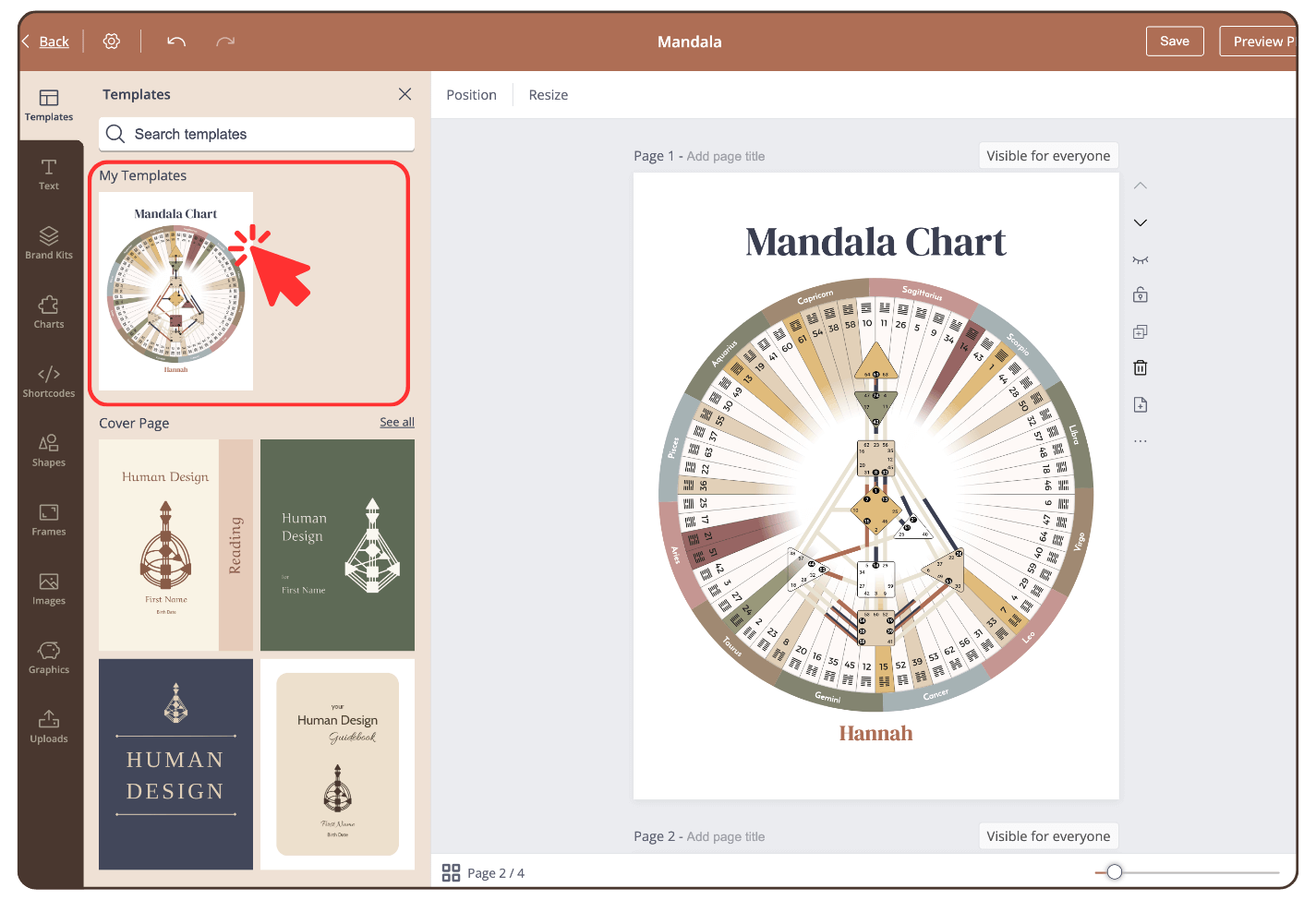
Result
Your template is saved and the category ‘My Templates’ opens in the left sidebar.
To use the template, click on the thumbnail and the current page will be replaced by this template.
IMPORTANT: saved templates saves in particular page size and can be only reused at other reports with same page size.
Related Articles
Still have questions, is above guide outdated? Please message us on Live Chat or send an email to support@bodygraph.com.