
If you have been using Bodygraph for a while, there is a good chance the embed code on your website is the old format. Your chart generator may still be working, so it is easy to assume everything is fine. But the old embed code is not compatible with newer platform features, which means some things your subscribers expect to see, or that you want to offer, simply will not show up.
Updating takes about two minutes. Here is what changes when you do.
What is different about the new embed code
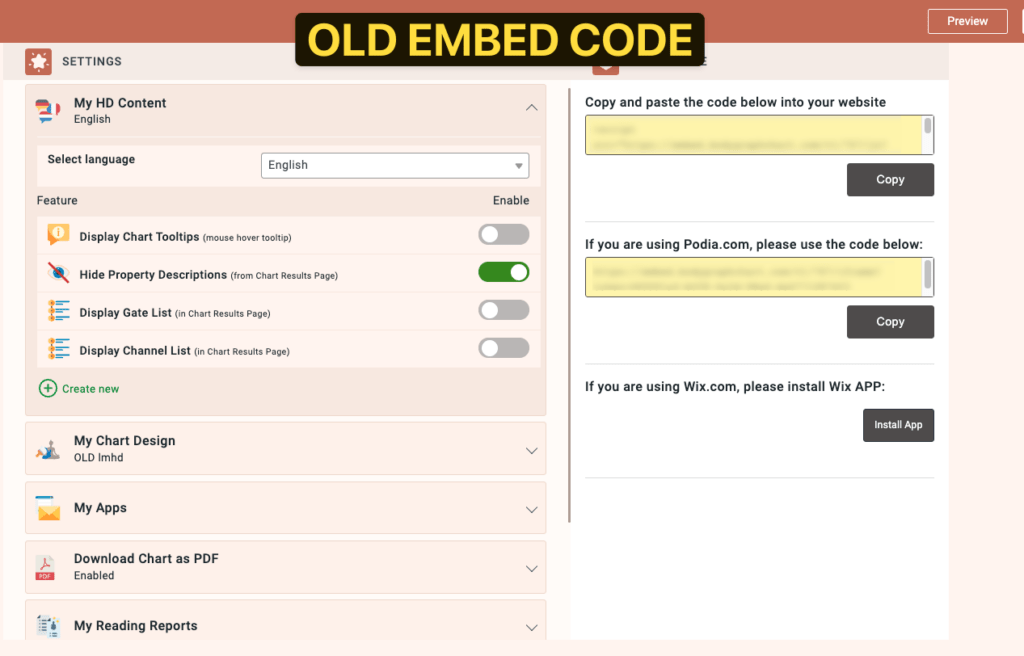
The old embed code had all settings built directly into the embed snippet itself.
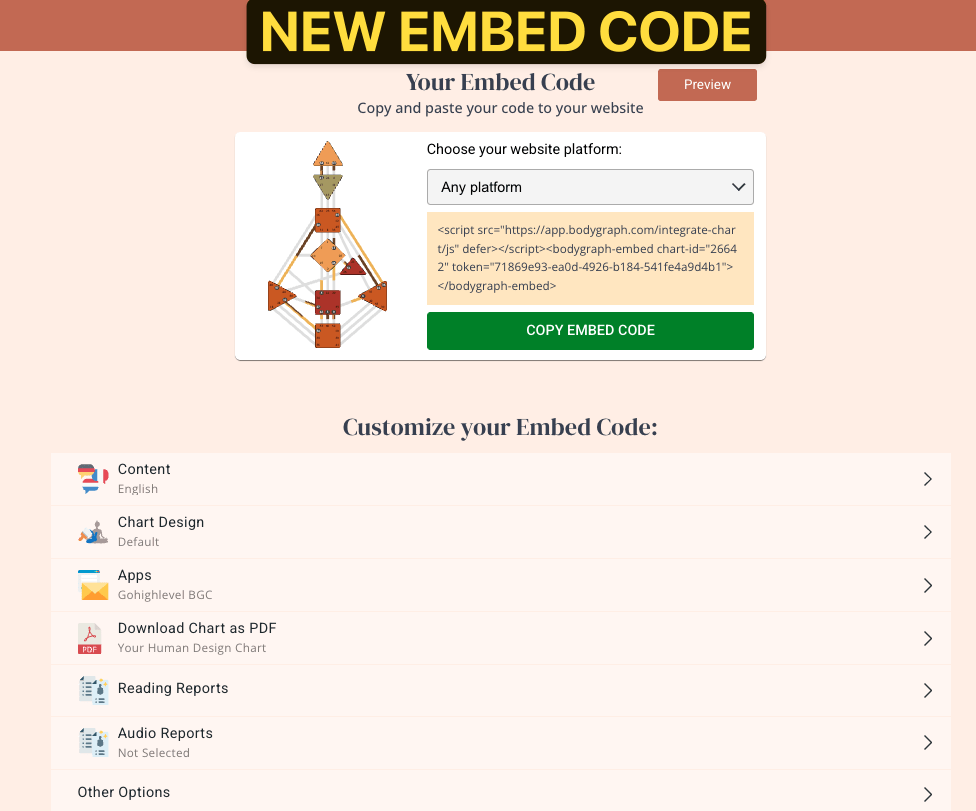
The new format separates your settings into four organized sections, Content, Chart Design, Apps, and Reports, before you generate and copy the code. This structure is what allows the embed to connect to newer features.
What the old embed code does not support:
Audio reports. If you have created audio reports and want to offer them through your website, the old embed code will not display them. Switching to the new format and enabling the audio reports option in your embed settings is required for them to appear.
PDF chart download. The old embed code automatically included a button for visitors to download a PDF of their chart. The new embed code does not add this by default. You will need to build a PDF using the Reading Report tool and attach it to your embed settings if you want visitors to have it. This video walks through creating one:
Property descriptions below the chart. In the old embed, Human Design property descriptions appeared directly below the chart results. In the new format, those descriptions are accessed by clicking the three dots (…) next to each property, which opens a popup window. If subscribers are not seeing their descriptions the way they expected, this is why. The content is still there, it just lives in a different place.
Report box placement. The new embed code allows report boxes to be positioned above the chart instead of only below it, giving you more control over how visitors move through your results page.
More chart types. The new embed code supports Mandala, Relationships, Cycles, Transits, and Astrology charts, in addition to traditional Human Design.
How to update
- Navigate to the Embed Charts section and press the Create New button.
- Name the embed code (for your reference only) and select the type from the dropdown, then press Create.
- This creates a new embed code with the individual form and chart for the type you selected.
- Embed the newly created embed code into your website following these guides.
For a full walkthrough of creating a traditional Human Design embed code, see Creating Individual Human Design Embed. If you are creating a different chart type, such as Mandala, Relationships, Cycles, Transits, or Astrology, see Embed Code Types for the guide that matches what you need.
Once the embed code is created, you point it to the chart design, chart content, connected apps, and reports you already want to use. You do not need to rebuild any of those, you are just assigning your existing setup to this new embed code.
If you want to update your chart’s colors while you are in there, this video walks through that process:
Still have questions, is above guide outdated? Please message us on Live Chat or send an email to support@bodygraph.com.