
Bodygraph embed code submission form can have 1 additional custom field that can collect data to your connected app integration.
To collect custom field data, follow the steps below:
1. Enable and label custom field at your integration submission form.
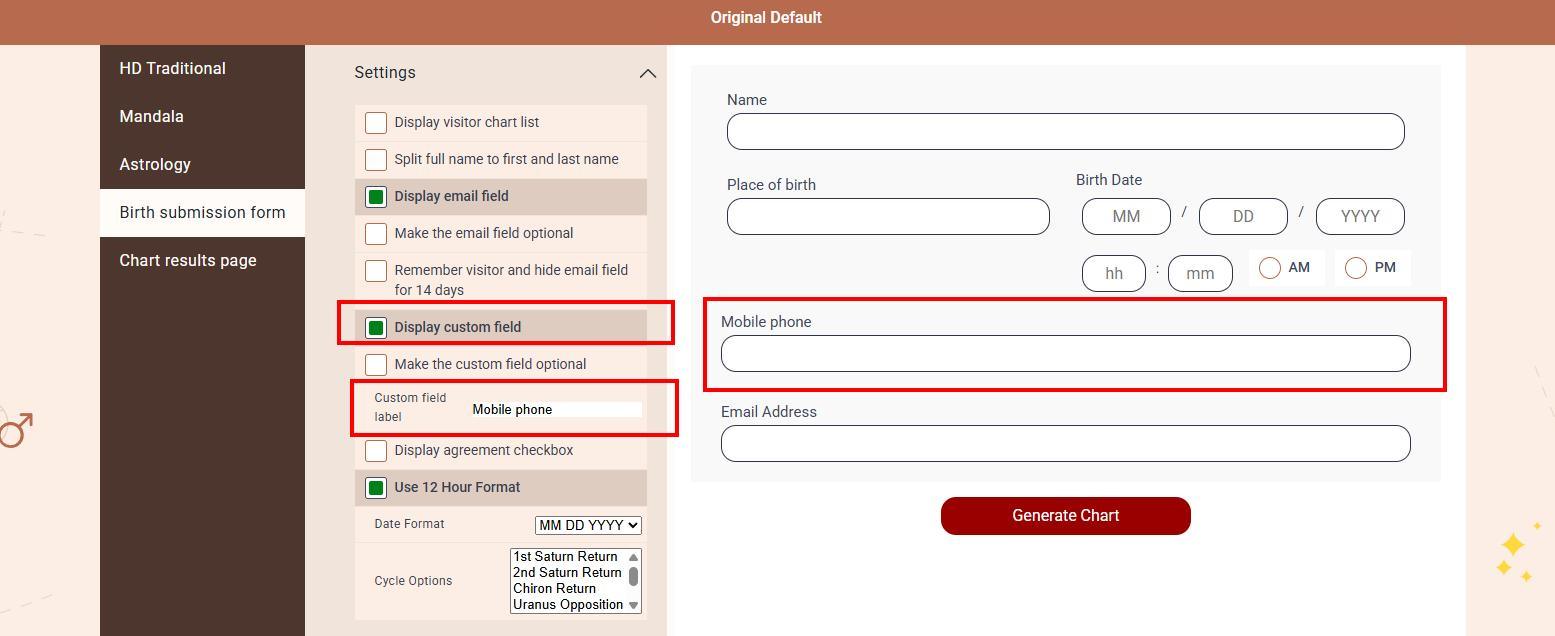
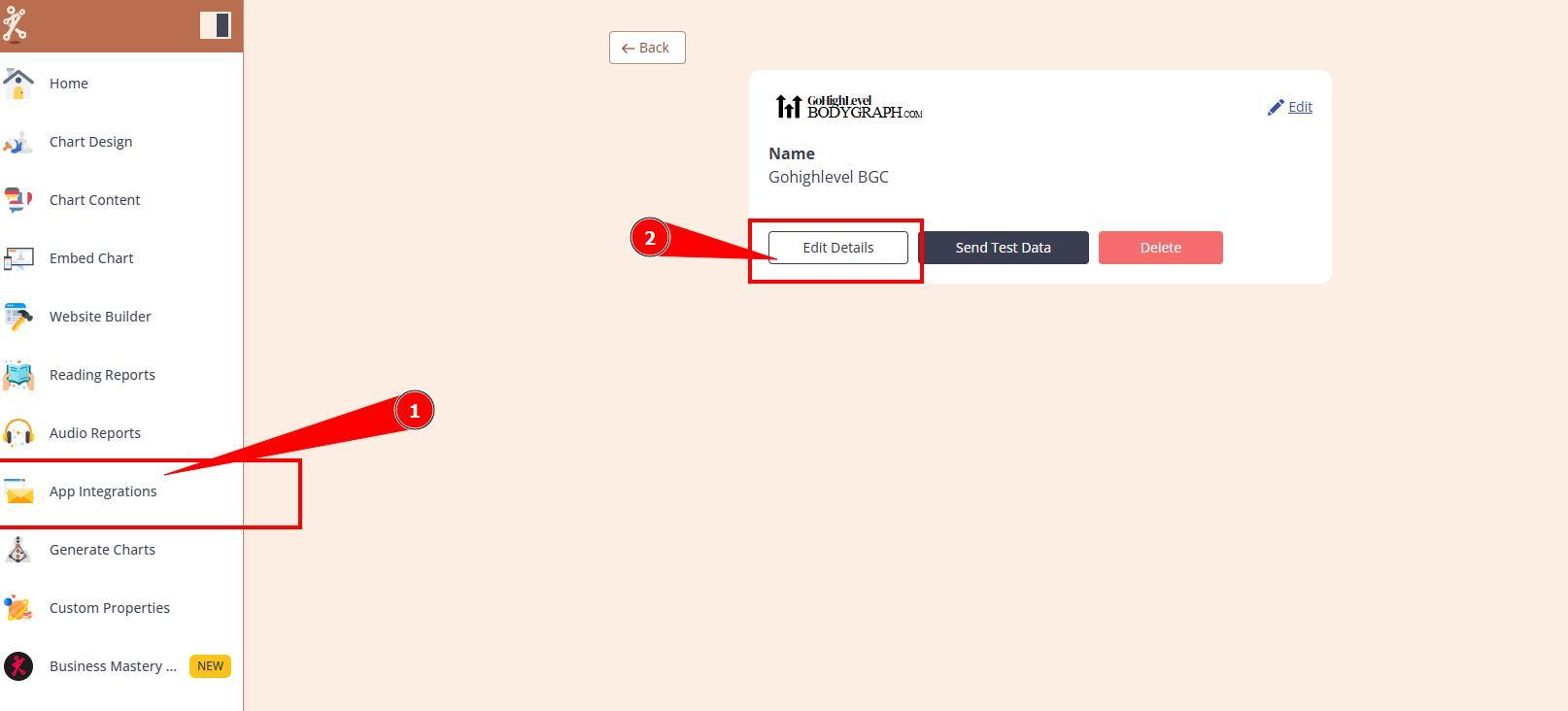
2. Navigate to your App Integrations and open your connected app settings. If you do not have app connected yet, proceed with connection following these guides.
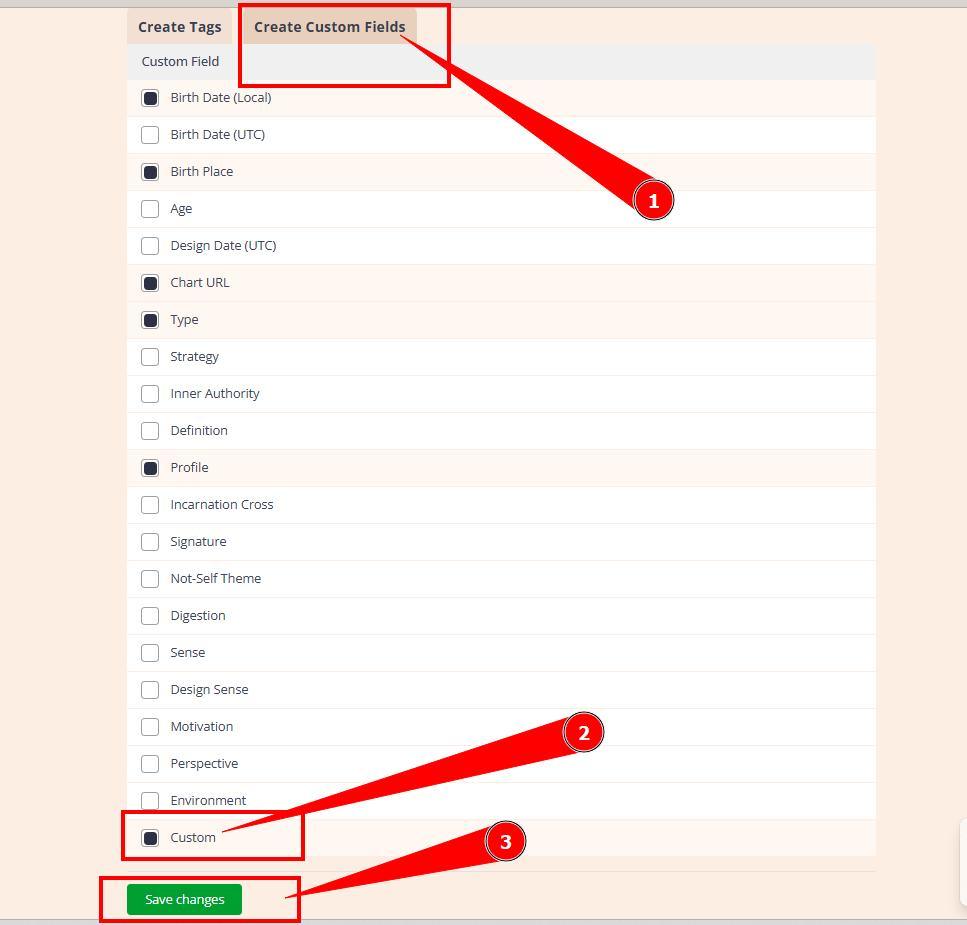
3. Select Custom fields tab and enable Custom option. Save changes.
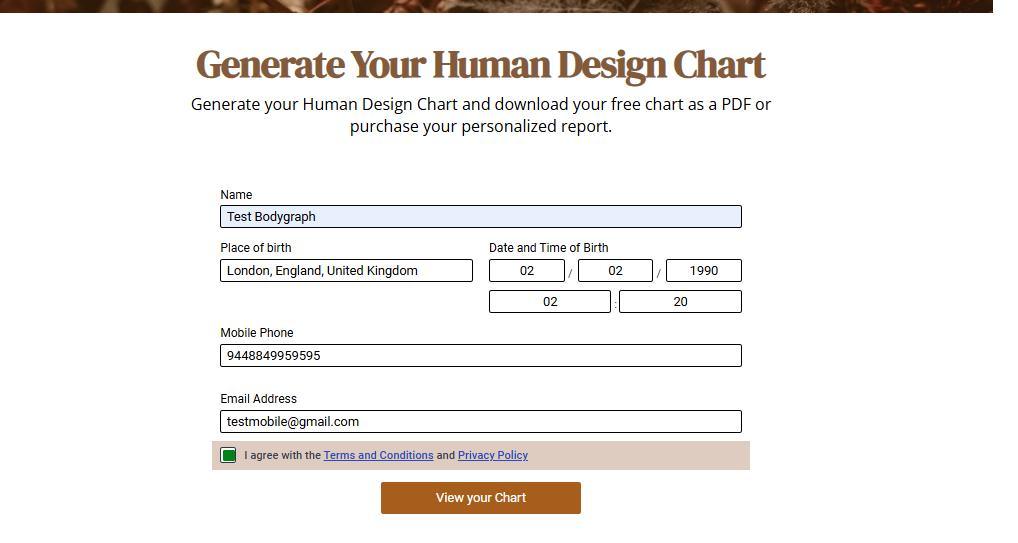
4. Go to website and run the test chart (ideally with new email address) and check if data arrives to your app.
Still have questions? Is above guide outdated? Please message us on Live Chat or send an email to support@bodygraph.com.