
To create Human Design Cycle embed please follow the steps below:
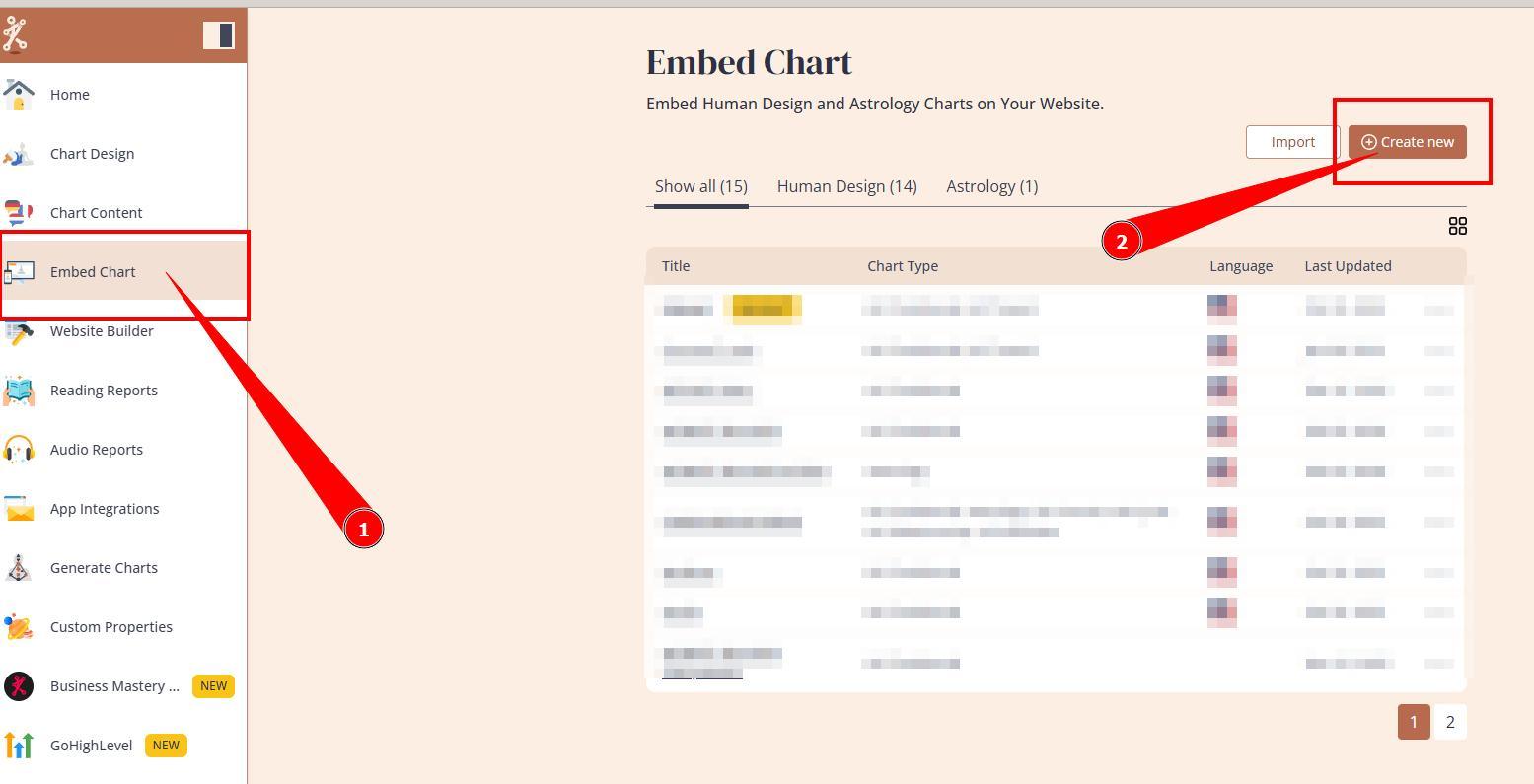
1. Navigate to Embed Charts section and press Create new button.
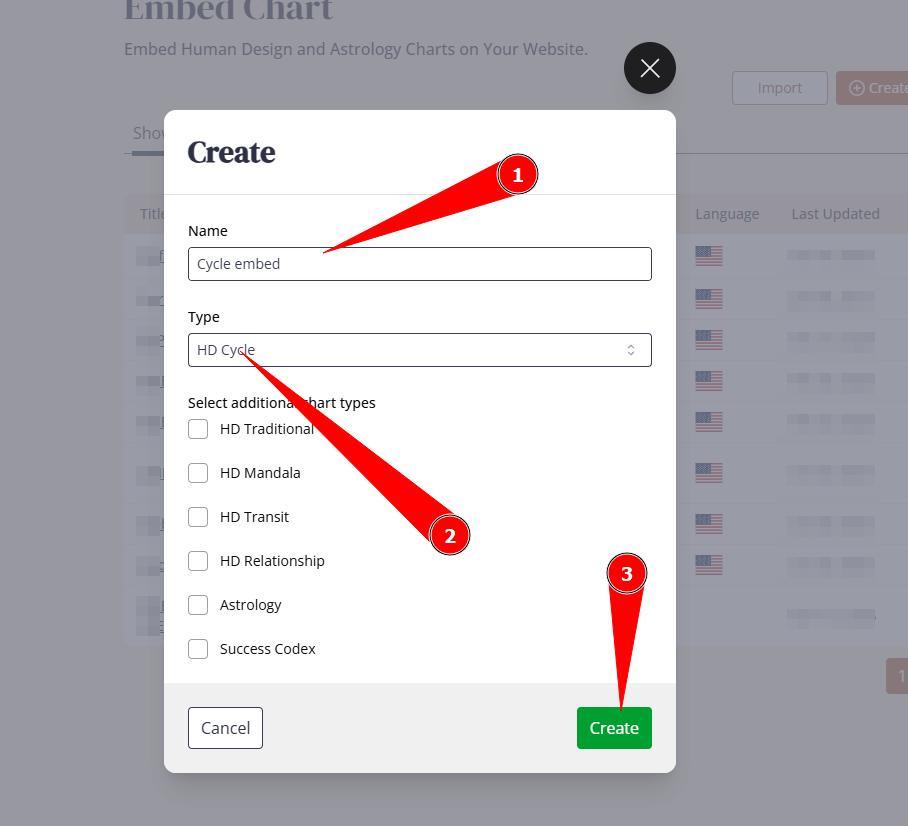
2. Name the embed code (for your reference only) and select type HD Cycle from the drop down, then Create.
3. This will create embed code that will show all HD Cycle options.
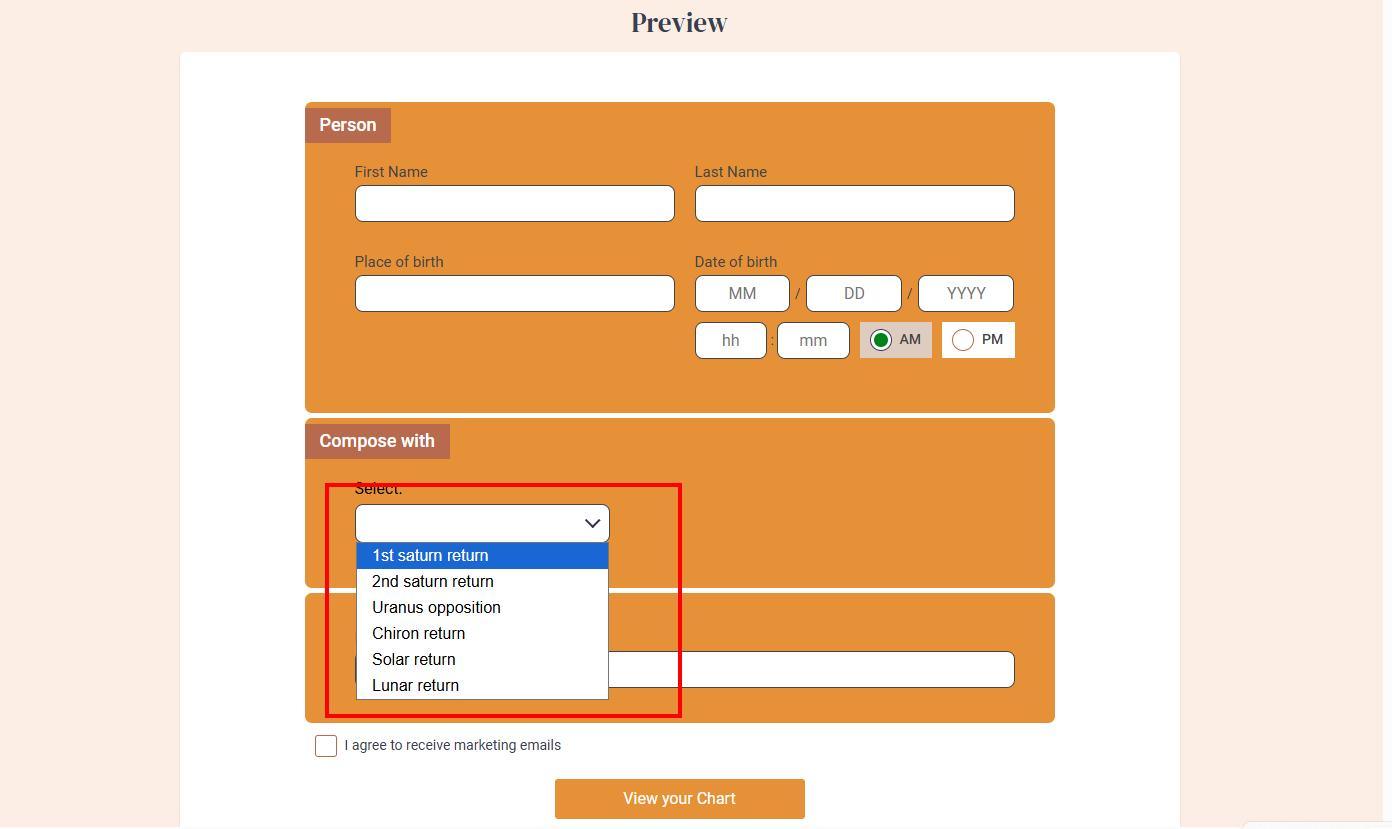
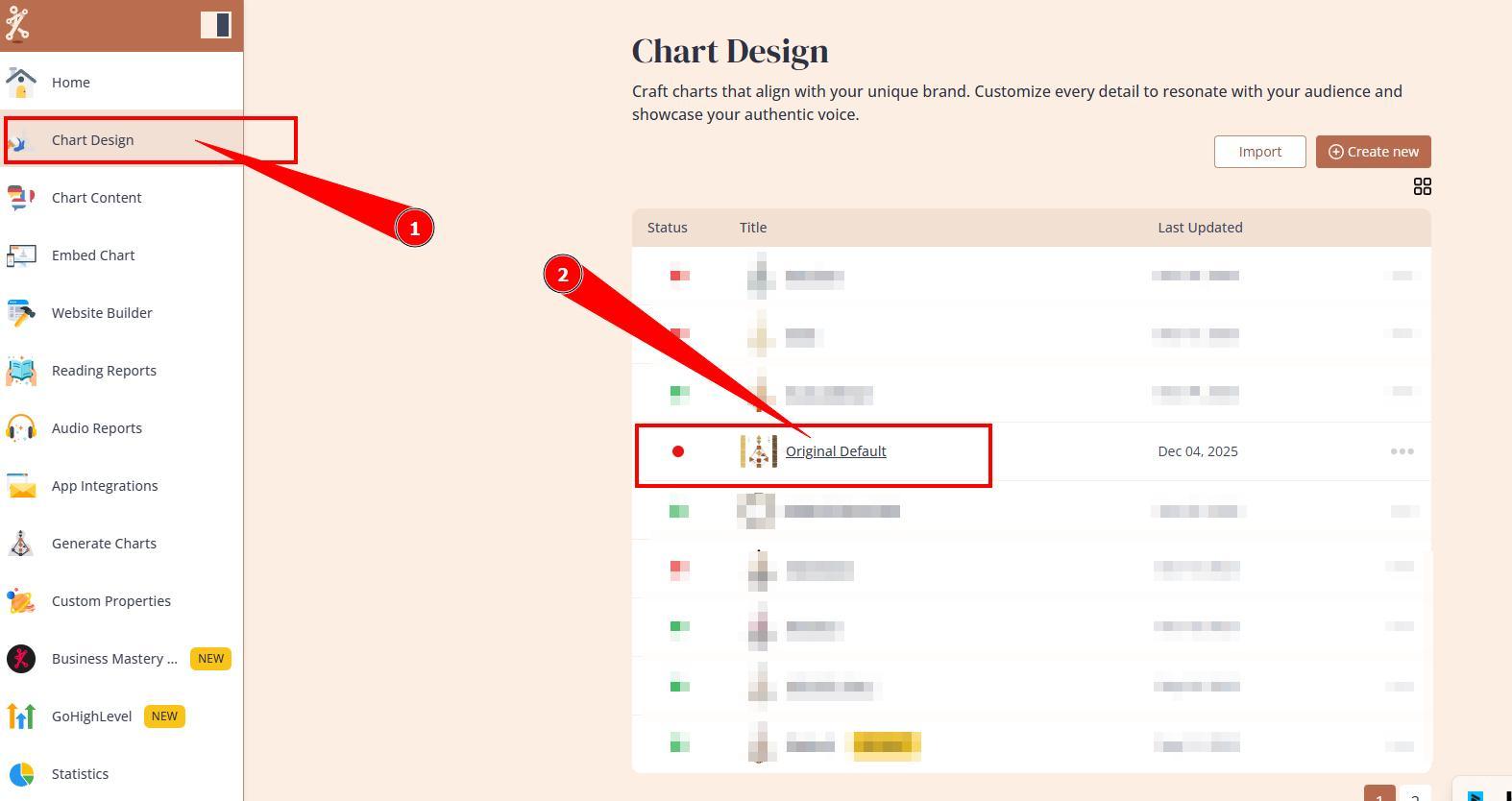
4.You can keep this as multi-cycle integration option. However, if you would like to have only specific cycle integration, it requires changing settings at the design. Navigate to the Chart Designs tool and open design that is assigned to this newly created embed code.
5. Navigate to Birth Submission form, Settings, and select which cycle to enable at the integration (if you would like to select more than one, press Shift button on your keyboard and select multiple cycle types). Don’t forget to click Save changes.
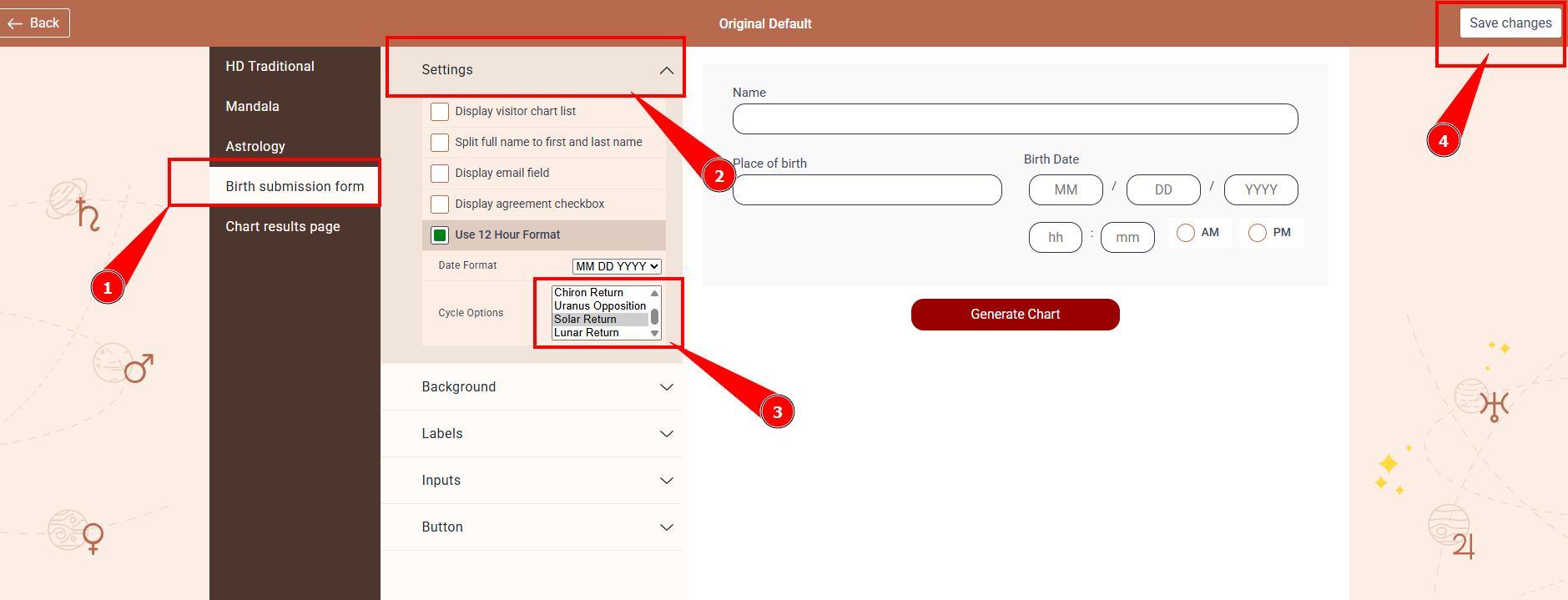
Note: if only one cycle type is selected, the dropdown on the form will not show up and integration will generate only selected HD Cycle chart.
Related articles:
Still have questions, is above guide outdated? Please message us on Live Chat or send an email to support@bodygraph.com.