
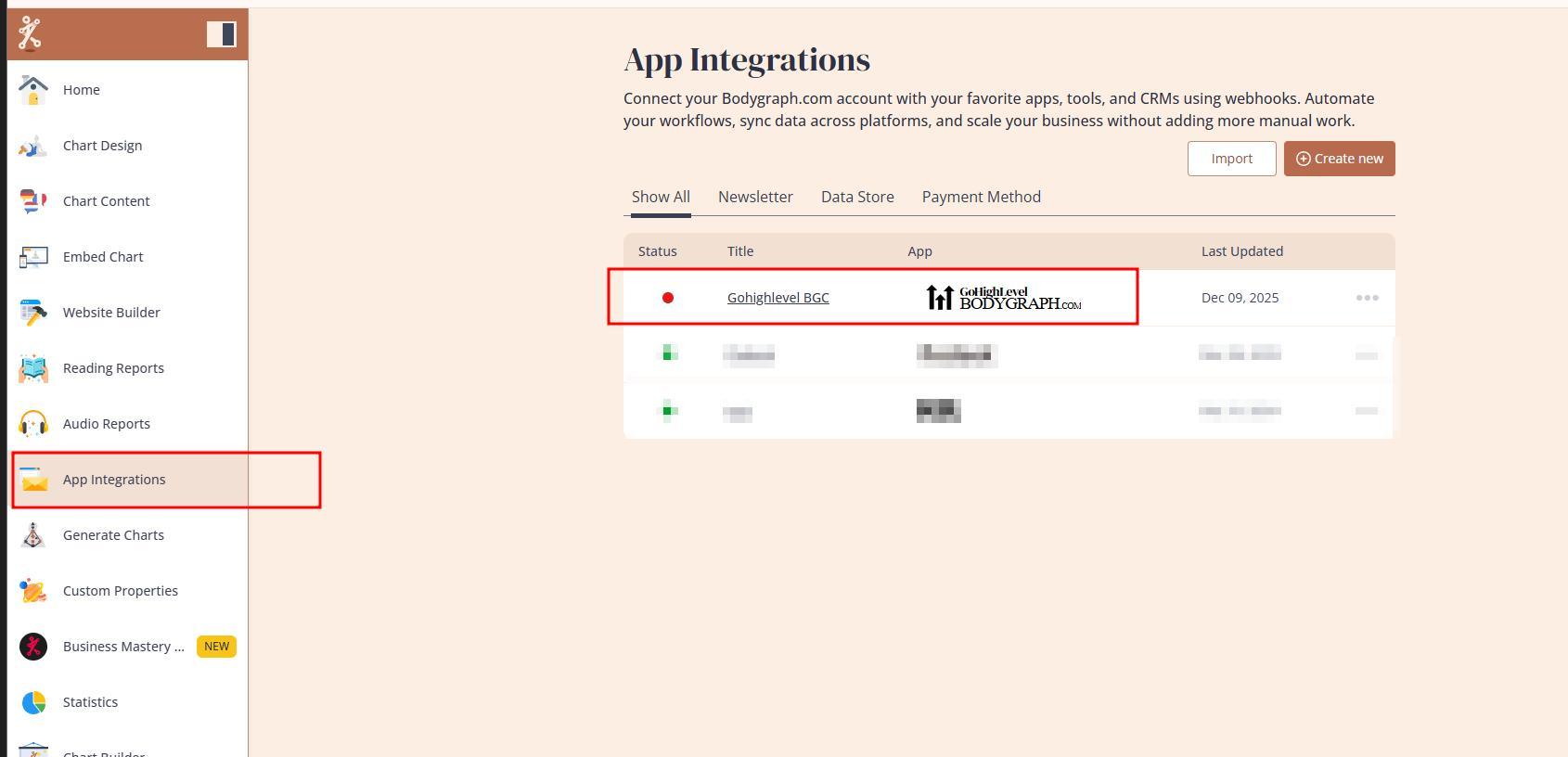
Upon the Bodygraph GoHighLevel extension installation, system automatically installs and connects app at your App Integrations section:
1.Check if the app was successfully created under App integrations at your Bodygraph account.
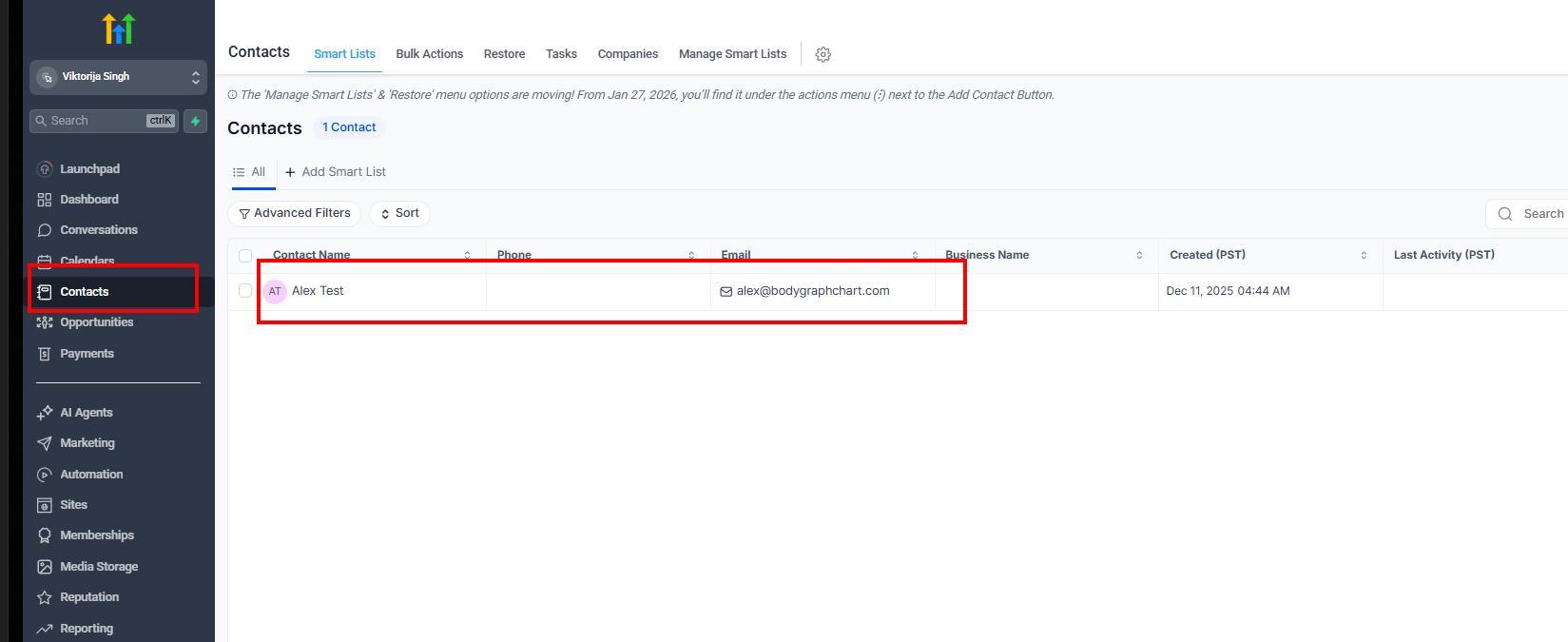
The installation will automatically create app connection at your Bodygraph.com dashboard that will be able to collect leads directly to GoHighLevel contact list.
IMPORTANT NOTE: Do not delete the app at any point while using the extension. Removing the app will permanently delete your GoHighLevel sub-account along with all associated data, and this information cannot be restored under any circumstances.
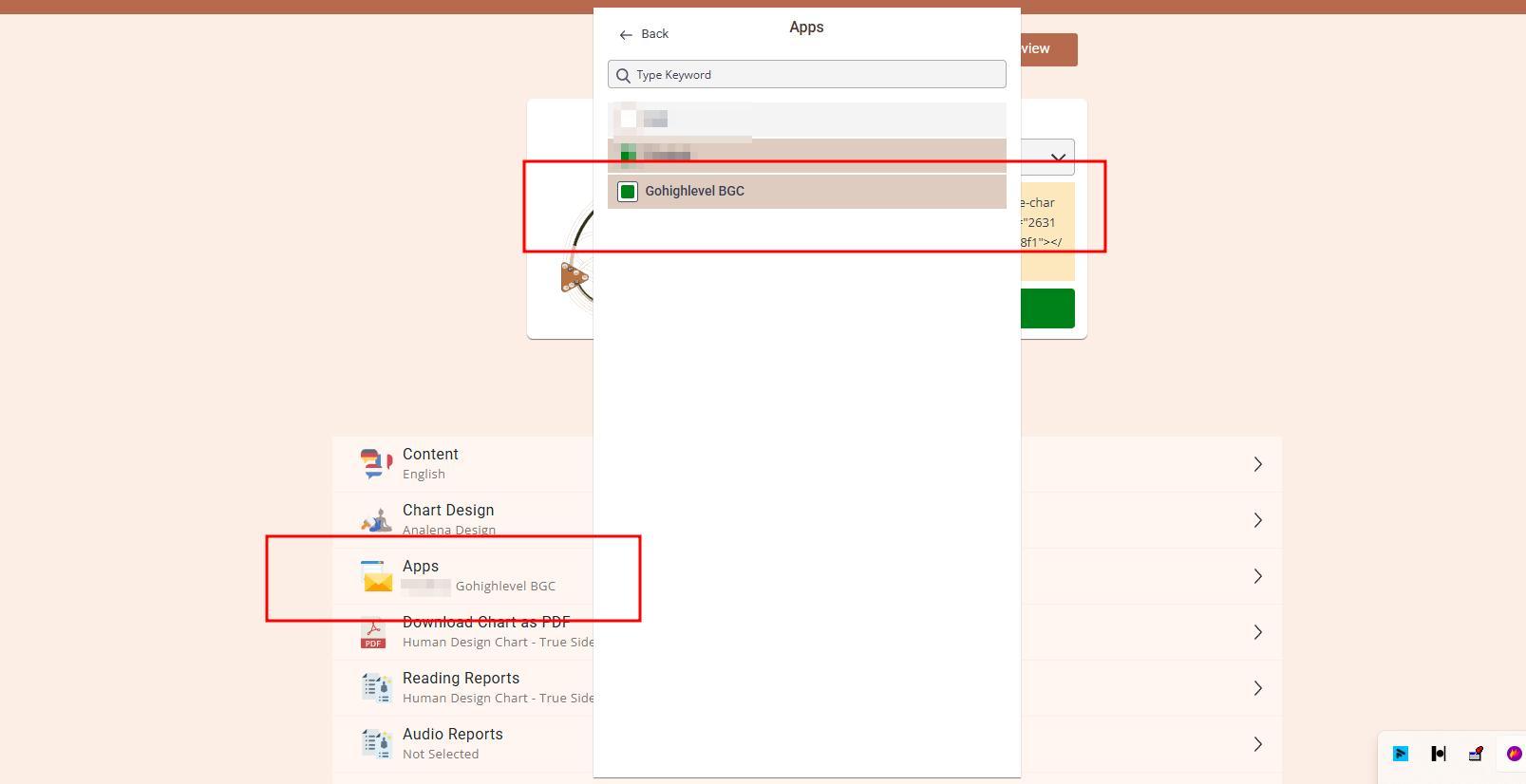
2. Enable app connection at your embed code. Ensure that embed code submission form has email field enabled.
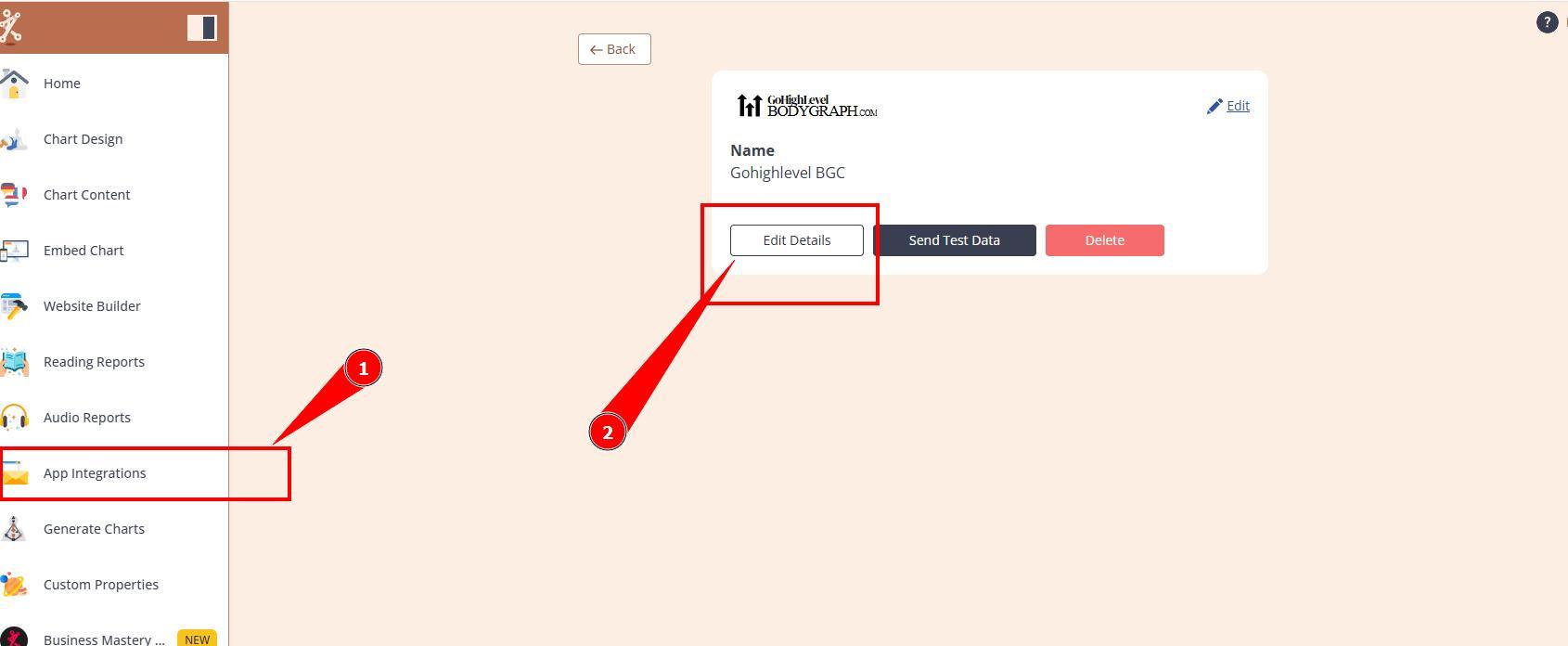
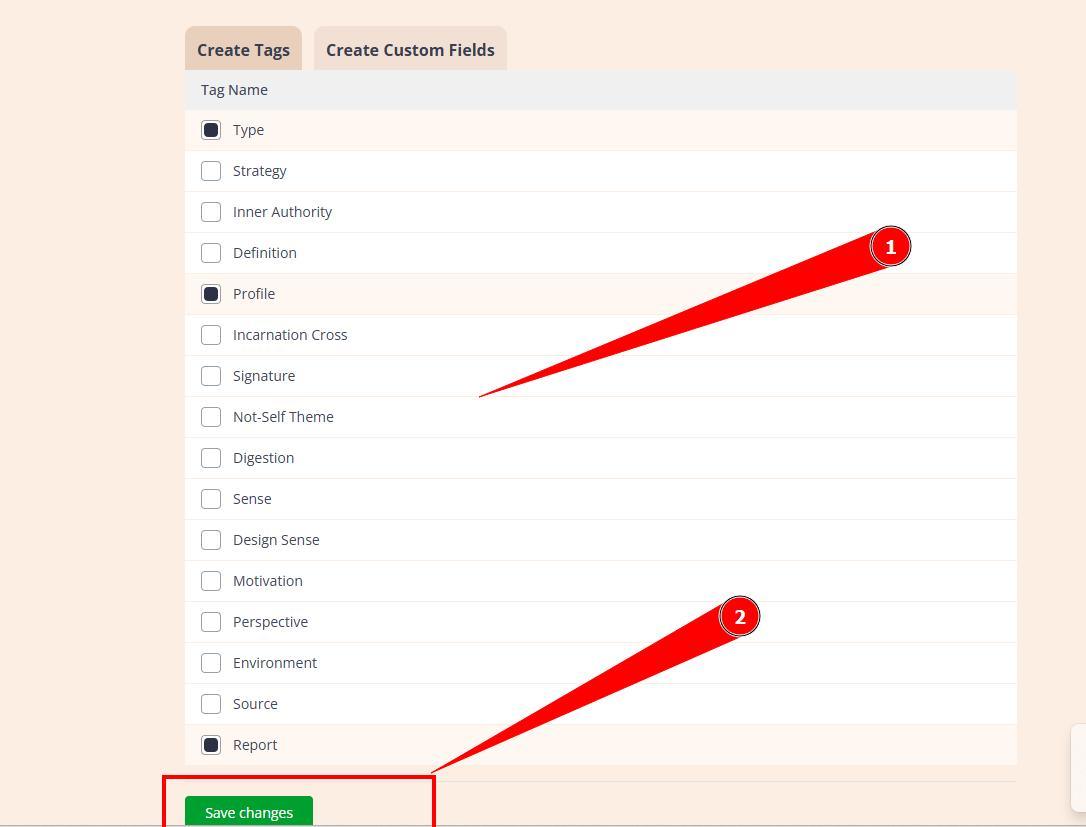
3. Edit app connection and toggle on Tags and Custom fields that you wish to collect to GoHighLevel extension contact list.
3. Run the chart at embed code preview or your website and see if contact arrives to GHL extension contact list.
Frequently asked questions:
– Does this app connects with external GoHighLevel or white label platforms too?
No, this app connection and GoHighLevel extension only applies to Bodygraph subscription and subaccounts. If you are using external GoHighLevel or white labels such as FEA Create, Ivory.io, HeyClients.io, or similar providers, then external app connection must be used as per THIS guide.
– Can I use Bodygraph GoHighLevel app integration just as backup contact collector and storage?
Yes, extension is included in your Business plan and you can install it purely just to collect leads and data as a backup.
Still have questions, is above guide outdated? Please message us on Live Chat or send an email to support@bodygraph.com.