
To link your privacy policy page with the newsletter term text, proceed as follows:
1. Open your used language in ‘My Content’ and click on ‘Birth submission form’.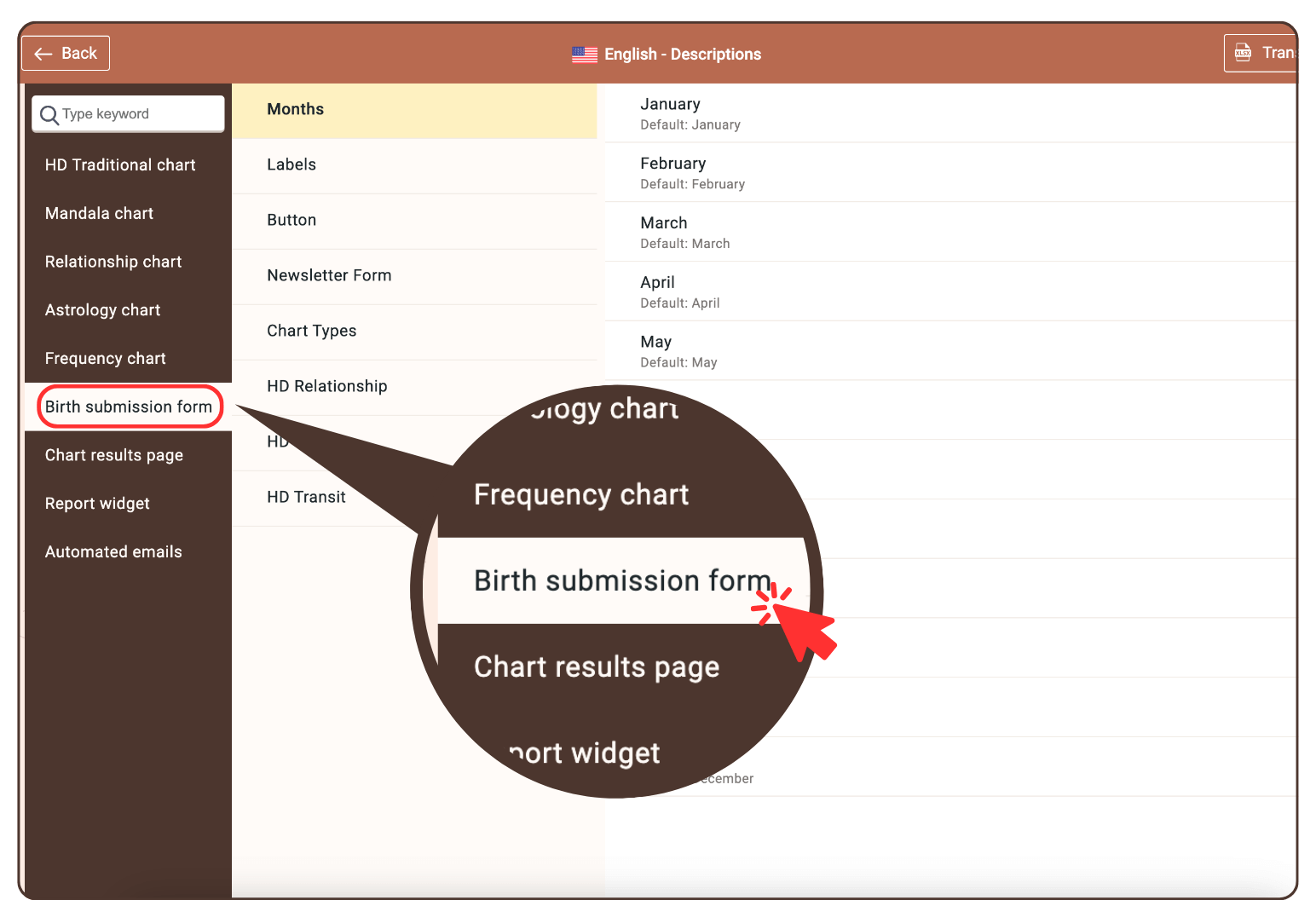
2. Click on ‘Newsletter Form’.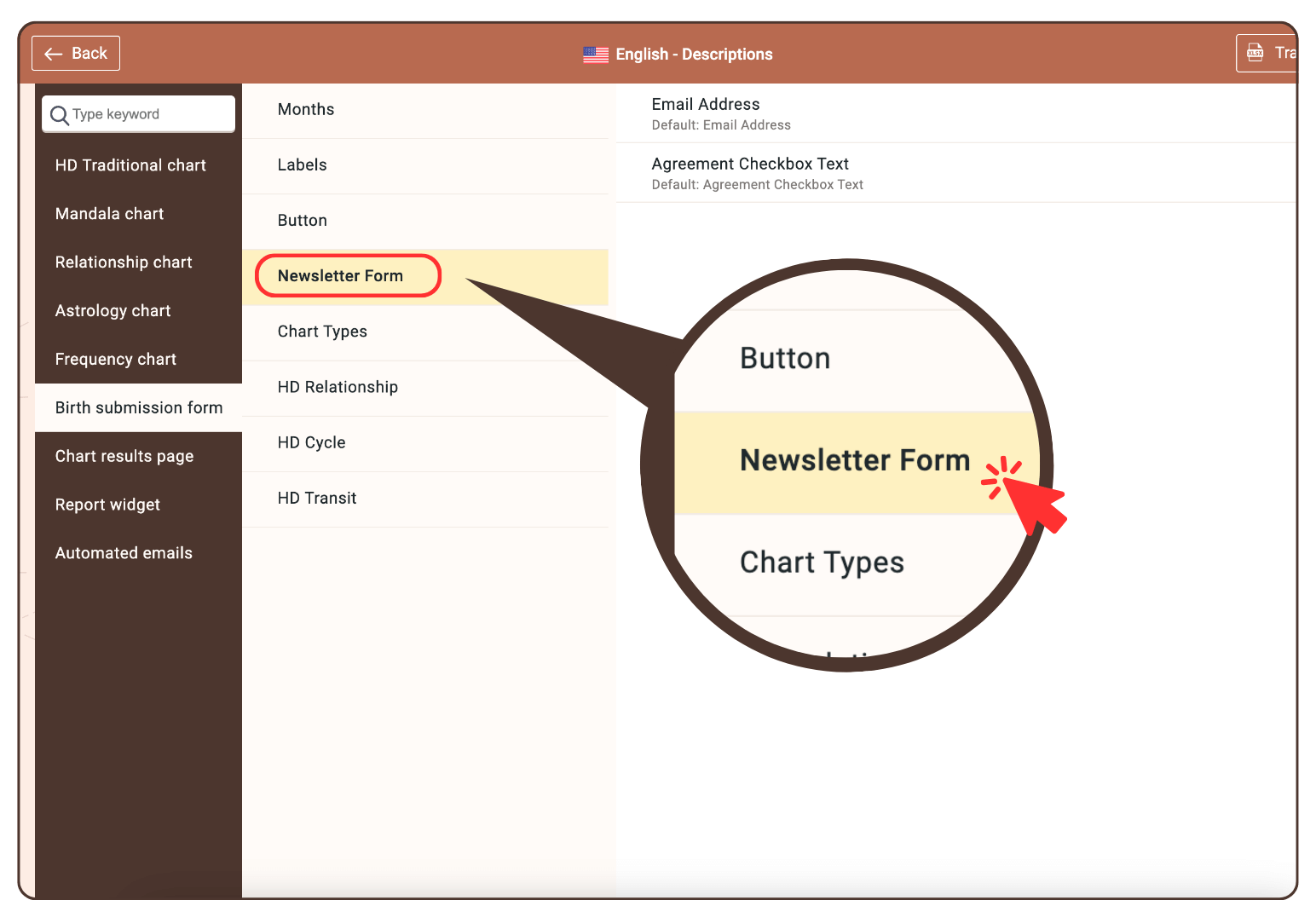
3. Click on the pencil icon to edit the text.

4. Add your text and the following link:
<a href=”https://bodygraphchart.com/terms-and-conditions” target=”_blank”>Terms and Conditions</a> and <a href=”https://bodygraphchart.com/privacy-policy” target=”_blank”>Privacy Policy</a>
Change the urls with yours and the text.

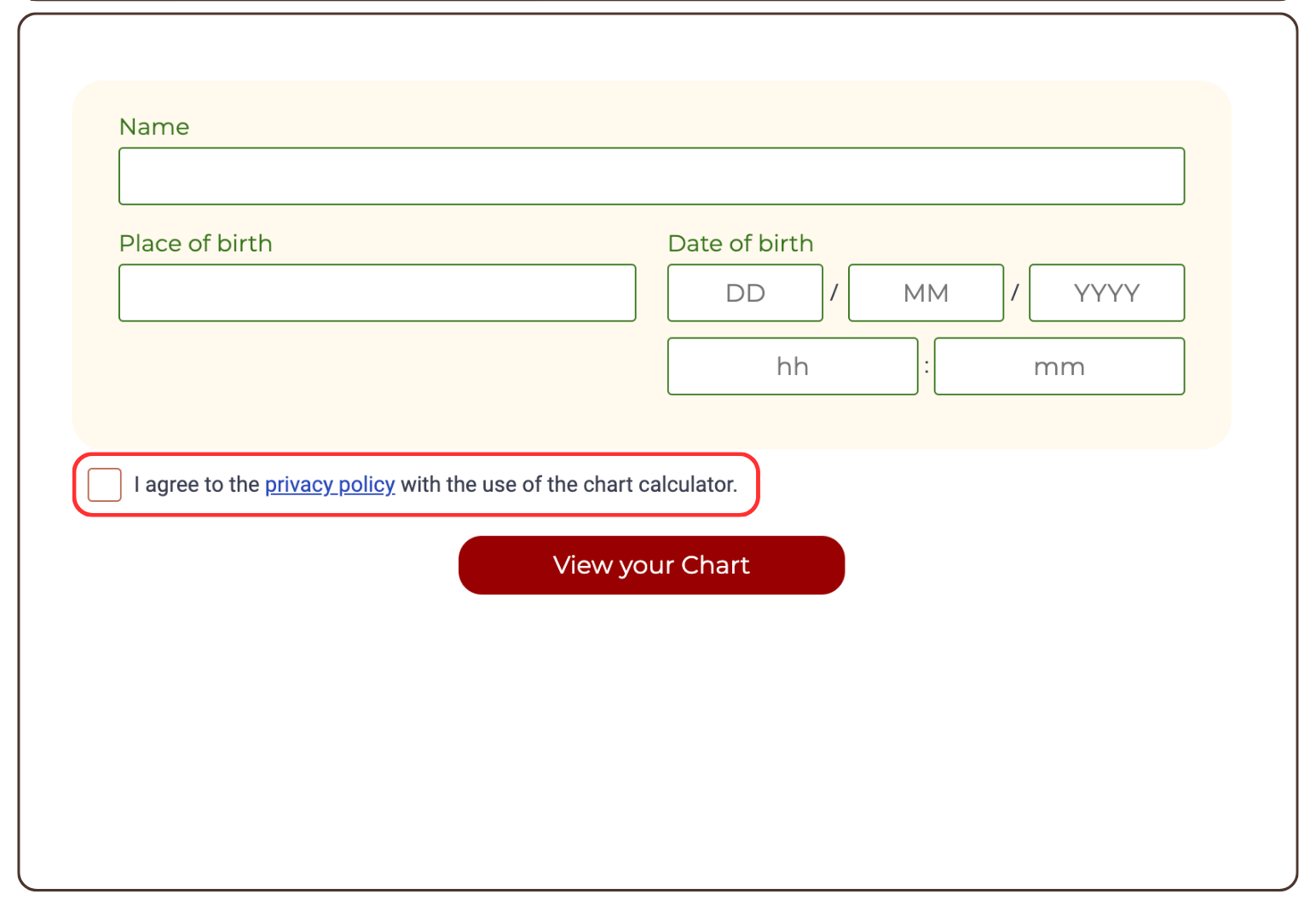
Result: The link is now active.
Related Video:
Still have questions? Please message us on Live Chat or send an email to support@bodygraph.com.