
To enable customers to store multiple charts for easy access to family and friends’ charts, please follow the steps below:
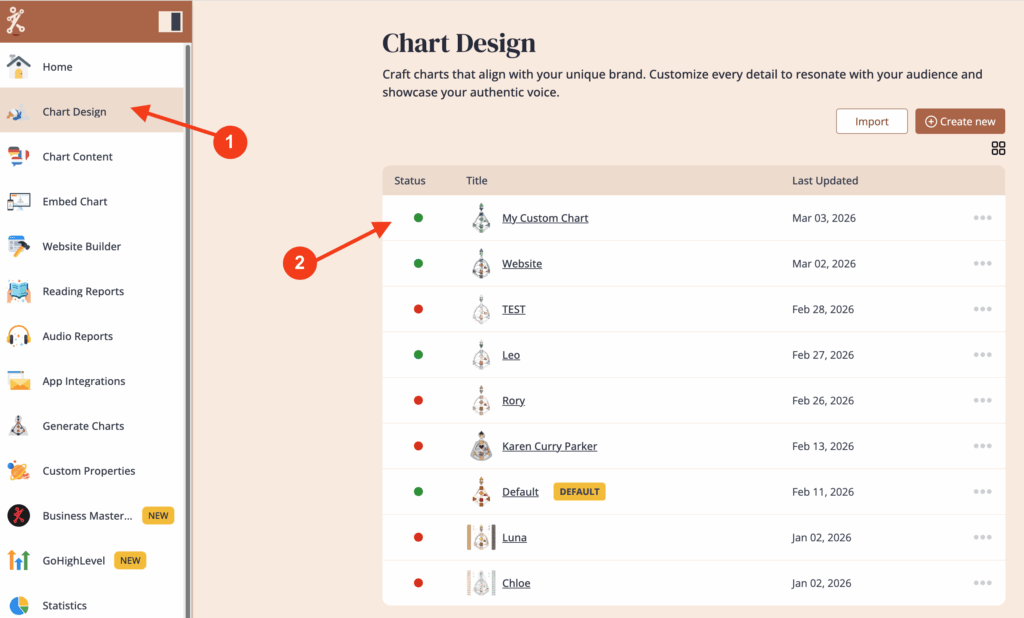
1. Go to ‘Chart Design‘ and select the design for the embed code.
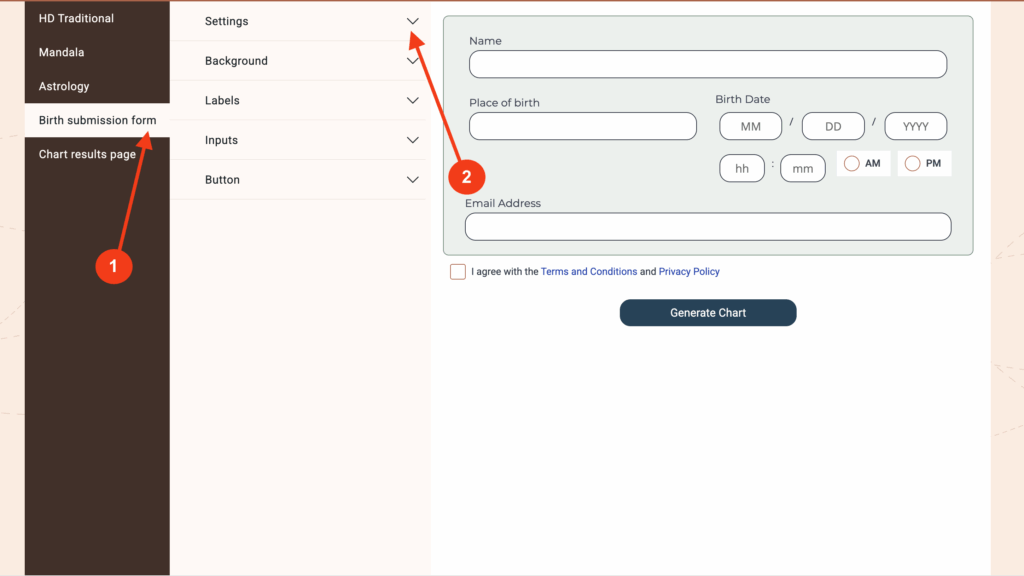
2. Click on Birth submission form and then on Settings to expand the menu
3. Click on ‘Display visitor chart list’ and then click ‘Save changes’
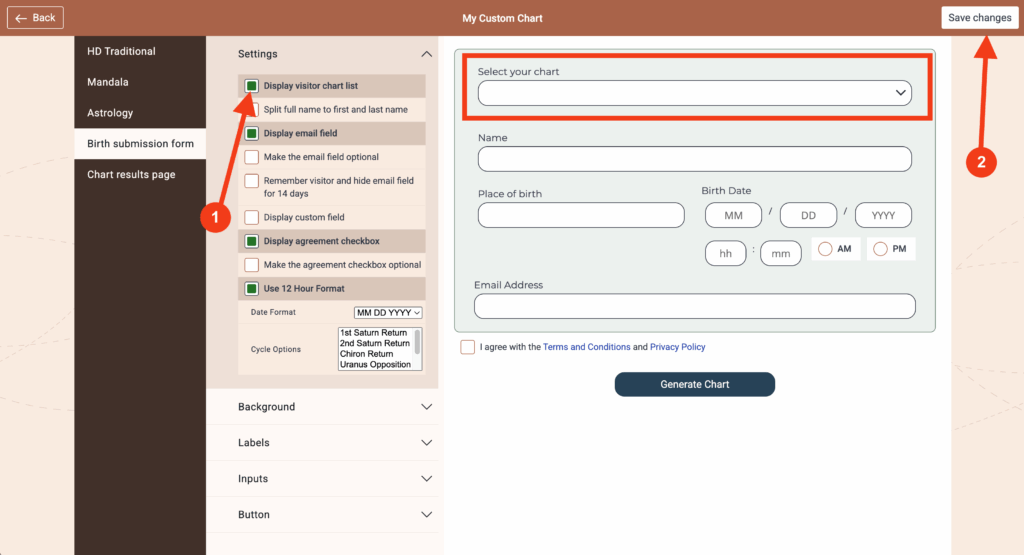
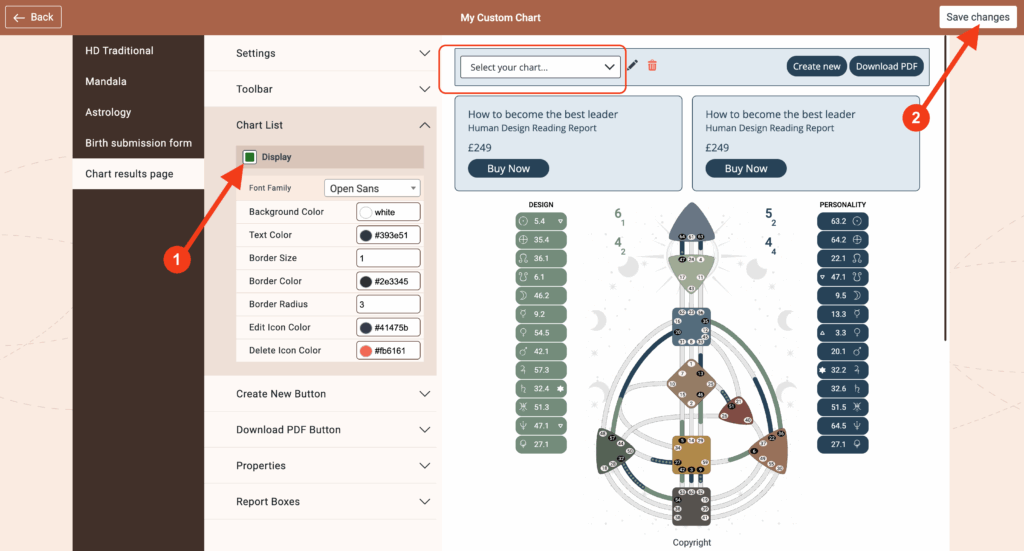
You can also allow the charts drop down to be displayed on the Chart results page.
4. Click on ‘Chart results page’ and then on ‘Chart List’ to expand the menu
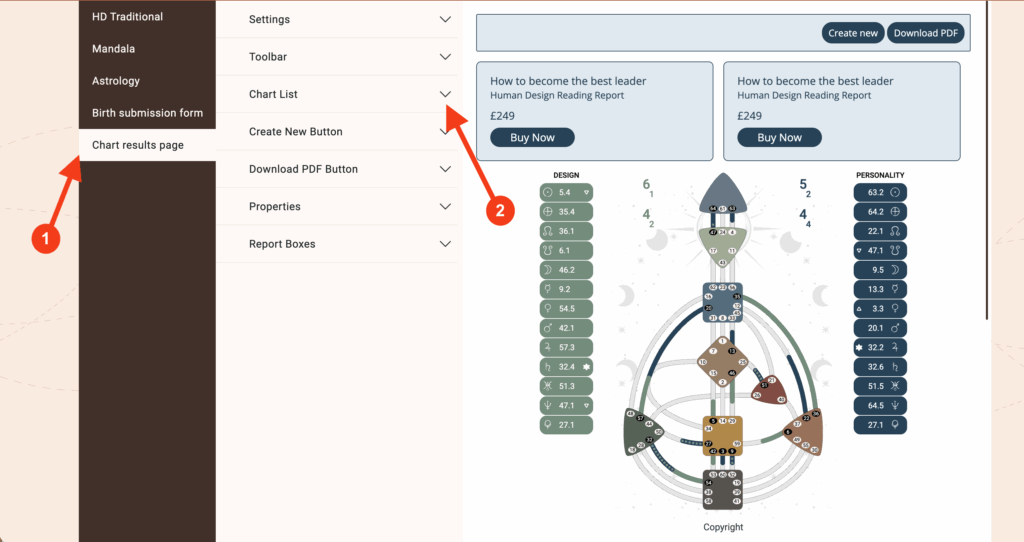
5. Click on ‘Display’ to show the drop down box on the chart results page. Click on ‘Save changes’ to finish.
Frequently asked questions:
– Do I need to re-embed chart after making changes in Chart Design?
No. Changed design at the embed code will automatically update your integration at your website, re-embedding is not required.
Still have questions, is above guide outdated? Please message us on Live Chat or send an email to support@bodygraph.com.
Similar Questions
How do I enable the chart list or saved charts feature?
Can people come back to my website and view their chart without resubmitting the form?