
To change the colors for relationship charts, proceed as follows:
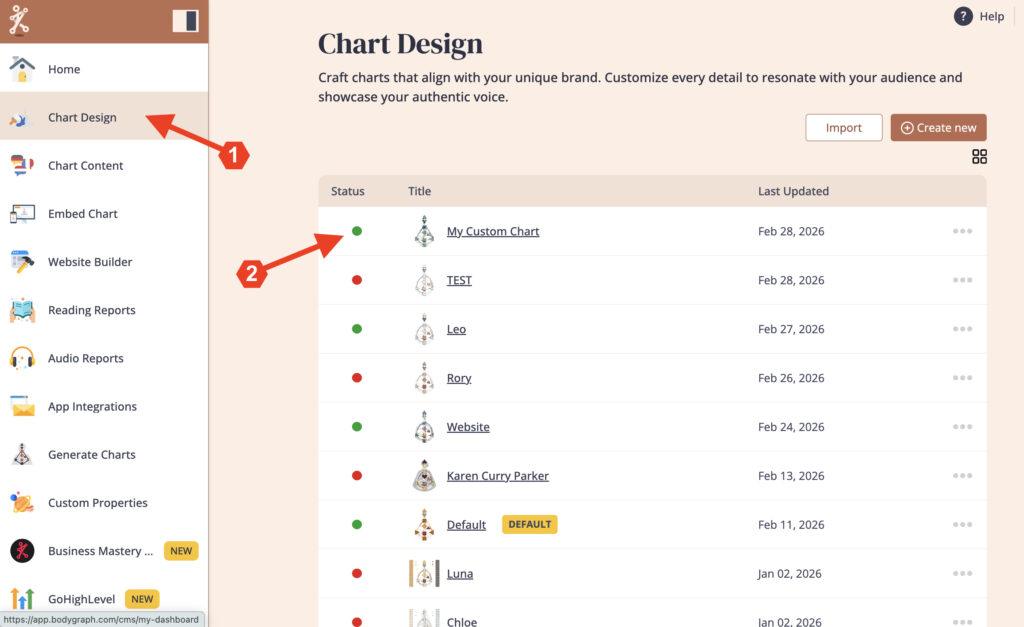
1. Open ‘Chart Design‘ and select the chart where you want to change the relationship colors
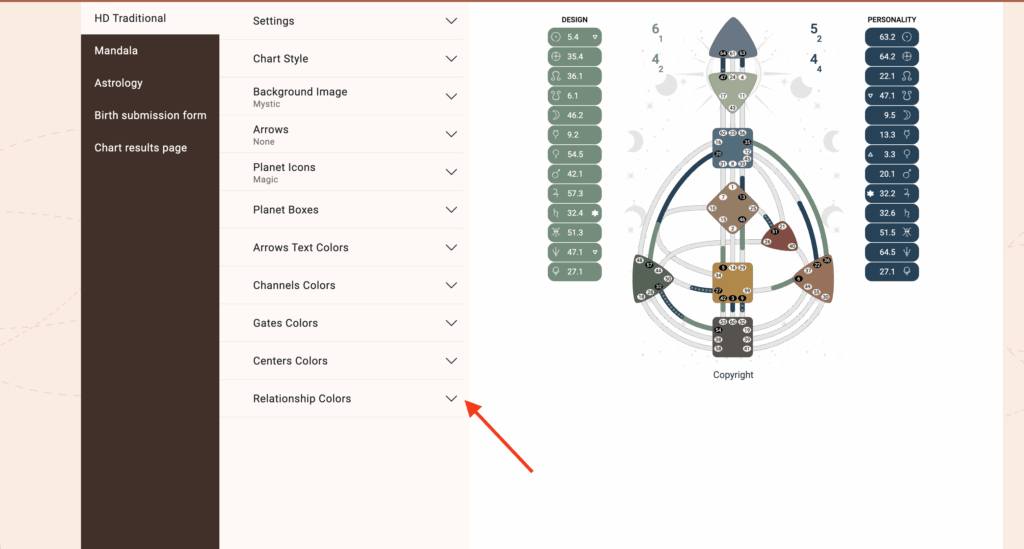
2. Click on ‘Relationship Colors’ to expand the menu
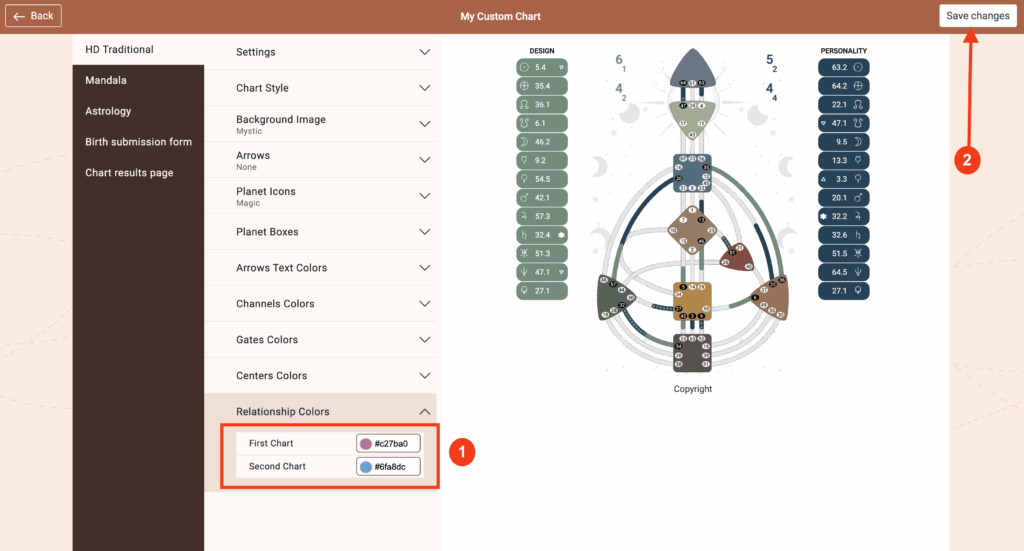
3. Change the color for ‘First Chart’ and ‘Second Chart’ then click ‘Save Changes’
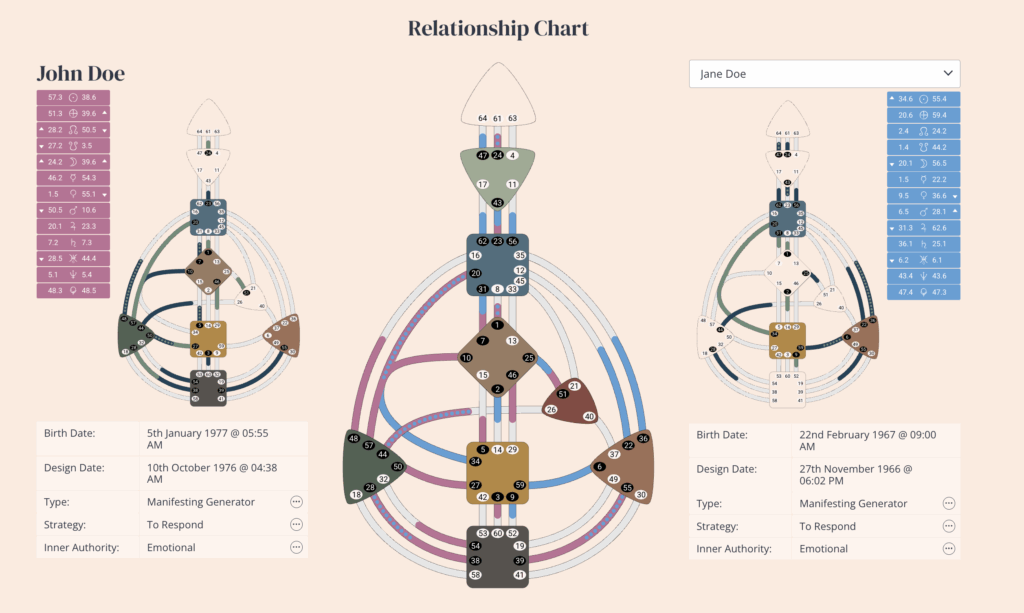
Below is an example of how Relationship Charts are displayed.
Frequently asked questions:
– Do I need to re-embed chart after making changes in Chart Design?
No. Changed design at the embed code will automatically update your integration at your website, re-embedding is not required.
Still have questions, is above guide outdated? Please message us on Live Chat or send an email to support@bodygraph.com.