
Bodygraph App Installation:
To install the Bodygraph app to your apple device, please follow the steps below:
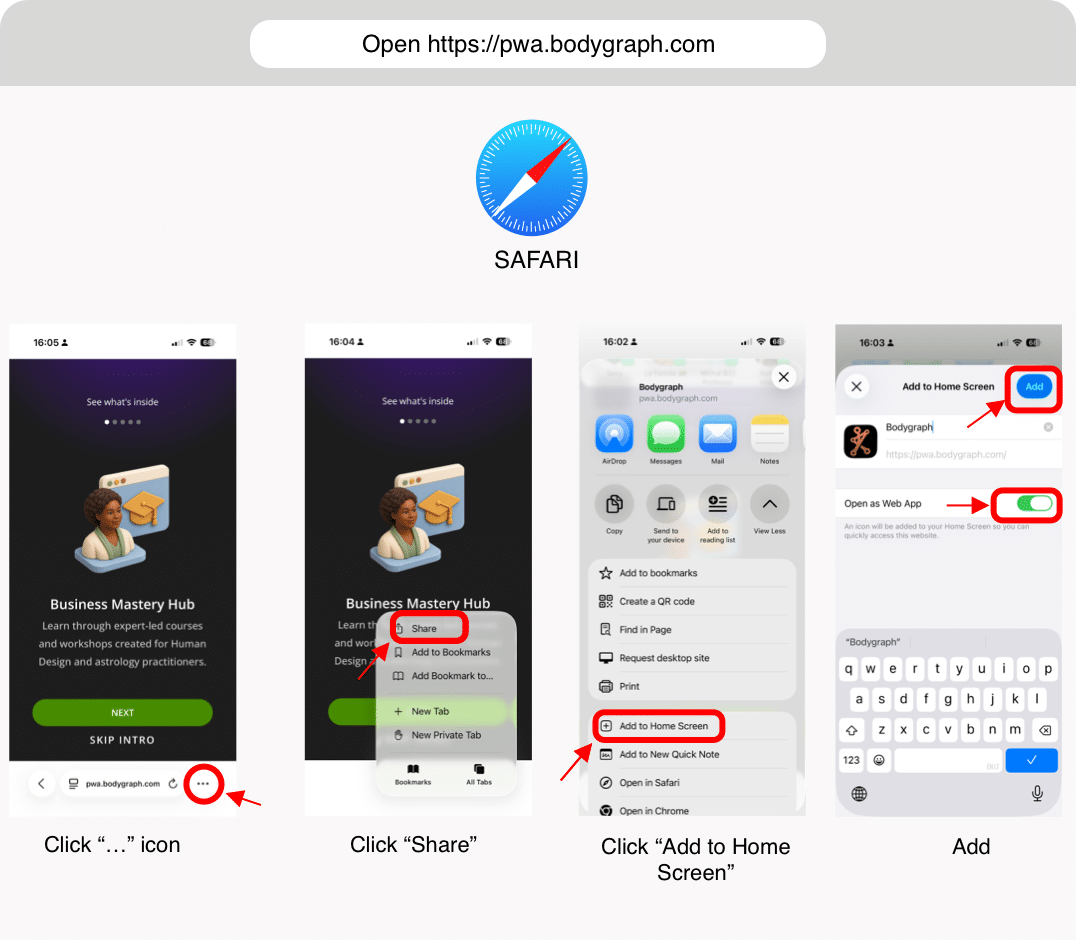
- In the Safari browser – Open https://pwa.bodygraph.com, click on three little dots at bottom right corner and select ”Share”. Select ”Add to home screen”, toggle on option ” Open as web app” and click ”Add”
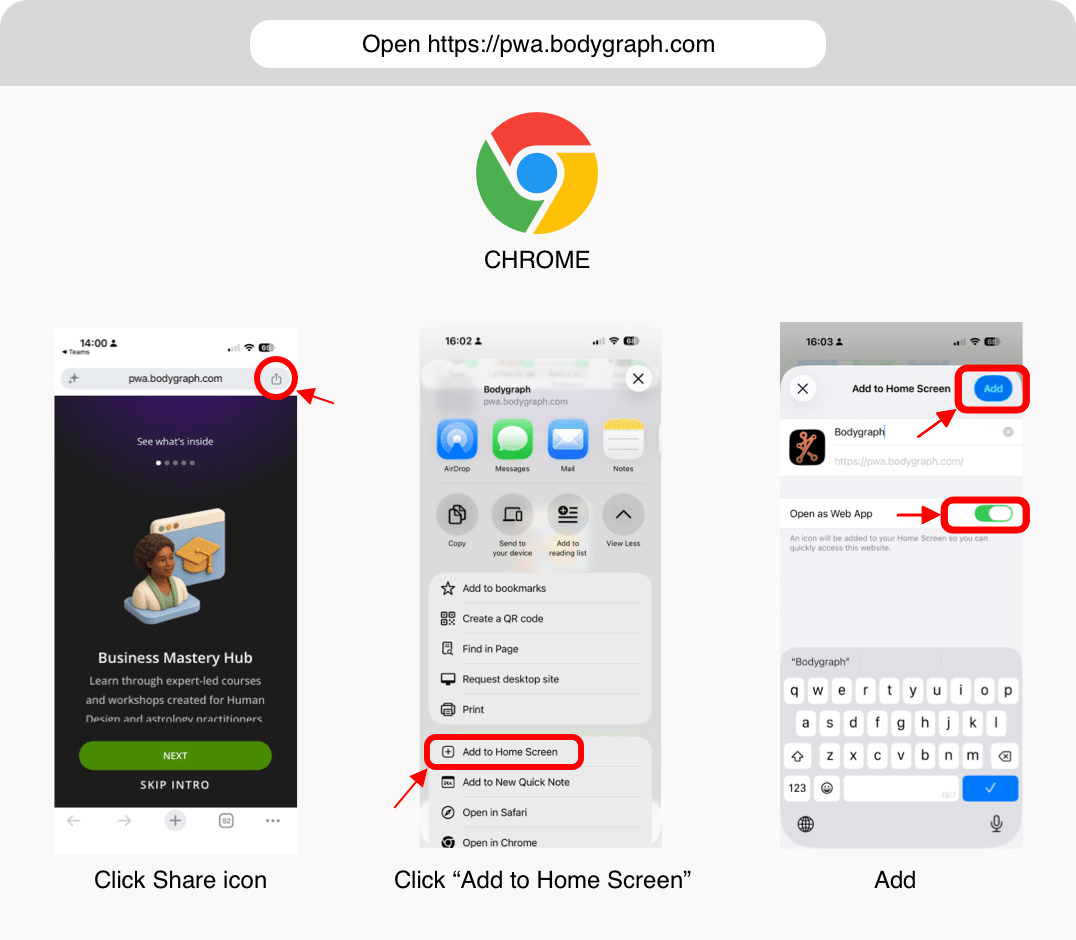
- In Chrome browser – Open https://pwa.bodygraph.com, click ”Share” icon at the top right corner. Select ”Add to home screen”, toggle on option ” Open as web app” and click ”Add”
What app includes:
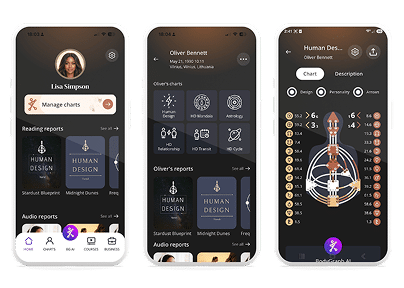
Create Human Design, Astrology, Mandala, Cycle and Transit charts wherever you go. Download detailed reading reports to share with loved ones, friends and clients. Get instant Bodygraph AI overviews for each chart or use the AI chat to ask questions and gain additional insights to support you in providing accurate and meaningful chart readings.
Frequently asked questions:
– Can I download app from Apple store?
The Bodygraph app is currently under review by Apple. We are working closely with their team to complete the review process and make the app available on the App Store as soon as possible.
If you have more questions or trouble with app installation please reach out to support@bodygraph.com